Over the many Kindle options, you’ll find the best fit by weighing screen type, battery life, storage, and price against your reading habits.
Key Takeaways:
- Match model to reading habits and environment: Basic Kindle for casual readers, Kindle Paperwhite for most users with higher-resolution display, waterproofing and warm light options, and Paperwhite Signature for wireless charging and larger storage.
- Pick storage and connectivity by content needs: 8GB suits thousands of ebooks, 32GB is better for audiobooks and comics; choose Wi‑Fi or cellular and use Bluetooth for Audible playback.
- Weigh budget and extras: choose ad-supported vs ad-free, factor in warranty and case/charger costs, and prefer better screen quality and battery life over unnecessary features if cost is a concern.
Assessing Your Primary Reading Requirements
You should match Kindle size, battery life, screen type, and storage to how, where, and how long you read, so the device fits your routine without compromises.
Defining your daily reading environment
When you read outdoors, pick a glare-free e-ink display and higher brightness; if you read in bed, prioritize adjustable warm light and comfort for night sessions.
Identifying vital hardware features for your lifestyle
Assess whether screen size, waterproofing, physical page buttons, weight, and storage improve comfort and convenience for long sessions or crowded commutes.
Battery life often dictates how uninterrupted your reading will be during travel, so you can go weeks without charging. Screen tech affects eye comfort and contrast, while water resistance lets you read by the pool without worry. Weight and grip determine how long you can hold the device, and storage limits how many titles you carry.
Comparing the Current Kindle Lineup
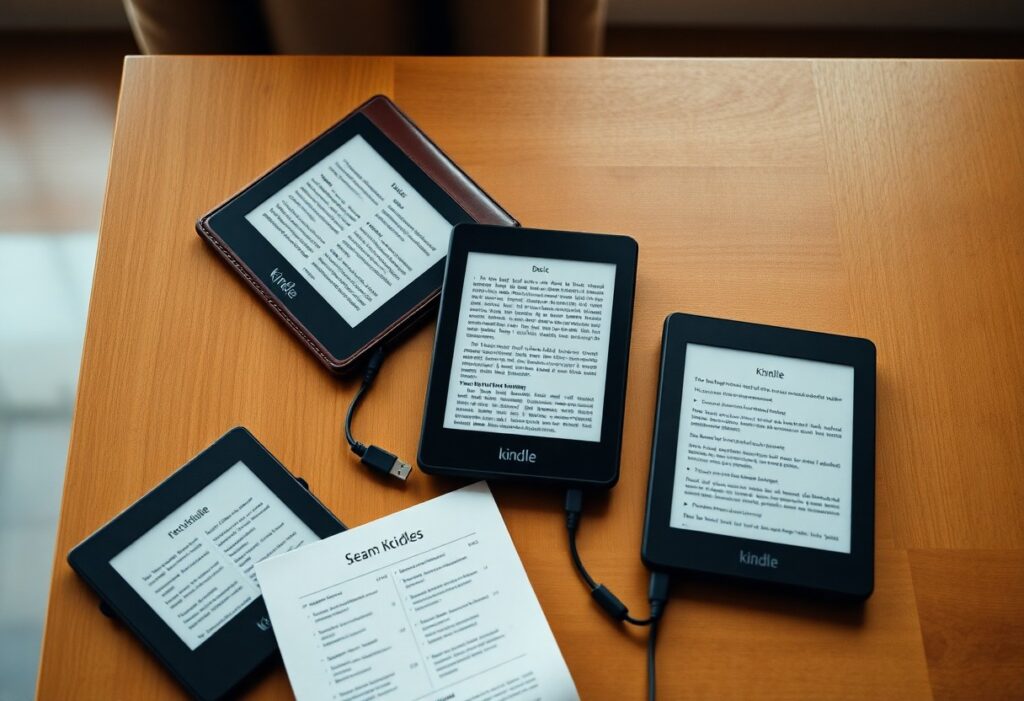
Compare the current Kindle lineup to match features, screen size, battery life, and price so you can pick the best fit for your reading habits.
| Model | Best for |
|---|---|
| Kindle | You want portability and value – basic 6″ display, light weight, and long battery life. |
| Paperwhite | You want a sharper 300 ppi screen, waterproofing, and adjustable warmth for varied lighting. |
| Scribe | You want note-taking with a stylus, larger screen, and PDF annotation for work or study. |
The standard Kindle for portability and value
Kindle gives you a lightweight, affordable reader with a 6″ display, solid battery life, and simple functionality for casual reading and travel.
The Paperwhite for enhanced display and waterproofing
Paperwhite gives you a 300 ppi screen, adjustable warmth, and IPX8 waterproofing, making it ideal for poolside, beach, or dimly lit rooms.
Display quality on Paperwhite combines 300 ppi with even front lighting and warmth controls, so you get crisp text and comfortable night reading; storage tiers and wireless charging (on Signature models) let you choose the capacity and convenience that match your library and habits.
The Scribe for note-taking and professional use
Scribe gives you a large screen and included stylus for handwriting, PDF markup, and exporting notes – perfect when you need reading plus advanced annotation tools.
Notes and handwriting sync on Scribe integrate with ebooks and PDFs; the battery-free pen captures strokes accurately, you can convert handwriting to typed text, and exported files streamline sharing with colleagues or backing up to cloud services.
Critical Factors in Screen and Display Technology
- PPI and resolution
- Screen size and margins
- Front light, warm tone, and auto-brightness
Screen choices affect glare, contrast, and night reading comfort for you. Any minor PPI or lighting tweaks will change your daily comfort, so test before buying.
Understanding PPI and text clarity benchmarks
PPI measures pixels per inch and you should aim for 300+ for sharp, print-like text; lower PPI can strain your eyes during long reading sessions.
Evaluating adjustable warm light and auto-brightness
Warm light reduces blue wavelengths, helping you read at night; check how the tone range and auto-brightness adapt to different rooms.
Check how quickly the warmer tones shift and whether the color temperature feels natural across the slider. You should test auto-brightness in bright sunlight and dim lamps to ensure it reacts smoothly without sudden jumps. Verify that warm light lowers perceived glare without washing out contrast, since that preserves crisp text and comfortable long sessions.
How to Determine Your Ideal Storage Size
Estimate the space you need by listing offline titles, audiobooks, and graphic novels, then add a 20-30% buffer for OS files and future purchases to avoid constant juggling.
Calculating space for standard text-based libraries
Typical eBooks are compact-about 1-5 MB each-so 1,000 novels usually fit within 1-5 GB; if you read mostly text, an 8-16 GB Kindle often covers your needs.
Factoring in Audible files and graphic novels
Audiobooks and graphic novels require far more room, so you should expect audiobooks to run tens to hundreds of megabytes and high-resolution comics to take dozens to hundreds per issue.
Because you can stream or re-download many files, prioritize local storage for content you use offline; if you keep large audiobooks and illustrated collections on-device often, choose 32 GB or higher and rely on cloud backups for the rest.

Essential Tips for Battery and Connectivity
Battery life affects daily Kindle use, so you should manage charging and connections:
- Charge before long trips
- Use airplane mode for long sessions
- Disable background sync
Assume that toggling wireless only when needed extends time between charges.
Choosing between Wi-Fi and cellular configurations
Decide based on travel frequency and budget: you’ll save with Wi‑Fi at home, while cellular gives instant downloads on the go despite higher cost; match the option to how often you need real‑time access.
Optimizing settings for maximum power longevity
Adjust brightness, timeout, and wireless to extend run time: you should disable automatic downloads, shorten screen timeout, and close background apps to get more hours between charges.
Tweak individual settings for measurable gains: you can lower screen brightness, disable Bluetooth, turn off Wi‑Fi when idle, limit sync intervals, avoid experimental features, and keep firmware updated so the device manages power more efficiently during long reads.
Navigating Pricing and Ownership Options
Balancing price and ownership choices helps you match budget with reading habits; weigh device cost, subscription access, warranty, and resale prospects to choose the Kindle that fits your long-term needs.
How to decide between ad-supported and ad-free models
Compare the immediate savings of ad-supported models against the cleaner reading experience and potentially higher resale value of ad-free units to decide which trade-offs suit your preferences.
Leveraging trade-in programs for better value
Use manufacturer and third-party trade-in offers to cut the net price of an upgrade; check eligible models, condition requirements, and whether promotions stack with trade credits.
Check device condition, remove accounts, photograph wear to get accurate trade quotes; compare Amazon trade-ins to carrier or retailer offers, factor in shipping costs, and time your trade during promotional periods to maximize your credit toward a higher-end Kindle.
To wrap up
With these considerations you can choose the Kindle model that matches your reading habits, budget, and preferred features; focus on screen quality, storage, battery life, and waterproofing to ensure the best long-term value and reading experience for you.


FAQ
Q: How do I choose the right Kindle model for my reading habits?
A: Consider your reading frequency, preferred content types, and where you read most. The entry-level Kindle fits casual readers who want a light, affordable device for novels. The Kindle Paperwhite adds a higher-resolution 300 ppi display, better front light (including adjustable warm tones on recent models), and waterproofing for pool- or beach-side use. The Paperwhite Signature Edition offers extra storage, wireless charging, and auto-adjusting light for frequent readers who want small conveniences. The Kindle Scribe suits readers who annotate, draft notes, or convert documents to handwritten notes thanks to a large screen and stylus support. Choose a model with more storage if you keep large PDF files, audiobooks, or a huge library; choose waterproofing if you read near water; choose a larger screen and stylus if you plan to write or mark up documents.
Q: Which features should I prioritize: screen, battery, storage, or extras like Audible and waterproofing?
A: Prioritize the screen when long reading sessions are common: higher pixel density and a glare-free E Ink panel reduce eye strain. Prioritize battery life if you travel or read for weeks without convenient charging; most Kindles last weeks on a single charge, but heavy audiobook or backlight use shortens that. Prioritize storage if you keep large files, many audiobooks, or lots of graphic-heavy PDFs; 8-16 GB is fine for most users, 32 GB or higher helps with large collections. Prioritize waterproofing (IPX8) if you read in bathtubs, pools, or outdoors. Prioritize Audible/Bluetooth support if you use audiobooks frequently. Consider ergonomic features such as weight, bezel size, and physical page-turn buttons when one-handed use matters. Decide which single feature upgrades you’re willing to pay for and choose the model that covers those priorities.
Q: Should I buy a new Kindle or a refurbished one, and where is the safest place to buy?
A: Buy new from Amazon or an authorized retailer for full warranty coverage, latest firmware, and guaranteed condition. Buy refurbished from Amazon Renewed or certified refurbishers to save money while keeping a limited warranty and return window; inspect the seller’s warranty length and grading details before purchase. Verify that the device receives software updates and supports the features you need, check for physical damage in listings, and confirm the return policy. Time purchases around sales events such as Prime Day or holiday promotions for the best new-device discounts. Keep receipts and register the device when possible to preserve support options.