Many simple Amazon tech tips can unlock powerful uses for your everyday gadgets, showing you how to repurpose smart plugs, USB chargers, and inexpensive adapters to boost performance, extend functionality, and automate tasks; this guide gives you practical, tested techniques and product recommendations so you can upgrade your devices into reliable power tools for productivity, home improvement, and creative projects.
Quick Amazon Purchases That Supercharge Everyday Gadgets
High-torque attachments, retrofit kits, and motor adapters
You can bolt on planetary gear attachments and drill‑to‑grinder adapters that multiply torque 3:1 to 10:1, turning a 12V cordless drill into a sanding or cutting workhorse. Popular buys include Dremel flex‑shaft kits, universal chuck adapters for drill/driver spindles, and brushless motor retrofit kits that replace low‑torque cores with 18-24V motors to deliver 30-100% more usable torque for hobby and light‑trade jobs.
Power-delivery boosters: PD chargers, step-up converters, and battery packs
You can pair USB‑C PD chargers (65W-100W) with compact step‑up modules or DC‑AC inverters to power or charge more demanding tools; common Amazon modules include 5V→12V/3A boost boards and 12V→120V inverters rated 300-1000W. Battery packs and small power stations in the 200-500Wh range (e.g., Explorer‑style units) give hours of runtime-pick units with continuous output that matches your tool.
Match continuous wattage and surge capability: motors often draw 2-3× startup current, so choose inverters and packs with higher surge ratings and built‑in BMS. USB‑PD 100W delivers up to 20V/5A and needs an e‑marked 5A cable; expect boost/inverter efficiencies around 85-95%, and add fuses, heat sinks, or active cooling when running sustained loads to avoid thermal shutdown.
Essential Accessories to Turn Tools into Power Tools
Adapters like 1/4-inch hex shanks, quick-change chucks, collet converters, and right-angle adapters let you repurpose Dremel 4000 or cordless drills into specialized power tools; battery-pack upgrades and flex-shaft attachments add torque and runtime. You can swap a drill’s chuck for a universal 3-jaw to accept 0.8-8 mm bits, or add a magnetic base or bench mount to lock handheld devices into repeatable, bench-level performers for under $50 in parts.
Rotary-tool, drill, and driver conversion accessories
Collet reducers, 1/4″ hex-to-collet adapters, and SDS-to-hex couplers convert rotary tools and drills quickly; Dremel collets cover 1/32″-1/8″ while many quick-change hex systems tolerate rotary speeds up to 35,000 RPM and drills up to 3,000 RPM. You should use impact-rated hex adapters for driver-to-drill tasks and consider a Jacobs-style chuck when you need to mount larger drill bits with better concentricity and less runout.
Magnetic mounts, clamps, universal chucks, and ergonomic handles
Neodymium magnetic bases (rated 20-100 lb pull), quick-release clamps, universal 3-jaw chucks, and padded ergonomic handles let you stabilize tools and reduce fatigue during long jobs; you can mount a rotary tool to a bench with a magnetic stand or swap to a soft-grip handle for finer control. Pick mounts and clamps that match bit shank sizes and the surface you’re securing to for safe, repeatable results.
Match magnetic mounts’ pull rating to the task-20-30 lb works for light handheld operations, while 50+ lb is better for heavy torque or overhead setups; if you don’t have a ferrous surface, opt for C-clamps or toggle clamps rated to the same load. Universal chucks typically accept 0.8-8 mm shanks, and ergonomic handles with rubber overmolds and anti-vibration inserts improve control for precision tasks like PCB drilling, watch repair, or jewelry shaping.
You can dramatically extend runtime by combining higher-capacity cells, smarter power delivery, and battery management tools; opt for 20,000-30,000 mAh external packs for multi‑day phone use, USB‑C PD chargers (30-100W) for fast laptop top‑ups, and small UPS units to keep routers or desktop rigs online during outages.
External battery packs, smart power banks, and UPS-style solutions
Choose power banks rated 10,000-30,000 mAh with USB‑C PD 18-100W outputs to run laptops or boost cameras; consider brands like Anker or RAVPower with passthrough charging and GaN chargers for compact 65W performance; for home gear, a 600-1000VA UPS preserves modem/router uptime and supplies clean 230V during brief cuts.
Safe charging, battery health tips, and fast-charge compatibility
Use certified USB‑PD or Quick Charge chargers with proper cable ratings (e‑marked for 5A) and avoid sustained high temperatures; shift charging windows toward 20-80% for daily use, limit full 0→100 cycles, and verify specs-PD can deliver up to 100W (20V/5A), while many phones top out at 18-45W.
- Prefer chargers with active negotiation (USB‑PD) so devices draw only approved voltage and current.
- Monitor battery cycles-many Li‑ion packs drop to ~80% capacity after ~500 full cycles.
- Recognizing that fast charging raises cell temperature, you should allow the device to cool and avoid heavy use while charging.
Check manufacturer battery statements: Apple and other makers often show ~80% capacity at ~500 cycles, and keeping charge between ~20-80% can slow capacity loss; you can use USB power meters to read volts/amps, pick GaN chargers for cooler operation, and store devices near 40% for long periods to reduce wear.
- Install battery‑health apps or use built‑in diagnostics to track cycle count and peak capacity.
- Use cables rated for the negotiated power level-cheap cables can limit charge speed or overheat.
- Recognizing that firmware and thermal throttling affect charging behavior, compare real‑world charge curves rather than just headline wattage.
Smart Integrations and App Hacks
Alexa routines, smart plugs, and automation to control tools
Use Alexa routines plus smart plugs to sequence shop tasks: trigger a TP-Link Kasa or Wemo outlet from an Echo when you say “Start workshop,” then run a dust collector for 10-15 minutes while your table saw is active. Geofence-triggered routines start battery chargers when you arrive home; time-based conditions prevent long unattended runtimes. Combine an Echo Show for visual confirmation and a smart plug’s energy monitoring to track amp draw and avoid overloading a 15 A circuit.
Firmware, driver updates, and trustworthy third‑party apps
Keep device firmware and PC drivers current to fix stability and security issues and to enable new protocols like Matter or MQTT. You can update via vendor apps (e.g., Wyze, Ring, Sonoff) or flash community firmware like Tasmota/ESPHome for MQTT-based control, but always verify sources and changelogs. Prefer apps from official stores, check digital signatures for Windows drivers (FTDI, CP210x), and test updates on one device before fleet-wide rollout.
Before pushing updates broadly, check the device’s current version and read the release notes for bug fixes or breaking changes; many vendors post changelogs on support pages or GitHub. Use wired connections for flashing when possible to reduce bricking risk, export configuration backups, and keep a rollback plan (bootloader access or recovery images). When choosing third‑party solutions, vet community size, issue-response times, and documentation-large active projects and Home Assistant integrations provide logs, templates, and migration guides that save hours. Finally, enable 2FA and change default passwords after any firmware change to maintain secure remote control of your tools.
Low-Cost DIY Conversions and 3D-Printed Parts
Simple mod projects: mounting, coupling, and housing tweaks
You can print a 1/4″ hex-to-3/8″ coupler to adapt a cordless driver to router bits, fabricate a drill-press saddle that uses M6 bolts to lock a handheld drill, or make a dust-collection adapter for a 1¼” hose to fit a shop vac. Use 3 perimeters, 50% infill, and 0.2 mm layer height for durable parts; many of these mods cost under $10 in filament and basic hardware while cutting setup time dramatically.
Sourcing designs, printing tolerances, and inexpensive materials
You should browse Printables, Thingiverse, PrusaPrinters and GrabCAD for parametric models and community-tested parts. For press-fits aim for −0.10 to −0.20 mm interference in PLA and +0.10 to +0.30 mm clearance for sliding fits; use heat-set M3/M4 inserts for repeated assembly. PLA runs ~$20/kg, PETG $25-30/kg; print PLA at 200-210°C and PETG at 230-250°C with a 60-70°C bed.
You must measure mating geometry with calipers to 0.1 mm and print a tolerance test block (pins/holes in 0.05 mm steps) to dial fits for your printer. For rotating shafts design ~0.20-0.30 mm radial clearance; for press-fit bearings try ~0.15 mm interference and use metal sleeves or epoxy if needed. Iterate 2-4 test prints, increase perimeters to 4 or infill to 70% for high-stress joints, and keep calibration notes per filament to avoid surprises.
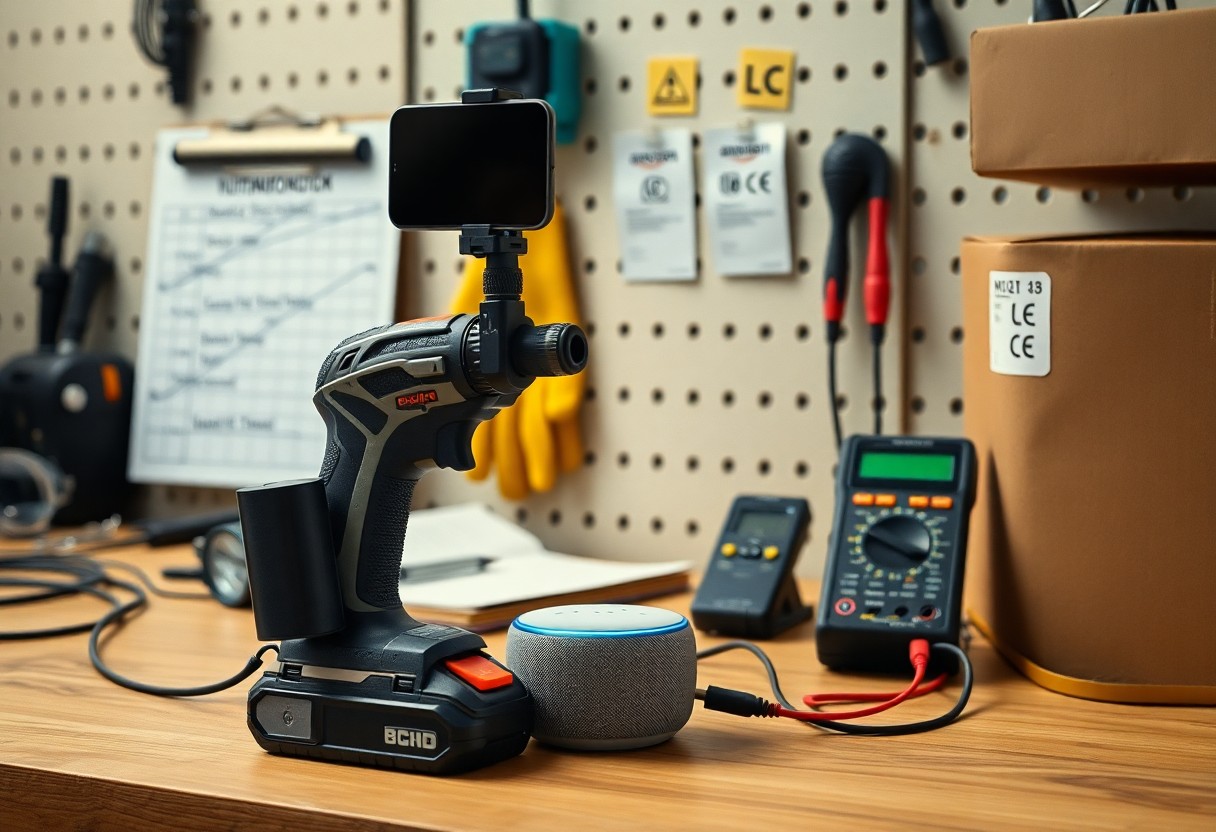
Safety, Compliance, and Maintenance Best Practices
Verify product markings like UL, CE, or FCC IDs and follow local electrical and building codes when converting gadgets; you should clean vents and filters every 3 months, inspect cords and fasteners monthly, and track battery cycles – most lithium packs degrade noticeably after 300-500 cycles – while logging serial numbers and maintenance dates to meet warranty and safety requirements.
Personal protective equipment, load limits, and safe operating methods
Wear ANSI Z87.1 eye protection, hearing protection with NRR 25-33 for sustained noise, and NIOSH-approved respirators (N95 for dust, P100 for fine particulates) when you grind or cut; follow manufacturer load ratings-many DIY attachments max out at 50-75 lb-and use proper torque settings, two-handed grips, secured workpieces, and battery handling rules (don’t mix cells, avoid shorting terminals) to prevent injury.
Warranty considerations, return policies, and when to get professional help
Check Amazon’s typical 30-day return window and manufacturer warranties (commonly 1 year); you should register products if required, keep receipts and serial numbers, and avoid opening or modifying sealed components since that often voids coverage-stop using devices that smoke, spark, overheat, or have bulging batteries and contact manufacturer support or a licensed pro.
To preserve warranty eligibility, photograph serial numbers and damage, save the original packaging and proof of purchase, and initiate returns from Orders > Return or Replace within the stipulated period; for manufacturer RMAs contact support, expect 7-14 day evaluations and potential $30-$150 diagnostic fees, and hire licensed electricians or certified technicians for exposed wiring, structural changes, or permit-triggering work to avoid safety, insurance, and code violations.
Final Words
Considering all points, you can use Amazon’s smart accessories, firmware updates, high-capacity batteries, and automation routines to turn your everyday gadgets into powerful, task-focused tools; combine verified reviews, compatible accessories, and hands-on tutorials you find on Amazon to optimize performance, extend runtime, and streamline workflows for reliable, professional-grade results.