

You want onboarding and customer relationship tools that reduce friction, keep new users engaged, and centralize contact data. This guide helps you compare solutions across lead capture, client portals, link tracking, automation, and crm integration so you can pick tools that match your workflow.
Focus on tools that save time, improve data quality, and let you automate routine follow-ups — that’s how you improve retention and scale onboarding without hiring more staff.
Top Picks
| Category | Price | Score | |
|---|---|---|---|
| 🏆 Best WhatsApp CRM | $79 | 82/100 | |
| 🔰 Best Custom CRM Builder | $99 | 94/100 | |
| 🎨 Best Client Portal | $69 | 90/100 | |
| ⭐ Best for Team Onboarding | $69 | 94/100 | |
| 🚀 Best Link & Tracking Tool | $39 | 98/100 | |
| 💰 Best For Local Lead Gen | $69 | 91/100 |
How We Picked These Tools
You need tools that actually move onboarding forward, so we focused on real-world benefits: accuracy of contact and lead data, quality of CRM integration, automation for welcome and follow-up flows, ease of setup for non-technical users, and value for money. We also considered scalability, compliance features (important if you handle personal data), and how each product helps reduce manual steps in the onboarding funnel.
Finally, we looked at user feedback and common pain points so you know where a tool excels and where it might require workarounds.
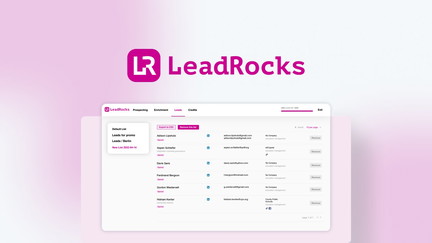
LeadRocks bills itself as a huge B2B contact database — think millions of records you can search, pull and export into your workflow. If you need raw reach and quick access to large lists for outreach or to seed a crm, it can feel useful: you can run big queries, grab thousands of contacts and export them.
In daily use you might rely on it for finding prospects to warm up, building outreach lists, or grabbing phone numbers to follow up. For special campaigns or events it’s handy when you need volume fast.
That said, the experience is mixed: search filters and export flows can be clunky, and many users recommend verifying and de-duping leads before you import into your crm. If you want scale and are prepared to clean the data, it can be a practical tool; if you need pinpoint accuracy out of the box, expect extra work.
What People Say
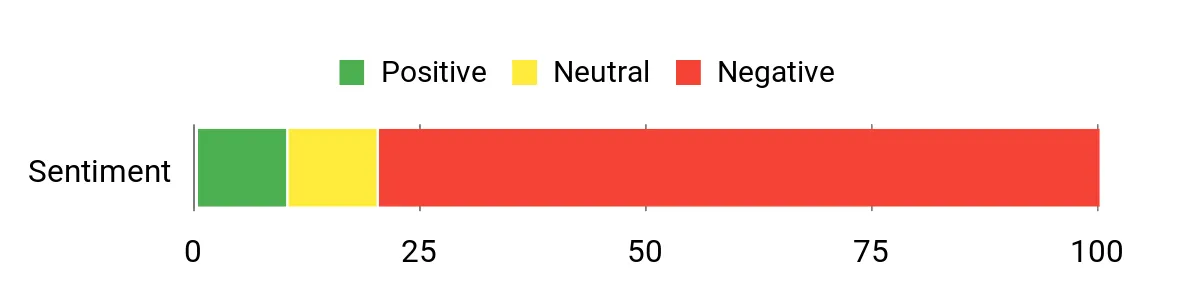
Customer feedback is mixed. People appreciate the scale — lots of contacts and big result sets — but many warn the data can be outdated or imprecise, and the search/export workflow needs care.
A common tip is to always verify emails and de-duplicate before outreach.
Overall Sentiment: Negative
🗣️ jamesbrowntv
I like the access to a large number of contacts — the tool gives broad reach even if it isn’t perfectly precise. Good when you want volume to start a campaign and then prune for accuracy.
🗣️ AndriaBauneeEnterprises
Pulled very large result sets during searches (examples like 75,000 leads or yields of 175k), which shows the platform can deliver scale — you just need to verify and clean before using.
Long-Term Cost Benefits
If you use LeadRocks as a volume source and pair it with an email verification service and de-duping process, you can reduce the per-lead cost compared with manual list-building. However, the time and tools required to clean low-quality data can offset those savings, so long-term cost benefits depend on how much post-processing you’re willing to do.
Return On Investment
ROI hinges on data quality and workflow. When cleaned and integrated into your crm workflows correctly, the platform can deliver leads at scale that justify the price.
If you skip verification or expect perfect accuracy, ROI is likely low because of wasted outreach and deliverability problems.
Usability
| Aspect | Ease Level | Notes |
|---|---|---|
| Setup | Moderate | Account setup is straightforward, but there’s no public API and initial configuration for exports and credits can be confusing. |
| Search & Filters | Difficult | Filters are limited compared with LinkedIn-style targeting; many users report imprecise geographic and role targeting. |
| Exporting | Moderate | You can export large lists but must remember to check the proper “save selected” options and deal with page limits (500 per save). |
| Email Outreach Tools | Difficult | Built-in outreach lacks cadence controls, A/B testing, and deliverability-friendly features; most teams use external tools for sending. |
Performance & Speed
Searches can return large result sets quickly, but practical exporting often feels slow due to page limits and manual saving steps. Large queries may require patience.
Integrations
| Software | Integration Quality |
|---|---|
| CSV Export / Generic CRM | Basic (manual CSV import) |
| Salesforce | Limited (no native push; use CSV) |
| Zapier / API | None / Not available (no public API noted) |
| Email Verification Services | External integration required (recommended to improve quality) |
Security Features
| Feature | Protection Level |
|---|---|
| Data Age Transparency | Low (users report out-of-date records) |
| Email Verification | Minimal (requires third-party verification) |
| Access Controls | Basic (standard account controls) |
| Compliance (GDPR/Privacy) | Unclear / Partial (users should confirm before large EU imports) |
Collaboration Features
Basic sharing via exports and account access controls. There’s no sophisticated team workspace, shared outreach cadence, or collaborative inbox built in.
Reporting & Analytics
Reporting is limited: you get raw exports and result counts but no advanced campaign analytics, A/B testing reports, or built-in deliverability metrics.
Key Benefits
- Very large B2B contact database (email, phone, LinkedIn)
- Quick access to high-volume lead lists
- Exports that can be imported into your crm
- Good starting point for broad outreach campaigns
- Works well if you plan to verify and clean contacts
Current Price: $89.00
Rating: 4.51 (total: 363+)
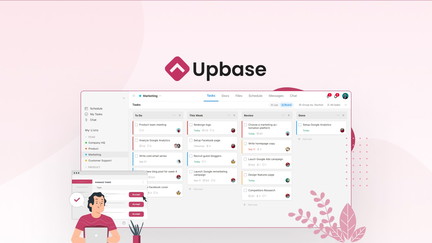
Upbase is an all-in-one project management app that keeps tasks, calendar, docs and files together so you stop juggling tabs. In daily use you can time-block with the Daily Planner, drop tasks onto a calendar, use Pomodoro timers and keep notes all in one view.
For special projects — a product launch, an event, or coordinating a complex family task — you can share lists, upload documents and keep everyone updated in one place. It’s simple by design: the layout is clean, navigation is easy, and useful touches like bookmarks for filters help you move faster.
If you’re syncing work with other systems, you can export data for your crm or calendar; just expect to do some manual checks during setup. If you want a practical, low-friction hub to manage work without a steep learning curve, Upbase is worth trying.
What People Say
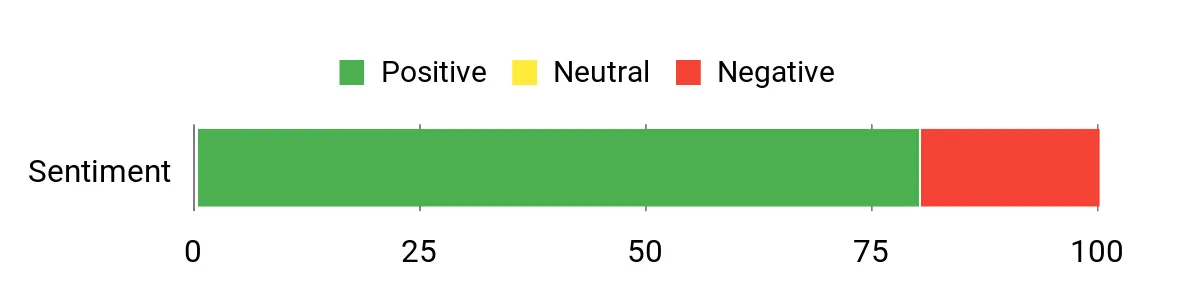
Customers often praise Upbase for its straightforward layout and practical features — people appreciate being able to centralize tasks, files and scheduling. A few users call out syncing and import limitations, but many note it makes real coordination — even across countries and time zones — noticeably easier.
Overall Sentiment: Positive
🗣️ gudrun8
I love Upbase — helped me coordinate a complex, cross-country to-do list: uploads for birth/death certificates, address tables, shared task lists and a cost tracker so everyone stayed updated while coordinating from different countries.
🗣️ 8effb7544a1d4052929db89bb82ff6f3
Clean layout and easy navigation; bookmarking filters and custom views are handy for staying organized. It just fits the way I work, though some hidden features need the help docs.
Long-Term Cost Benefits
By consolidating task lists, docs and scheduling in one place you can reduce the time you spend switching between apps. That saves hours over months, especially for small teams, and can lower overhead compared with maintaining several specialized tools.
Return On Investment
ROI depends on how quickly your team adopts it. If you use Upbase to replace multiple single-purpose tools and streamline recurring workflows (task templates, shared calendars), the time saved and fewer errors usually offset the subscription cost. If you rely heavily on advanced imports or specialized integrations, plan for extra setup time.
Usability
| Aspect | Ease Level | Notes |
|---|---|---|
| Setup | Easy | Account setup and basic workspace creation are straightforward; you can start adding tasks and calendar events quickly. |
| Learning Curve | Moderate | The interface is simple, but some features (bookmarks, hidden filters) take a moment to discover — reading the help docs helps. |
| Document Editing | Moderate | Docs and tables are useful for lists and uploads, though a few users report occasional lag or syncing hiccups while editing. |
| Task Management | Easy | Drag-and-drop scheduling, subtasks and lists make everyday task work painless; organizing projects feels natural. |
Performance & Speed
Generally responsive for normal task use, but reviewers report occasional latency and sync delays when editing docs; large imports are limited, so expect slower flows for bulk migrations.
Integrations
| Software | Integration Quality |
|---|---|
| CSV Export / Generic CRM | Basic (manual CSV export/import; useful to push task lists into your crm but requires checks) |
| Google Calendar | Moderate (calendar sync works but some users report duplicated events or sync quirks) |
| File Uploads / Docs | Good (attach and share files easily inside projects; documents live in the workspace) |
| Zapier / Third-Party | Limited (few native automations; use third-party connectors where available) |
Security Features
| Feature | Protection Level |
|---|---|
| Access Controls | Basic (workspace and sharing controls) |
| File Attachments | Moderate (uploads are stored in-app; check provider docs for encryption details) |
| Compliance | Unclear (users should verify compliance needs for sensitive data) |
Collaboration Features
Shared task lists, comments, file attachments and a centralized Daily Planner let you keep teammates in the loop and coordinate steps without endless email threads.
Reporting & Analytics
Reporting is light — you get status views and exports but no advanced analytics or campaign-style reporting; good for basic tracking, not for deep metrics.
Key Benefits
- All-in-one workspace: tasks, calendar, docs and files together
- Daily Planner and Pomodoro tools to boost focus and routine
- Clean, simple interface that’s easy to navigate
- Good for sharing practical project details and documents with others
- Allows exports to feed into your crm or calendars for downstream workflows
Current Price: $69.00
Rating: 4.72 (total: 277+)
Switchy is a link management tool that helps you turn ordinary URLs into branded, trackable assets you can actually use every day. If you post links for a newsletter, social posts, or ads, you’ll get neat features like link branding, tagging, QR codes and pixel support so you can see what’s working.
For special campaigns — launches, timed promotions or an influencer push — Switchy’s shareable reports, smart pages and analytics help you follow performance and retarget visitors. It’s surprisingly easy to set up domains and create links, and if you use a crm you can feed tracking data into downstream workflows to keep everything in one place.
If you want a low-friction way to tidy your links and get clearer analytics without fussing over dozens of tools, Switchy is worth a try.
What People Say
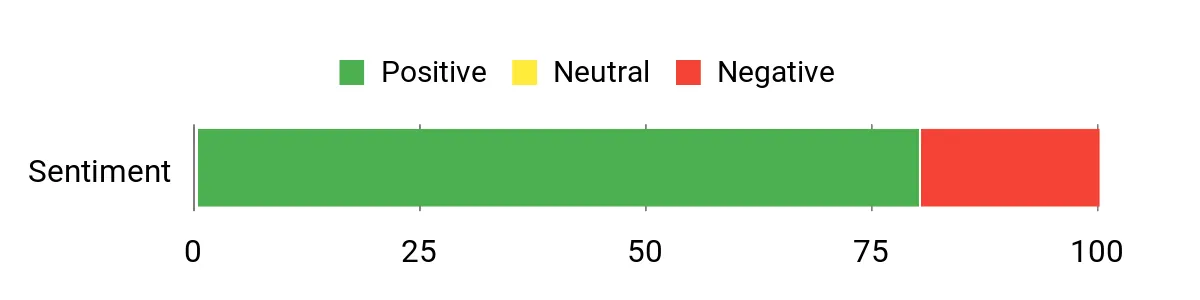
Users repeatedly call out how feature-rich Switchy is for link marketing: people appreciate the mix of branding, tracking and integrations, and many highlight how quick domain and link setup can be. A minority report support issues, so experiences can vary.
Overall Sentiment: Positive
🗣️ Antoine
This one has everything: link organization, branding, tagging, Pixels, tracking, GA support, smartpages, QR codes, shareable reports, a massive library of integrations, team features and a helpful Chrome extension. Setting up domains and links was ridiculously easy.
🗣️ mrapp
I use Switchy mainly for analytics — it helps me understand how my links are performing. The customization options make it easier to engage my audience and get clearer data.
Long-Term Cost Benefits
By centralizing link branding, tracking and retargeting in one tool you cut down on manual tagging and ad-hoc spreadsheets. That saves you time on campaign setup and reporting, and can improve conversion rates by making retargeting more accurate — which reduces wasted ad spend over months.
Return On Investment
ROI comes from clearer conversion data and less time spent stitching tools together. If you rely on links for marketing, the time saved on link management and the lift from better retargeting and analytics usually offsets the subscription quickly. If you only need basic shortening, the gains are smaller.
Usability
| Aspect | Ease Level | Notes |
|---|---|---|
| Setup | Easy | Domain and basic link creation are straightforward; reviewers describe the process as quick and intuitive. |
| Learning Curve | Moderate | Core features are easy to pick up, but advanced tracking, smartpages and integrations take a bit of exploration. |
| Link Management | Easy | Organizing, branding and tagging links feels natural and makes routine tasks faster. |
| Analytics | Moderate | Analytics give useful insights for everyday use, though power users may want deeper custom reporting exported to a crm or analytics suite. |
Performance & Speed
Generally responsive for link creation and basic analytics; heavy reporting queries or bulk exports may take longer depending on dataset size.
Integrations
| Software | Integration Quality |
|---|---|
| Generic CRM / Exports | Good (export and integration options let you feed link and campaign data into your crm with some setup) |
| Google Analytics | Good (UTM and GA tracking supported to tie link clicks into existing analytics) |
| Pixels (Facebook, etc.) | Good (pixel support allows you to retarget link visitors from ad platforms) |
| Zapier & Third-Party | Excellent (large library of integrations and automation options mentioned by users) |
Security Features
| Feature | Protection Level |
|---|---|
| SSL / Link Security | Good (links served over HTTPS) |
| Access Controls | Basic (team accounts and role controls exist, check settings for finer permissions) |
| Data Handling | Moderate (analytics stored in-app; review provider docs for retention and export) |
Collaboration Features
Team features, shared reports and role-based accounts let multiple people manage links and see analytics without duplicating work.
Reporting & Analytics
You get shareable reports, tracking by tags and UTM support, plus GA integration — good for campaign-level insights and retargeting decisions.
Key Benefits
- Branded links and domain setup to reinforce your identity
- Retargeting links and pixel support to boost conversions
- Link tagging, QR codes and smart pages for campaign flexibility
- Shareable reports and analytics to see what’s working
- Integrations and export options to flow data into your crm
Current Price: $39.00
Rating: 4.88 (total: 264+)
Blue is a lightweight project management platform that helps you corral tasks, calendars and boards without the usual overwhelm. If your workflows live across seven apps and a dozen spreadsheets, Blue gives you a single place to run projects, set deadlines and keep teammates on the same page.
Day-to-day you can use kanban boards, lists and calendars to manage sprints, client work or personal projects; for bigger launches or agency-level clients you’ll appreciate automations and AI that cut down repetitive work. It’s GDPR-compliant and supports CNAME, so branding and privacy won’t feel like an afterthought.
If you use a crm, Blue can simplify handoffs by exporting or syncing key project data so nothing slips between sales and delivery. Try it if you want a no-nonsense tool that gets teams productive fast without a long setup or heavy admin.
What People Say
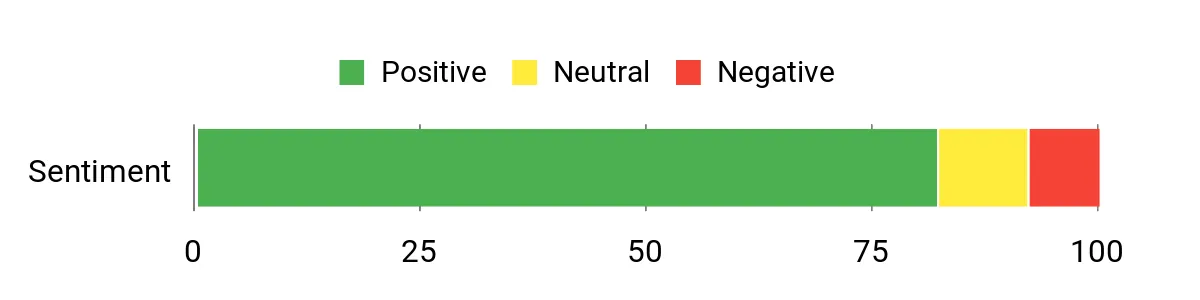
You’ll see a lot of comments about how easy Blue is to pick up and how its automations actually save time. People mention quick team onboarding, fewer status meetings, and smoother handoffs to crm or client-facing teams.
Overall Sentiment: Positive
🗣️ Sam
Get your team up and running faster using an intuitive interface, versatile project management boards, and minimal training
🗣️ Priya
Streamline workflows and boost productivity with powerful automations and AI
Long-Term Cost Benefits
Because Blue bundles boards, calendars, file storage and automations in one place, you’re likely to cut down on subscriptions to multiple niche tools. Over time that reduces per-seat costs and the admin overhead of juggling integrations, especially if you need unlimited projects and uploads.
Return On Investment
ROI comes from time saved on recurring tasks, fewer missed deadlines, and faster team ramp-up. If your team spends hours each week on status updates or manual handoffs into a crm, Blue’s automations and exports can pay for themselves quickly.
Usability
| Aspect | Ease Level | Notes |
|---|---|---|
| Setup | Easy | Accounts and basic project setup are quick; reviewers note minimal training is required for common workflows. |
| Learning Curve | Moderate | Core boards and lists are straightforward; advanced automations and AI features take a little exploration. |
| Project Management | Easy | Kanban boards, calendars and to-dos feel natural and speed up daily planning. |
| Automation | Moderate | Automations reduce manual work but may need initial tweaking to match your processes. |
Performance & Speed
Generally responsive for everyday use — creating boards, tasks and uploading files is snappy. Very large files near the single-file limit may take longer.
Integrations
| Software | Integration Quality |
|---|---|
| Generic CRM / Exports | Good (can export and sync key project data to keep crm records updated) |
| Zapier & Third-Party | Good (automation platforms let you bridge Blue with other apps) |
| Email & Calendar | Moderate (calendar and notification syncing cover common scheduling needs) |
| Custom Domains (CNAME) | Good (supports branding needs for client-facing workflows) |
Security Features
| Feature | Protection Level |
|---|---|
| GDPR Compliance | High (designed to meet EU data protection standards) |
| Access Controls | Moderate (team settings let you manage permissions) |
| File Storage Limits | Moderate (single file limit up to 5 GB; monitor large uploads) |
Collaboration Features
Shared company calendar, unlimited discussions and people settings make it easy for your whole team to collaborate without duplicating work.
Reporting & Analytics
Basic reporting and activity logs help you track progress; for deeper pipeline insights you can export data into your crm or analytics tools.
Key Benefits
- Intuitive boards and lists that reduce onboarding time
- Automations and AI to cut repetitive tasks and speed delivery
- Unlimited projects and file uploads to scale with your team
- GDPR compliance and CNAME support for privacy and branding
- Export and sync options to feed project data into your crm
Current Price: $59.00
Rating: 4.6 (total: 194+)
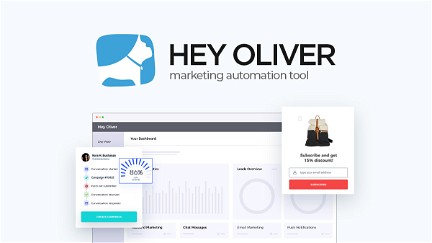
Hey Oliver is a lead-generation toolkit that puts chat, popups and automated campaigns on your site to engage visitors and capture contacts. You can use it day-to-day to welcome new visitors, trigger targeted messages based on behavior, and collect leads that you can push into a crm or export later. For special occasions — product launches, flash sales or event registrations — set up time-sensitive campaigns and pop-ups to boost conversions without babysitting the site.
The setup is meant to be straightforward, so if you want something lightweight to start capturing leads quickly, it’s worth a try — just keep an eye on reliability if your site depends on uninterrupted chat or tracking.
What People Say
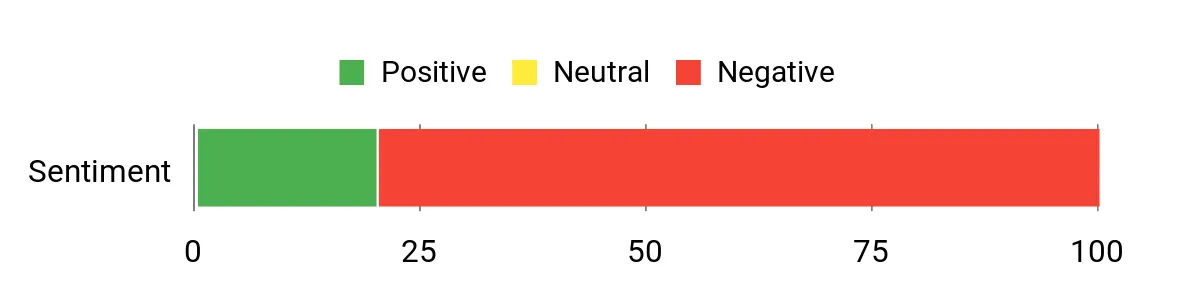
Feedback leans heavily toward frustration with reliability — several users report chat or tracking breaking. At the same time, a few reviewers noted issues were fixed when the developer or AppSumo intervened, so experiences vary depending on current site stability.
Overall Sentiment: Negative
🗣️ Lisa777
Developer fixed the broken link and the website is working again, so chat and tracking should be back to normal for now.
Long-Term Cost Benefits
If it runs smoothly, Hey Oliver can replace a few point tools (chat, popups, basic automation), which trims subscription costs. But downtime or unreliable features erode that saving, since outages can cost leads and force you to add backup tools.
Return On Investment
ROI comes from the extra leads and conversions you capture without hiring extra help. For small teams, even a small bump in conversion rate pays back the monthly cost quickly — just factor in potential time lost if support or uptime becomes an issue.
Usability
| Aspect | Ease Level | Notes |
|---|---|---|
| Setup | Easy | Basic installation and adding a widget are straightforward for most sites. |
| Campaign Builder | Moderate | Creating messages and targeting rules is intuitive, though complex sequences may take time to fine-tune. |
| Tracking & Chat | Variable | Works well when healthy, but reviewers report intermittent failures and chat outages. |
| Support | Moderate | Some users saw timely fixes, others waited — responsiveness seems inconsistent. |
Performance & Speed
When functioning, chat and popups respond quickly; however, multiple reviewers reported downtime or message delivery issues that interrupted performance.
Integrations
| Software | Integration Quality |
|---|---|
| CRM / Lead Exports | Moderate (can export leads or push via webhooks to feed your crm) |
| Website Platforms | Good (simple embed or plugin options for common CMSs) |
| Analytics | Moderate (basic tracking available; export for deeper analysis) |
| Third-Party Automation | Moderate (works with webhooks and common automation tools) |
Security Features
| Feature | Protection Level |
|---|---|
| Data Export Controls | Moderate (you can export lead data; check retention policies) |
| Access Controls | Moderate (team access options to limit who sees leads) |
| Transport Security | Moderate (standard HTTPS for widget and data transmission) |
Collaboration Features
You can route leads to team inboxes, assign follow-ups, and share campaign access so multiple people can manage messaging without overlapping work.
Reporting & Analytics
Basic lead and campaign reports show conversions and interactions; for deeper pipeline analysis, export leads into your crm or analytics platform.
Key Benefits
- Quick-to-deploy chat and popups to capture visitors
- Automated campaigns that follow up with leads without manual effort
- Simple lead exports or hooks you can route into your crm
- Good for one-off campaigns like launches or steady conversion nudges
- Lightweight approach that avoids a lot of setup overhead
Current Price: $49.00
Rating: 1.8 (total: 164+)
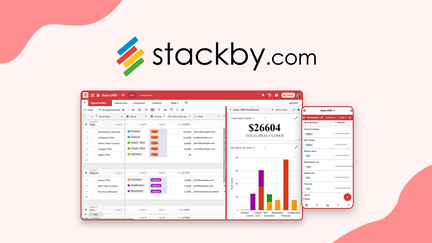
Stackby turns familiar spreadsheets into flexible databases so you can build workflows, track customers and connect tools without wrestling with complex setups. You can use it day to day to manage customer onboarding, keep a shared product inventory, or run simple CRMs with activity on each record and two-way email sync.
For special occasions — like a product launch or a busy sales quarter — you can spin up automations, API calls and AI-powered field agents to cut repetitive tasks and move people through your onboarding flow faster. It’s friendly if you like spreadsheet-style workspaces, and worth trying if you want a mix of no-code automation and crm-friendly features; just plan for possible add-on purchases and occasional speed quirks at very large row counts.
What People Say
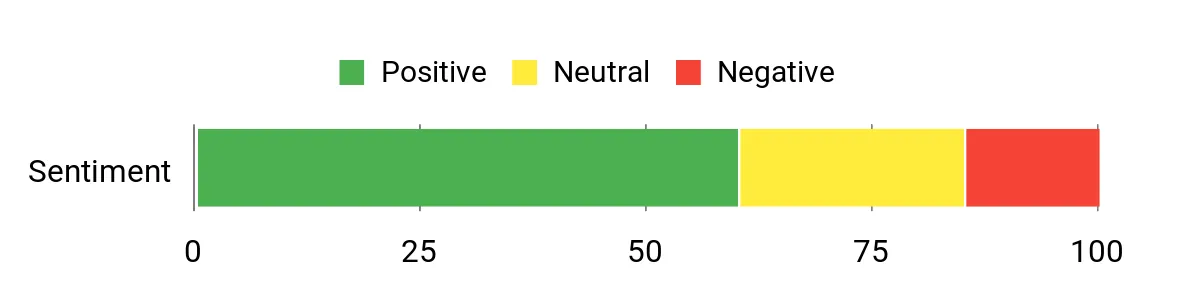
Users often praise the automation, API and AI features for saving real time, and many highlight helpful support. At the same time, feedback flags the Power-Ups paywall and occasional performance or sorting oddities, so experiences vary by use case and workspace size.
Overall Sentiment: Mixed
🗣️ info8307
API calls and the built-in AI automation saved hours on product listing tasks, and the team support (Rachit in particular) was noted for detailed, helpful responses.
🗣️ yerch82
Charging by rows made Stackby a better fit and value for my workflows than tools that charge per record; documentation is friendly and performance was fine for ~15,000 records in my use.
Long-Term Cost Benefits
Because Stackby charges by rows rather than per-user or per-record in many cases, it can become a cost-effective hub for growing datasets. If you rely on automations and API-driven workflows, you’ll likely save on manual labor.
Factor in possible one-time Power-Ups or add-on purchases for advanced features when estimating long-term spend.
Return On Investment
ROI mostly comes from time saved by automation (API calls, AI templates, and workflow actions) and from consolidating tools into a single spreadsheet-style platform. If you use the CRM features and email sync to speed onboarding, those gains tend to pay back the license quickly — just account for any add-ons you may need.
Usability
| Aspect | Ease Level | Notes |
|---|---|---|
| Setup | Easy | If you’re comfortable with spreadsheets, getting a base workspace up is straightforward. |
| Automations | Moderate | Building basic automations is approachable; complex conditional flows take more time to tune. |
| Formulas & Editor | Moderate | Formula editing can be fiddly — reviewers suggest typing complex formulas manually until the editor updates. |
| Support | Variable | Support is generally helpful and responsive at times, but some users report delays depending on timezone and volume. |
Performance & Speed
Performance is fine for many teams, and some users run tens of thousands of rows smoothly; however, a few reviewers experienced slowdowns or odd sorting behavior on mid-to-large tables.
Integrations
| Software | Integration Quality |
|---|---|
| CRM / Email Sync | Good (two-way email sync with Gmail/Outlook and activity tracking per record) |
| API & Webhooks | Good (API calls let you pull and push data for integrations and automations) |
| Import/Export Tools | Moderate (CSV imports work well but users warned about date-format quirks during import) |
| Third-Party Automation | Moderate (works with common automation routes and add-ons) |
Security Features
| Feature | Protection Level |
|---|---|
| Access Controls & Permissions | Moderate (column/view permission options and workspace controls) |
| Transport Security | Moderate (standard HTTPS for data in transit) |
| Backups & Restore | Moderate (export and restore options; Power-Ups expand recovery/export features) |
| Granular Sharing | Moderate (sharing at app or view level to limit data exposure) |
Collaboration Features
You can assign records, see activity on each item, share apps or views with teammates, and use permission consoles so multiple people can work without stepping on each other’s changes.
Reporting & Analytics
Built-in activity logs and simple reporting let you track onboarding steps; for deeper analysis you can export data to your crm or BI tools.
Key Benefits
- Turn spreadsheets into custom databases and views
- Automations and API access to reduce repetitive onboarding tasks
- AI field agents for text generation and document analysis
- Row-based pricing that can be more affordable for heavy datasets
- CRM-friendly features like two-way email sync and activity per record
Current Price: $99.00
Rating: 4.7 (total: 135+)
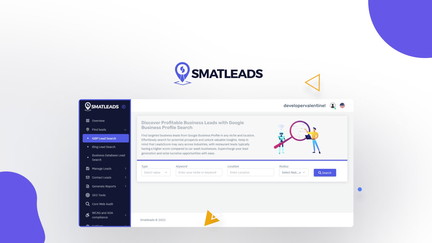
SmatLeads is a lead-discovery toolbox that helps you find pre-qualified local leads, pull contact details and move prospects into a simple built-in CRM. You can use it day to day to grab phone numbers for your sales reps, export CSVs for outreach, or run small nurture campaigns from the app.
For busier moments — a product push or a big outreach sprint — the platform’s rotating email features, dynamic IP per campaign and chrome extension make it easier to scale outreach without immediately tripping deliverability problems. It’s handy if you want a one-stop place to search GBP/Bing/LinkedIn leads, generate quick optimization and SEO reports with AI credits, and manage contacts in a crm-style inbox.
Just be aware some users hit credit limits or occasional bugs, so factor in a brief learning curve and plan the right tier for your volume.
What People Say
Customers frequently praise SmatLeads for making local lead discovery faster and for its ease of use when grabbing contact details. Several users note helpful features like rotating emails and the Chrome extension, while others point out bugs, credit limits and occasional reporting reliability issues.
Overall Sentiment: Mixed

🗣️ Avinash.Katta
Unlimited rotating emails, dynamic IP per campaign and the Chrome extension helped me capture leads from sites I visit. The real-time performance tracking and AI optimization were useful for improving conversion rates.
🗣️ ziinq
Really easy to use for pulling phone numbers and basic lead info — great for handing prospects to a sales rep. Support was professional and the tool saved me time on local GMB research.
Long-Term Cost Benefits
If you rely on steady outreach, the monthly credits and bundled AI/reporting credits can reduce the need for multiple tools and save time compared with manual prospecting. That can translate into lower recurring labor costs if you regularly convert leads.
Keep in mind you may need a higher tier if you scale up or want more reliable reporting.
Return On Investment
ROI tends to come from time saved finding and enriching leads, fewer manual lookups, and improved deliverability when you use rotating emails and dynamic IP. For small agencies or local sales teams that convert a portion of those leads, the license can pay back quickly — provided you pick a plan that covers your search/AI credit needs.
Usability
| Aspect | Ease Level | Notes |
|---|---|---|
| Setup | Easy | Getting started is straightforward — you can search and export leads within minutes. |
| Learning Curve | Moderate | Some features (credits, reports, campaign rotation) take a little time to understand and configure well. |
| Credits Management | Moderate | Several users reported hitting limits quickly, so you’ll want to track usage and pick the right tier. |
| Support | Variable | Support is responsive at times and professional in some reports, but a few users experienced broken links and migration issues. |
Performance & Speed
Performance is generally fine for basic searches and exports; reviewers appreciated real-time campaign tracking, though some reported unreliable reports or occasional errors during migrations.
Integrations
| Software | Integration Quality |
|---|---|
| Built-In CRM | Good (manages leads, exports as CSV/PDF and supports basic team workflows) |
| Zapier / API | Good (offers API and Zapier options for connecting with other tools) |
| Chrome Extension | Good (captures leads directly from websites you visit) |
| Email Tools | Moderate (has built-in email sender and rotating emails; lacks direct native integrations with some popular ESPs) |
Security Features
| Feature | Protection Level |
|---|---|
| Email Deliverability Protections | High (rotating emails and dynamic IP per campaign help with inbox placement) |
| Access Controls | Moderate (team seats and role controls available on higher tiers) |
| Transport Security | Moderate (standard protections in place for transit) |
| Backups & Export | Moderate (CSV/PDF exports let you retain copies of lead data) |
Collaboration Features
You can assign and export leads, add teammates on larger plans, and use the CRM to keep a shared pipeline so multiple people can work leads without losing context.
Reporting & Analytics
SmatLeads includes real-time campaign tracking and AI-driven optimization suggestions, which reviewers found helpful; however, a few users reported inconsistencies in reporting during heavy use or platform migrations.
Key Benefits
- Find targeted local leads quickly
- Built-in CRM to manage and export prospects
- Unlimited rotating emails to improve deliverability
- Dynamic IP per campaign for better inboxing
- AI credits for quick SEO, website and business reports
Current Price: $69.00
Rating: 4.54 (total: 116+)
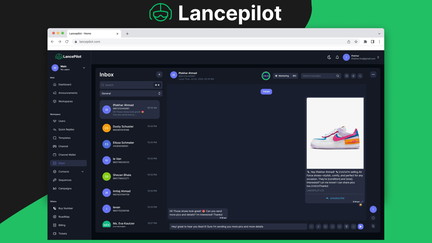
Lancepilot helps you run Meta-compliant WhatsApp outreach while keeping contacts organized in a built-in crm. You can send template messages, schedule sequences, and track opens, reads and replies so you’re not guessing what’s working.
It’s handy day-to-day for customer follow-ups, appointment reminders, and cart nudges, and it also scales for special pushes like product launches or agency client campaigns. If you value white-labeling and want to present a polished client-facing dashboard, Lancepilot’s rebranding and CNAME options make that possible.
Just be aware some users report billing and onboarding hiccups — but if you need an all-in-one WhatsApp marketing + crm approach and are ready to handle a bit of setup, it can save you time compared with stitching separate tools together.
What People Say
User feedback is mixed. Some customers praise the product’s evolving feature set, white-label potential and campaign tracking, while others report frustrating billing issues, recharge delays and spotty onboarding support.
That contrast is worth weighing when you try it.
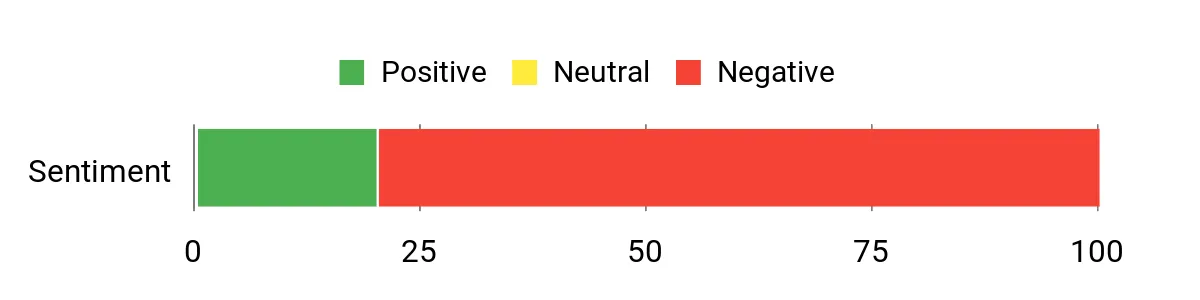
Overall Sentiment: Negative
🗣️ megatester
The platform feels like a living product — the team keeps building and improving. Core features are robust, white-labeling (even in beta) is a big win for agencies, and the roadmap includes useful additions like auto trial-to-paid conversion that would streamline client funnels.
Long-Term Cost Benefits
Consolidating WhatsApp outreach and a basic crm in one tool can cut the time and cost of switching between apps. If you white-label the platform for clients, it can also generate extra recurring revenue. On the flip side, billing or refund problems can create short-term costs, so factor in support overhead when estimating savings.
Return On Investment
ROI usually comes from time saved running targeted WhatsApp sequences, improved reply rates from inbox delivery, and using white-labeling to bill clients more. For small agencies and ecommerce stores that convert messages into sales, the entry price can be recouped quickly — provided the platform runs smoothly for your use case.
Usability
| Aspect | Ease Level | Notes |
|---|---|---|
| Setup | Moderate | You’ll need to configure WhatsApp channels and templates; it’s doable but takes a few guided steps. |
| Onboarding | Variable | Some users report fast onboarding, others mention delays or confusion around billing and channel activation. |
| Learning Curve | Moderate | Basic messaging and crm workflows are straightforward, while advanced white-label and billing options require a bit more time to understand. |
| Support | Variable | Support is responsive in some reports, but multiple users reported slow or unclear responses on billing or recharge issues. |
Performance & Speed
Sending and sequence processing are generally reliable for normal volumes; some reviewers noted delays in channel activation or credit top-ups which can interrupt campaigns.
Integrations
| Software | Integration Quality |
|---|---|
| Built-In CRM | Good (contact management and campaign linkage work well for in-app workflows) |
| WhatsApp / Meta API | Good (designed to be Meta-compliant for template messaging and delivery) |
| White-Label / CNAME | Good (rebranding is supported, though some billing aspects are separate add-ons) |
| Zapier / API | Moderate (useful connectors exist but you may need custom setups for complex flows) |
Security Features
| Feature | Protection Level |
|---|---|
| Meta Compliance | High (built around WhatsApp template rules and approved flows) |
| Data Encryption | Moderate (standard transit protections in place) |
| Access Controls | Moderate (workspaces and user seats help segment access) |
| Backups & Export | Moderate (you can export contacts and histories for safety) |
Collaboration Features
You can add teammates on larger plans, manage multiple workspaces for clients, and use shared pipelines so everyone sees message history and campaign status in the crm.
Reporting & Analytics
Lancepilot offers real-time analytics for opens, reads and response rates and lets you see sequence performance. Those metrics are handy for tuning campaigns, though a few users reported occasional discrepancies tied to billing or channel issues.
Key Benefits
- Meta-compliant WhatsApp messaging with template support
- Built-in crm to manage contacts and campaigns
- White-label and CNAME options for agency branding
- Sequence automation for follow-ups and trial conversions
- Real-time metrics for opens, reads and response rates
Current Price: $79.00
Rating: 1.8 (total: 100+)
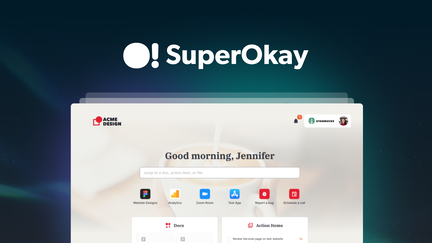
SuperOkay gives you a client portal that puts projects, files, tasks and embedded apps in one tidy dashboard so onboarding feels less like a scavenger hunt. You can build branded portals (logo, colors, fonts), share folders and files as card or list views, create pages and widgets, and add simple forms — all handy for day-to-day client work like handing off deliverables, collecting assets, and tracking approvals.
For special occasions like launches or big handoffs you can present a polished, single-entry place for clients to access everything. It pairs well with your existing crm and workflows — you’ll still route data to the tools you use, but SuperOkay cuts down the back-and-forth and makes client-facing communication a lot cleaner.
Small teams and agencies will appreciate the white-label/CNAME options and GDPR-friendly features; just be aware forms are basic today and a few users report occasional support or notification gaps.
What People Say
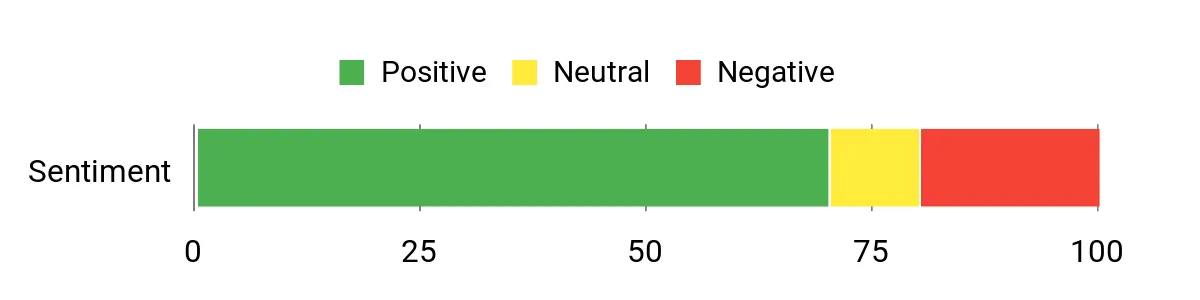
You’ll find praise for the user-friendly UI and the way portals make client handoffs neater, along with recurring notes about limited forms and spotty support or notifications. Overall people like the foundation but expect ongoing improvements.
Overall Sentiment: Mixed
🗣️ Sumolixie
The portal view and file handling are delightfully simple — card or list views make it feel familiar, clients can upload files and even create forms. Forms look great (UI-wise) though they currently lack conditional logic.
🗣️ Jerome.C
Building pages and widgets is a standout — the UI and customization options helped us create a professional client portal that fits our agency workflow.
Long-Term Cost Benefits
Consolidating client-facing files, tasks and pages into a single portal reduces time spent chasing attachments and re-sending links, which saves billable hours over months. If you white-label portals, you can present a more premium offer to clients without building a custom platform.
Factor in potential support needs while you estimate net savings.
Return On Investment
ROI comes from reduced admin time during onboarding, fewer file-request loops, and a cleaner client experience that can speed approvals. Agencies that bill for project management or client portals can often recover the cost quickly — provided you accept that occasional product gaps (notifications, advanced forms) might need workarounds at first.
Usability
| Aspect | Ease Level | Notes |
|---|---|---|
| Setup | Easy | You can get a basic portal running quickly — branding, folders and pages are intuitive. |
| Onboarding | Moderate | Clients find the folder/card views familiar, but you may need to walk some users through access links. |
| Learning Curve | Moderate | Creating pages and widgets is straightforward; some features (forms, storage limits) require a bit of exploration. |
| Support | Variable | Several reviewers reported slow or limited support responses, so expect variable turnaround on help tickets. |
Performance & Speed
General performance is solid for normal use — loading pages, files and widgets is responsive. A few users reported missing notifications or delayed support responses that affect workflow continuity.
Integrations
| Software | Integration Quality |
|---|---|
| White-Label / CNAME | Good (branding and custom domains supported) |
| Embedded Apps | Good (you can embed tools and widgets into pages to extend functionality) |
| File Sharing | Good (uploads and folder views are easy for clients to use) |
| Forms | Moderate (easy to build but currently lacks advanced features like conditional logic) |
Security Features
| Feature | Protection Level |
|---|---|
| GDPR Compliance | High (designed with GDPR-friendly practices) |
| Access Controls | Moderate (client access and portal permissions help keep things segmented) |
| Export & Backups | Moderate (you can export content to keep records) |
| Data Encryption | Moderate (standard protections for transmission and storage) |
Collaboration Features
Shared folders, task assignments and pages let your team and clients work in the same space, reducing email chains and making approvals easier.
Reporting & Analytics
Reporting is basic — you’ll get straightforward activity and content access but not deep analytics. If you need full crm reporting, plan to sync data with your analytics or crm tools.
Key Benefits
- Customizable client portals to centralize projects and assets
- Share documents, tasks and embedded apps in one place
- White-label and CNAME options for client-facing branding
- GDPR-compliant foundations for European clients
- Simple forms and pages to collect info and present deliverables
Current Price: $69.00
Rating: 4.5 (total: 107+)
Think of Edworking as a single hub where your tasks, files, video calls and team chats all live together. If you’re tired of switching between apps, it pulls those pieces into one place so onboarding and day-to-day work feel less messy.
For daily use you’ll appreciate quick task boards, docs that accept Markdown copy-paste cleanly, and integrated video calls so you don’t have to scramble for meeting links. For bigger moments—project launches, client handoffs or remote team sprints—you can present a single workspace with files, tasks and meetings all connected.
It also plays nicely with your crm workflows when you need to move contact or project data into your sales tools. I’d recommend it if you want a compact platform that replaces several point tools, while keeping in mind some advanced reporting and business-level features sit behind the paid Business plan.
What People Say
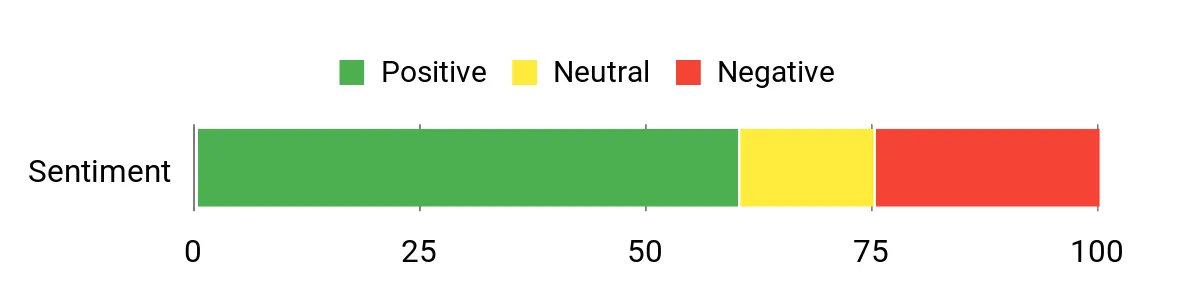
Users often praise the improved UI and the way the new version speeds up everyday work. People who stuck with it highlight better organization, integrated calls, and Markdown support, while some buyers mention that advanced reporting and certain business features are reserved for the Business plan.
Overall Sentiment: Mixed
🗣️ lourenco.azevedo
Copy-paste into Markdown editors works flawlessly and the built-in meeting option (an internal Zoom alternative) means fewer external links to manage. The team responds to issues and the UX is already useful for organizing work.
🗣️ crisedwards
The new version is a big step up — speed and interface improvements made the platform noticeably smoother. If you revisit the updated build you’ll see concrete fixes and a cleaner flow for tasks and team collaboration.
Long-Term Cost Benefits
Consolidating multiple tools into one platform can cut subscription costs and reduce the time you spend switching apps — that’s real saved hours over months. If you white-label or use fewer separate services, you also avoid duplicating storage or meeting tool fees.
Keep in mind some advanced analytics and reporting features require an upgrade, which affects long-term savings if you need those capabilities.
Return On Investment
You’ll recoup time spent managing projects and client handoffs quickly if you rely on fewer point tools. ROI comes from reduced admin, faster onboarding, and cleaner team communication.
If your workflow depends on detailed reports or large team seats, factor in the cost of upgrading to Business to realize the full value.
Usability
| Aspect | Ease Level | Notes |
|---|---|---|
| Setup | Easy | Create a workspace and invite a few teammates in minutes; basic project structures are intuitive. |
| Onboarding | Moderate | Clients and new team members can follow card and list views, but you may need to walk some users through permissions and access links. |
| Learning Curve | Moderate | Most features are straightforward; advanced business settings take a bit more exploration. |
| Support | Variable | Support is responsive in many cases, though some reviewers flagged slower replies during major updates. |
Performance & Speed
Recent updates focused on platform rebuilds and many users report improved speed and a cleaner UI. Some earlier reports noted glitches or slow task creation during transitions, but the newer version appears noticeably faster.
Integrations
| Software | Integration Quality |
|---|---|
| White-Label / CNAME | Good (branding and custom domains supported) |
| Built-in Video Calls | Good (internal meeting option reduces third-party links) |
| File Sharing | Good (uploads, docs and storage are central and easy to use) |
| crm Syncs | Moderate (works well with workflows but deep crm reporting may require external syncs or Business plan features) |
Security Features
| Feature | Protection Level |
|---|---|
| Access Controls | Moderate (workspace roles and member limits help segment access) |
| Data Encryption | Moderate (standard protections for transit and storage) |
| Backups & Exports | Moderate (export options help you keep records) |
Collaboration Features
Shared spaces, task assignments, docs and integrated calls mean your team can work together without juggling separate apps—comments, file attachments and meeting notes live with the work.
Reporting & Analytics
Basic activity and usage tracking exist, but robust reporting (detailed task metrics and analytics) is part of the Business plan. If you need full crm reporting, plan to export or sync data with your analytics tools.
Key Benefits
- Centralize tasks, files, chats and video calls in one workspace
- Markdown-friendly docs and smooth copy-paste workflow
- Built-in video meetings so you avoid scattered meeting links
- White-label and CNAME options for branded workspaces
- Plays well with your crm workflows to move data where it belongs
Current Price: $69.00
Rating: 4.43 (total: 115+)
FAQ
How Do I Choose The Right Digital Solution For Effortless Customer Onboarding And CRM?
You start by mapping the exact steps a new customer takes from signup to first success and match that to the tool’s features; prioritize automation for welcome flows, easy form and document collection, and integration with your crm so data flows without manual entry. Check for API access, native integrations (email, calendar, billing), analytics for onboarding completion and time-to-value, and security/compliance (GDPR, SOC2) if you handle sensitive data. Try to validate real-world performance with a trial or demo, and compare realistic price ranges — many solid options fall in the $39–$99 range for small teams while more complete stacks can be $200+ — but focus more on fit and integration than lowest sticker price.
What Are The Common Concerns When Buying Customer Onboarding And CRM Tools?
You should be watching out for data accuracy, export limits, and hidden upsells that lock essential features behind extra fees, because messy data or capped exports kills automation. Read recent user reviews to spot problems like poor email deliverability, stale contact databases, or missing CSV/API imports and confirm support responsiveness and refund or SLA terms. Also check how the vendor handles deliverability and identity (domain/DMARC) if you’ll send emails, and whether the product scales without sudden jump in cost; for example a tool that looks cheap at $69 can require $100s in add-ons if key features are gated.
How Can You Implement These Solutions Quickly And Keep Customers Happy?
You move fast by building a minimal viable onboarding first: import a small test cohort, map fields to your crm, run an automated welcome + quick value sequence, and measure completion and friction points. Test data quality and deliverability before a full roll-out, use templates and conditional logic to reduce manual touches, and set up alerts for stalled onboarding.
Prioritize customer-facing clarity — simple instructions and a single point of contact — and plan iterative improvements based on actual metrics; a short pilot often costs under $500 for setup and testing but saves time and churn later.
What Customers Prefer
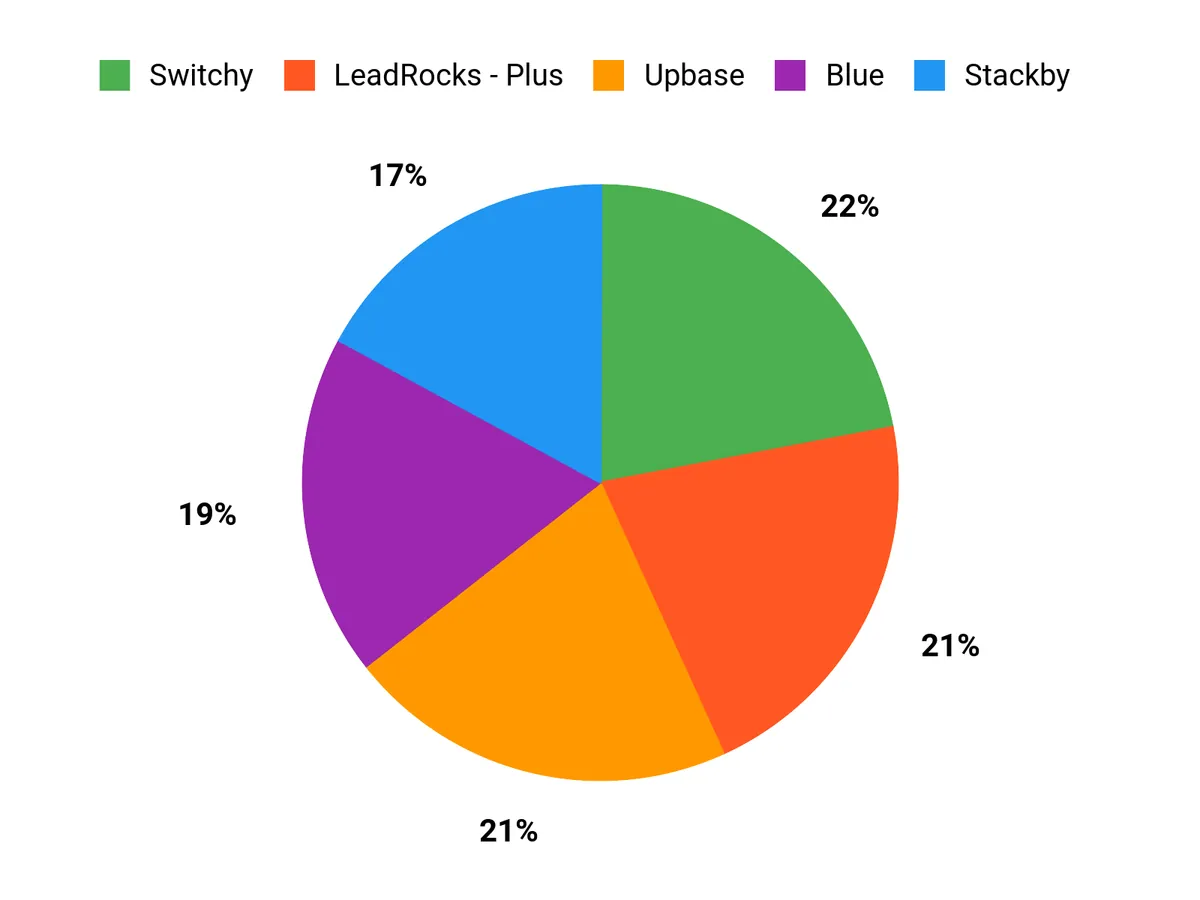
When choosing between LeadRocks – Plus, Upbase, and Switchy, you usually prioritize how smoothly each tool handles onboarding and integrates with your existing CRM and marketing stack so you can automate follow-ups and reduce manual work. You also look for customization, reliable analytics and link management, transparent pricing, and responsive support so the solution can scale with your team and improve conversions.
Wrapping Up
Choosing the right onboarding and crm tools comes down to what you want to automate and how you manage customer data. If you need conversational outreach and WhatsApp sequences, prioritize a tool like Lancepilot.
If you want a highly customizable database-driven CRM, look at Stackby. For client-facing onboarding and a polished portal experience, SuperOkay helps you centralize files and tasks.
Upbase is a strong pick for internal team onboarding and productivity workflows, while Switchy gives you reliable link tracking and retargeting for campaigns. If your priority is local lead discovery that feeds directly into follow-up workflows, SmatLeads is worth testing.
Start with a trial or a single workflow migration so you can measure time saved, conversion lift, and how easily the product integrates with your existing crm and marketing stack.
| Product | Image | Rating | Category | Key Highlights | Pricing Plans |
|---|---|---|---|---|---|
| LeadRocks – Plus Exclusive | 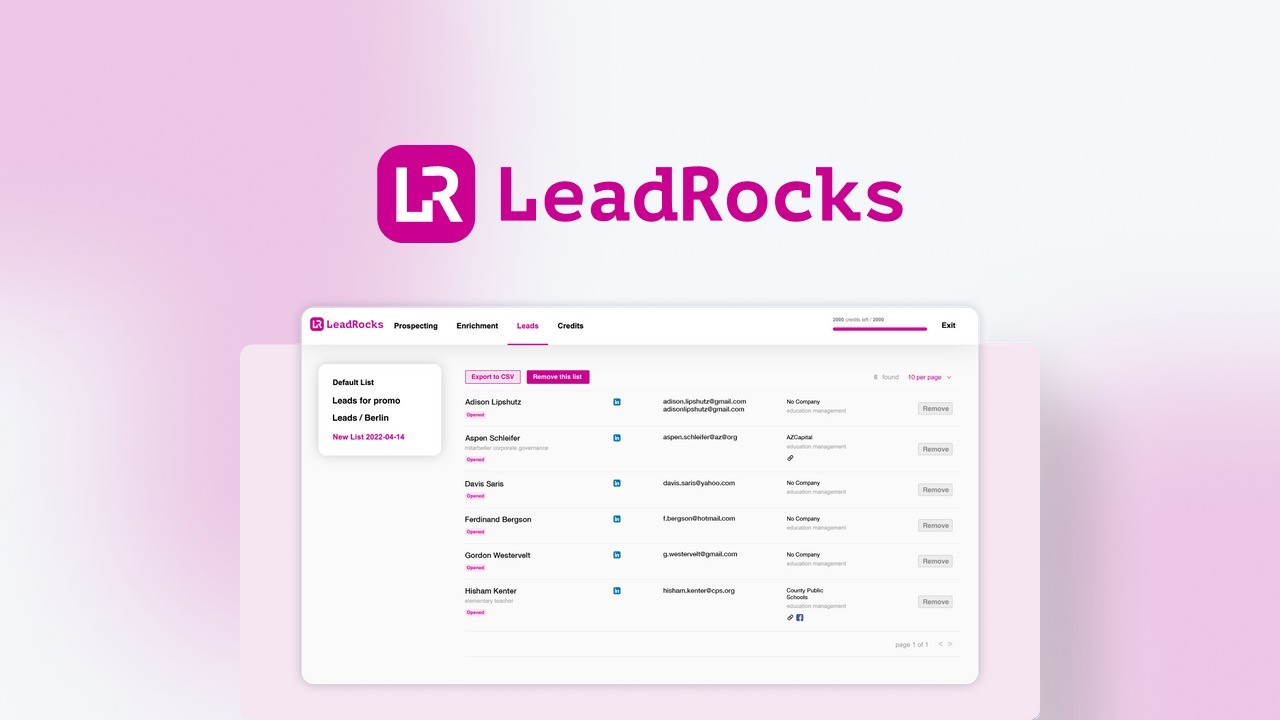 | 4.51/5 (363 reviews) | Lead generation |
| $89 for lifetime access. |
| Upbase |  | 4.72/5 (277 reviews) | Project management |
| $69 for lifetime access. |
| Switchy | 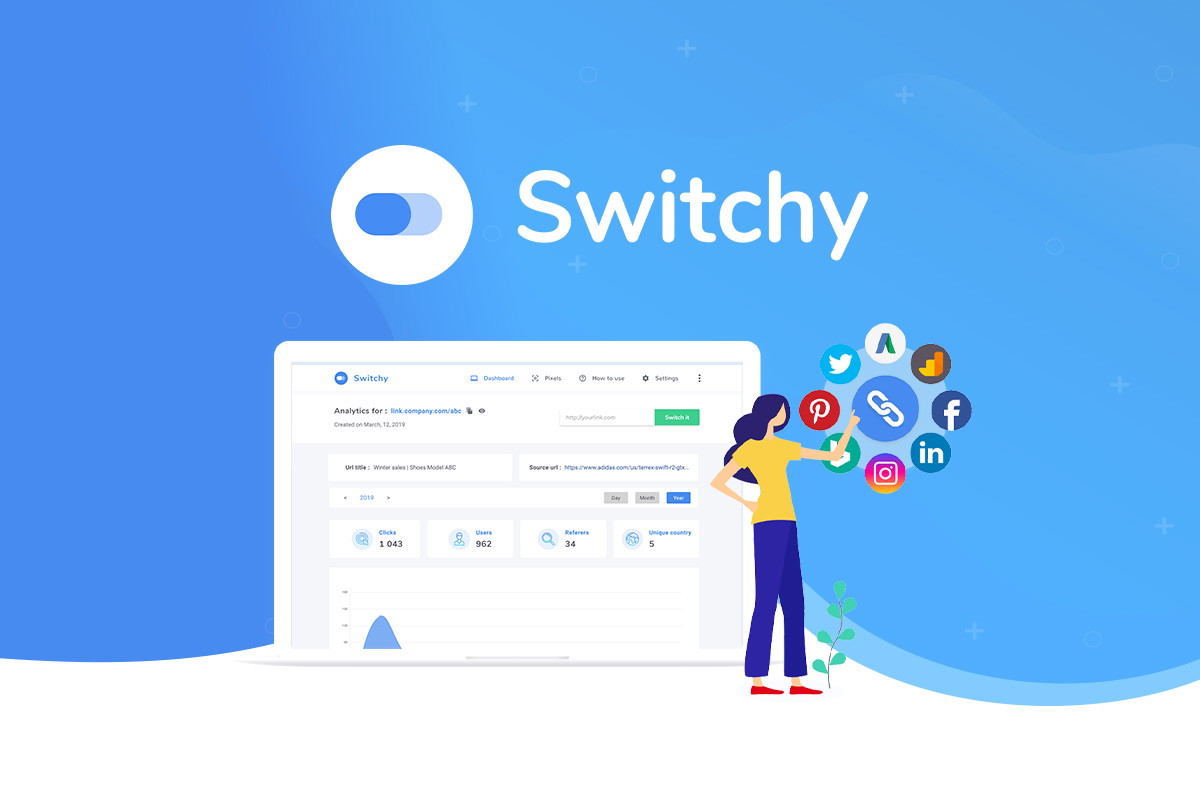 | 4.88/5 (264 reviews) | Lead generation |
| $39 for lifetime access. |
| Blue |  | 4.6/5 (194 reviews) | Project management |
| $59 for lifetime access. |
| SmatLeads | 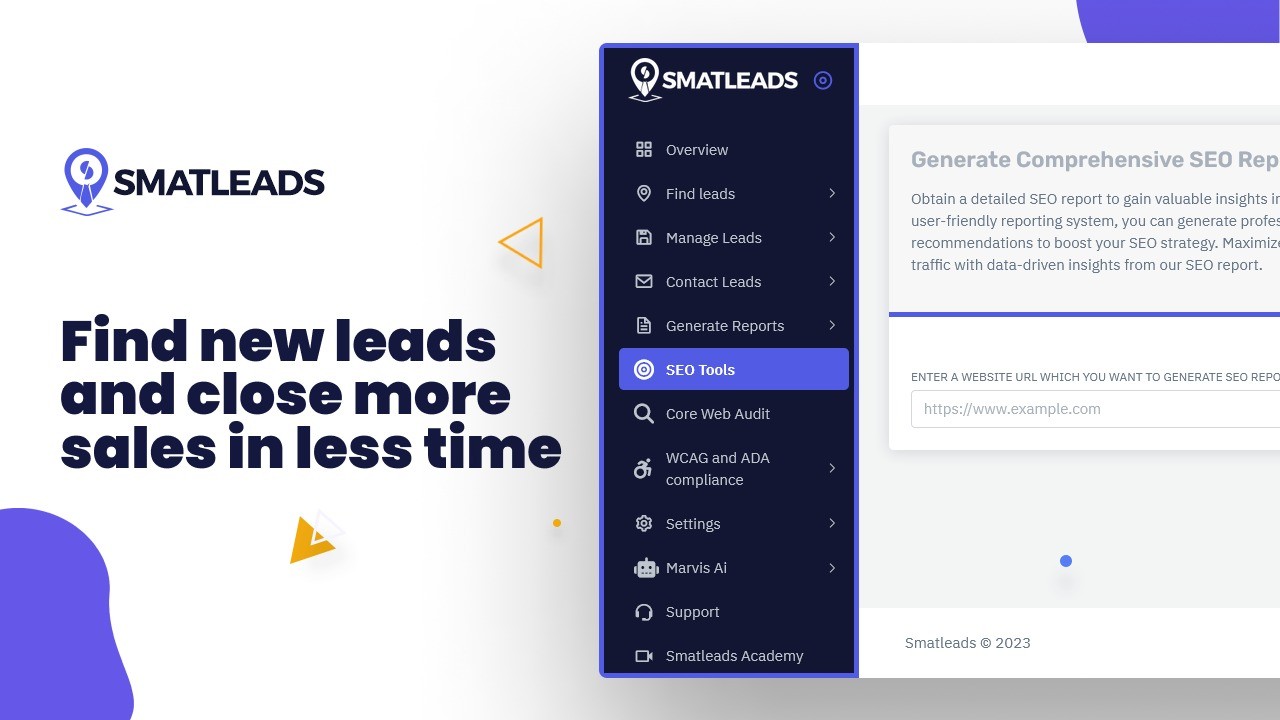 | 4.54/5 (116 reviews) | Lead generation |
| $69 for lifetime access. |
| Lancepilot | 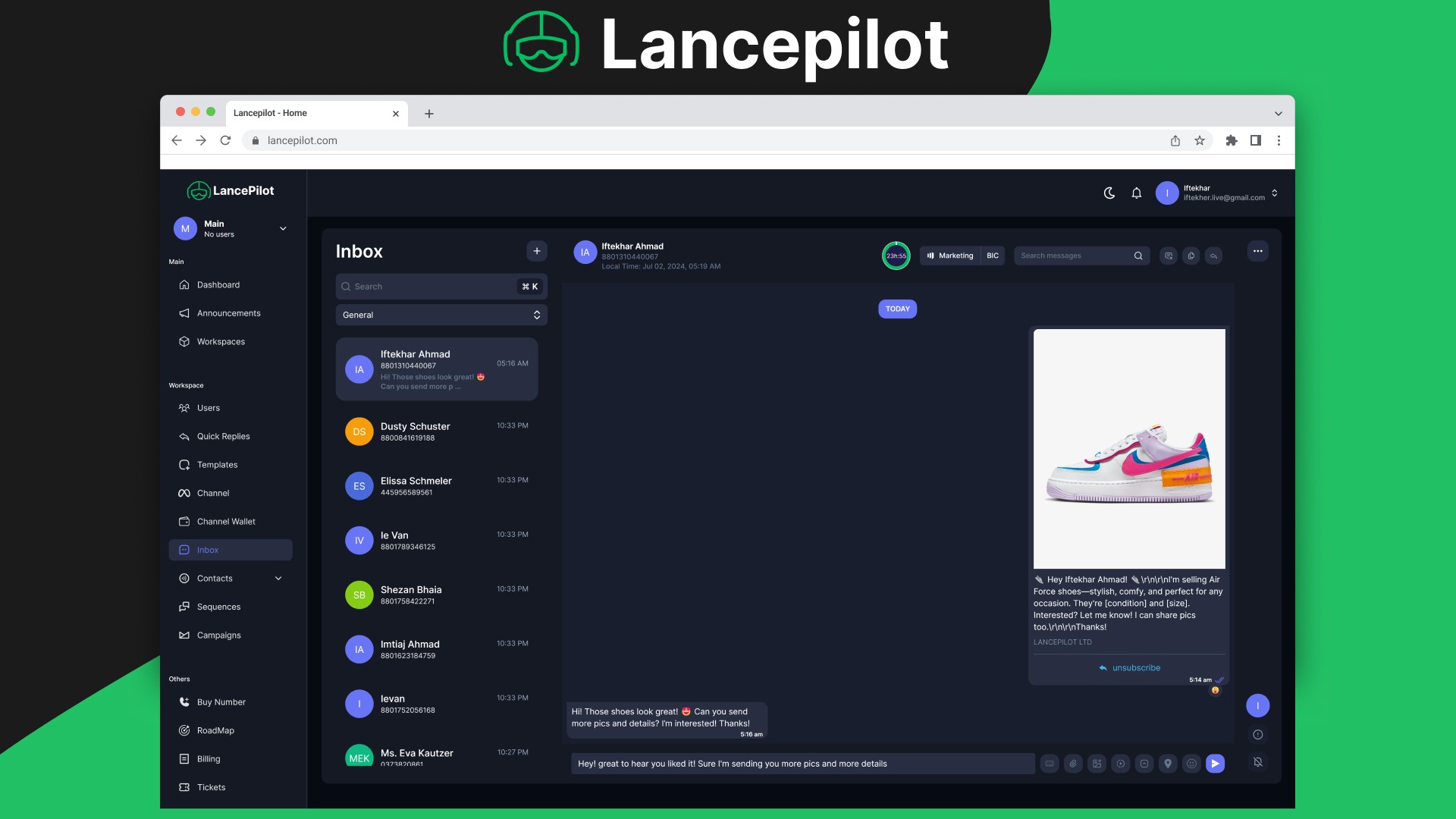 | 4.1/5 (100 reviews) | CRM |
| $79 for lifetime access. |
| SuperOkay | 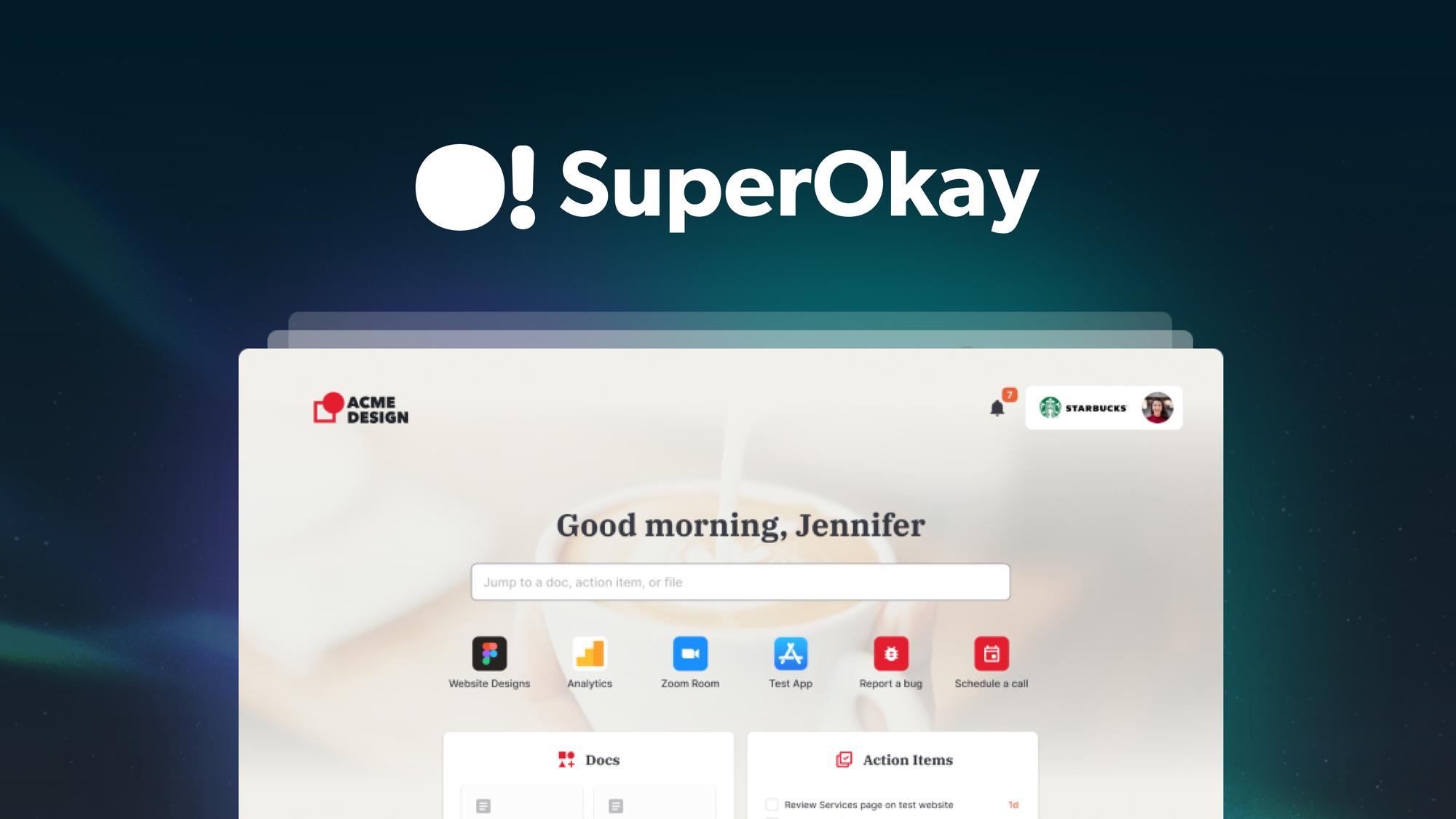 | 4.52/5 (107 reviews) | Project management |
| $69 for lifetime access. |
| Edworking | 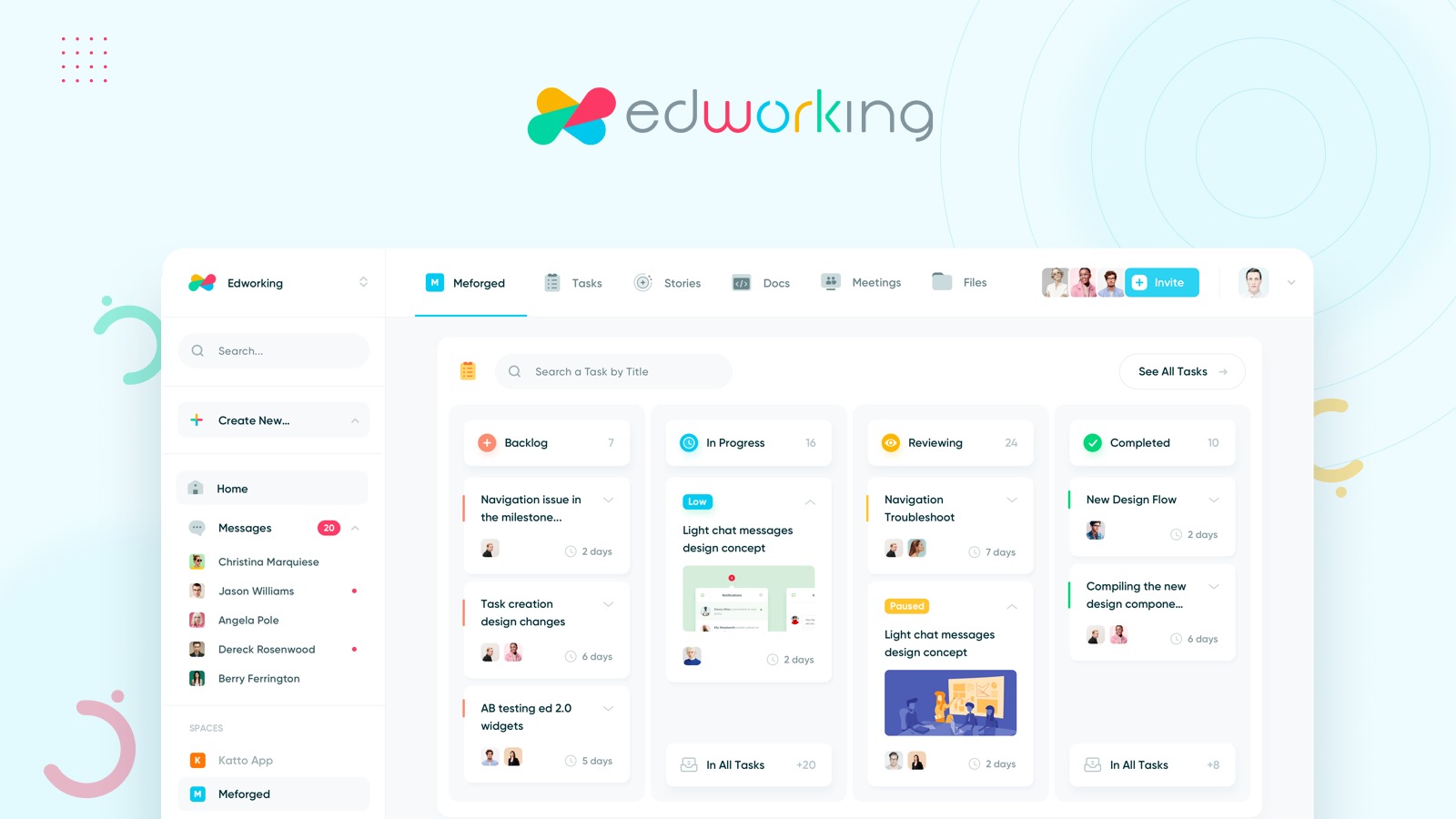 | 4.43/5 (115 reviews) | Project management |
| $69 for lifetime access. |
This Roundup is reader-supported. When you click through links we may earn a referral commission on qualifying purchases.