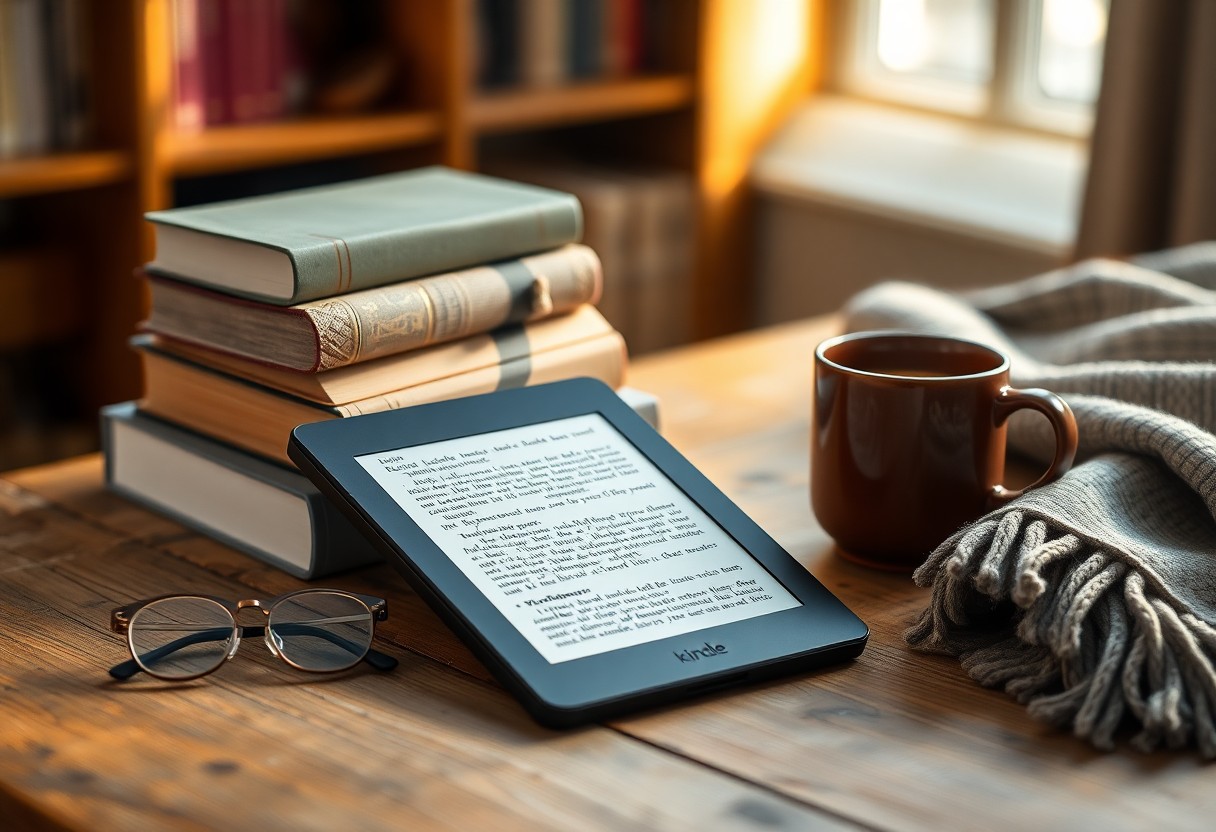

If you’re packing light and love to read on the go, choosing the right Kindle can make travel much more enjoyable. The Kindle Paperwhite and Kindle Oasis are Amazon’s premium waterproof e-readers geared toward serious readers, and both make strong cases for being the best travel companion. This article compares them across the features that matter most when you’re away from home: size and durability, waterproof performance, battery life and storage, and overall reading comfort. I’ll break down how each model behaves in real-world travel situations so you can pick the one that fits your routine and destinations. Read on to see which Kindle is the better travel partner for your trips.
Travel-Friendly Size and Durability Comparison
When you’re deciding which Kindle to bring on a trip, the physical footprint matters. The Paperwhite is compact and has a nearly flush-front design that slips into backpacks, tote bags, and jacket pockets with minimal bulk. The Oasis offers an asymmetrical design with a thicker grip on one side and a thinner profile across the rest of the device; many people find that shape comfortable for one-handed reading, but it’s a little less pocket-friendly because of the deliberate ergonomic bezel. Both devices are light enough to hold for long reading sessions, but if absolute minimal carry weight is your priority, the Paperwhite’s simpler geometry generally tucks into luggage more easily.
Durability goes beyond how heavy or big a device is — build materials and how well the device resists everyday knocks count. The Oasis uses a more premium-feeling metal back and a glass front which gives it a slightly more luxurious hand-feel, whereas the Paperwhite uses a matte plastic back that resists scratches and can hide scuffs better over long trips. That plastic can be an advantage in rougher travel conditions because it tends not to dent as easily as metal. Either way, a slim protective sleeve or folio makes either model far safer in transit and prevents cosmetic wear from keys or chargers in a carry-on.
Another consideration is how hard you are on devices: if you frequently toss things into crowded carry-ons or travel with kids, a Paperwhite in a rugged case may be the least stressful option. The Oasis’s more delicate finish can pick up dings if it’s not protected, though for careful travelers the premium materials feel worth it. Both devices are well-built enough to survive typical travel rigors — jostling, being set on different surfaces, or short tumbles in a bag — but treatment and a case will largely determine how they hold up on long trips.
A small but practical travel point is how the shape affects holding while reclining on planes or in hostel bunks. The Oasis’s grip and physical page buttons make it easy to hold and flip pages without shifting your hand, which can be a boon in cramped spaces. The Paperwhite’s symmetrical design is perfectly fine for two-handed reading, but some users miss the tactile buttons when trying to read one-handed on a bumpy bus or overnight train. If you frequently read in tight, jostling spaces, the Oasis’s ergonomics can translate to fewer fumbling moments.
Size also impacts how much else you can pack. A slightly slimmer Paperwhite with a flush face and standard dimensions fits more predictably into dedicated pockets in carry-ons or camera bags. That predictability simplifies packing decisions — you won’t need a special compartment or to rearrange clothes. For travelers who rotate through different bag types, Paperwhite’s straightforward shape makes it an easy “always bring” item.
Ultimately, the size and durability trade-offs come down to priorities: choose Paperwhite if you want compact, forgiving design with easy packing; choose Oasis if you want ergonomic handling and a premium finish that feels nicer in hand during long reading sessions. Both are travel-ready, but their strengths show up in different kinds of trips — the minimalist packer versus the reader prioritizing comfort.
Waterproof Performance: Paperwhite vs Oasis Tested
Waterproofing is a top travel feature for readers who enjoy beaches, pools, baths, or rainy walks. Both the Kindle Paperwhite and Oasis are rated as waterproof, meaning they’re designed to survive accidental submersion and splashes typical around water. In practical terms, that means you can read poolside without keeping the device under a towel the whole time and that a drop in the tub or a sudden downpour is unlikely to spell disaster. This peace of mind is invaluable when you’re traveling and don’t want to baby your device constantly.
In real-world testing scenarios — like a quick spill from a water bottle, brief drops in the bathtub, or reading next to a pool — both models handled exposure well. After drying and waiting before charging, they powered up normally and showed no obvious water damage. A practical tip is to keep a microfiber cloth in your travel kit; even with waterproofing, saltwater and sand need to be rinsed off carefully and the device dried before using a cover or plugging it in. For beach days, use a sealed dry bag if you plan to leave the Kindle on a towel near surf or sand.
Saltwater is the trickier case. While the waterproof rating protects the electronics from immersion, salt deposits can corrode ports and buttons over time if not rinsed away with fresh water and dried. So if your travels include ocean swims or boat trips, be diligent about rinsing (when possible) and drying. This applies equally to both Paperwhite and Oasis; neither is immune to the corrosive effects of salt on metal or exposed connectors over long periods.
Exposure to sand and sunscreen is another real-world issue that’s not solved by IP ratings. Sand grains can lodge in bezels or case seams and silicone screen protectors can trap oils from sunblock. When testing both models in sandy conditions, the best practice was to use a protective sleeve and to keep the device in a zip-top bag while reading on the beach. The Oasis’s metal back can show sand scratches more readily than the Paperwhite’s matte back, so maintenance after a day of beach reading is especially important if you want the device to keep its like-new appearance.
One last practical point for travelers: avoid charging immediately after the Kindle has been immersed or exposed to heavy moisture. Even if the device appears dry on the outside, letting it air out for a bit reduces any risk of shorting while plugged into a power source. This simple habit ensures the waterproofing serves its purpose without leading to unintended damage during your trip.
Overall, both Paperwhite and Oasis provide reliable waterproof protection that takes a lot of the worry out of travel reading. The performance is comparable for everyday splash and accidental immersion scenarios, so your choice can hinge more on other travel factors like ergonomics and battery life.
Battery Life and Storage for Long Travel Days
Battery life is a major travel concern because charging opportunities can be limited on long flights, multi-day excursions, or back-to-back travel days. In typical usage — a mix of hours of reading, some light use of adjustable lighting, and occasional page turns — the Paperwhite tends to deliver excellent multi-week battery life, making it a great “set and forget” device for long trips. The Oasis also offers strong battery performance, but its additional features like more aggressive lighting profiles and warmer light temperature settings can make it need a top-up sooner in heavy-use scenarios.
If you’re a commuter or an around-the-world traveler who reads several hours a day, both devices will likely get you through several days to a couple of weeks between charges depending on settings. Turning down brightness, disabling Bluetooth when not using audiobooks, and minimizing wireless syncing will extend battery life on either model. For long-haul flights, topping up before boarding is usually enough to get through hours of uninterrupted reading, and most modern Kindles also charge quickly enough from a typical power bank or airplane USB port.
Storage choices affect how many books, magazines, and audiobooks you can carry without relying on cloud downloads. Both Paperwhite and Oasis offer models with larger storage capacities, and either model can store thousands of standard eBooks even in the lower-capacity configurations. If you plan to store large audiobook files or want an extensive library offline for places without reliable Wi-Fi, opt for the higher-capacity variant. For most travelers, the standard storage option is sufficient, but heavier audiobook listeners and long-term travelers who cross remote areas will appreciate extra gigabytes.
Charging convenience matters on the road: newer Paperwhite models use USB-C charging, which is increasingly ubiquitous and makes it easy to share a cable with other devices in your bag. The Oasis model uses an older connector on some iterations, which might require carrying a specific cable. Also worth considering are wireless charging options available on some Paperwhite variants — these can be handy in hotel rooms that offer wireless charging pads or as a simple desk setup without fumbling for cables.
Battery longevity is also about long-term health. If you travel for months at a time, the battery’s ability to hold charge over years becomes relevant. Both devices have comparable long-term battery degradation profiles under normal use, and preserving battery health boils down to minimizing extreme temperatures and charging habits. Leaving a Kindle baking in a hot car or exposed to direct sun for extended periods can accelerate battery wear — a practical travel precaution that applies to any portable electronics.
In short, for pure battery longevity and charging convenience, Paperwhite often has a slight edge for travelers because of efficient power use and modern charging ports; however, both Kindles will comfortably support long travel days when you adjust settings and plan basic charging stops.
Reading Comfort: Screen, Warm Light, and Portability
The core reason to choose a Kindle for travel is the reading experience, and both Paperwhite and Oasis deliver excellent screens that are easy on the eyes in varied lighting. The Paperwhite’s screen is crisp and bright with even front lighting, and more recent models include adjustable warm light that reduces blue light in the evening — a welcome feature when you want to sleep after a long travel day. The Oasis similarly provides a high-contrast display and historically offered a wider range of warm-light adjustment with an auto-adjust feature that changes color temperature over the day for a natural reading feel.
Physical reading comfort also includes form factor: Oasis’s asymmetric body and tactile page-turn buttons are designed to mimic holding a paperback and flipping pages with your thumb. For long sessions — on a plane, train, or in an airport lounge — that ergonomic approach reduces hand fatigue and keeps page turns predictable when one-handed. Paperwhite relies on touchscreen page turns, which are fast and accurate, and many readers are perfectly comfortable with this approach; the trade-off is you don’t get the same mechanical feedback as buttons provide.
Glare and outdoor readability are part of comfort as well, and both devices are engineered for bright-light situations, including direct sunlight. Paperwhite’s anti-glare screen and matte finish handle beach and patio reading very well, and the Oasis is on par in this regard. If you anticipate a lot of bright-sun reading, either option will significantly outperform tablets and phones in terms of glare and battery use — which is precisely why they’re preferred travel companions for outdoorsy book lovers.
Font customizations, line spacing, margins, and page refresh settings contribute to how enjoyable long-form reading feels on a trip. Both Kindles support a wide range of fonts, adjustable sizes, and reading settings that let you tailor the display to your vision and preferences. Small but helpful features like adjustable boldness or dyslexia-friendly fonts are available across the line and make it easy to settle into long reading stints without eye strain.
Portability and how easy the device is to use in different scenarios matter for comfort. Paperwhite’s balanced symmetry makes it easy to set down on a tray table or tuck into a jacket pocket, while the Oasis’s heftier grip gives a sense of security when holding it one-handed. If you switch reading positions frequently — lying on your back, propped up on a pillow, or side-saddle in a cramped seat — the Oasis’s button-driven control and grip can reduce the need to shift your hand mid-chapter.
Ultimately, the reading comfort battle boils down to preference: choose Oasis if you want tactile page-turn buttons and a hand-shaped grip that favors single-handed reading; choose Paperwhite if you prefer a more compact, neutral design with excellent screen quality and the convenience of newer light and charging tech. Both deliver superb reading experiences that beat most alternatives when you’re traveling.
Choosing between the Kindle Paperwhite and Oasis for travel comes down to which travel compromises you’re willing to make. The Paperwhite offers compact practicality, long battery life, straightforward waterproofing, and modern conveniences like USB-C — a reliable choice for travelers who want low fuss and maximum packing efficiency. The Oasis brings a premium feel, ergonomic single-handed reading, and tactile page-turn buttons that shine for long in-flight or poolside reading sessions, though it may require a bit more care and a protective case. Both are excellent waterproof Kindles that remove much of the worry around reading near water; your decision should be guided by whether you prioritize packing ease and battery convenience (Paperwhite) or luxurious ergonomics and physical controls (Oasis). Whichever you pick, either model will keep a library in your bag and make travel reading relaxing and easy.