

WordPress plugins shape how digital creators build, monetize, and scale their work. They must choose solutions that reduce development time, protect performance, and unlock new capabilities. This guide helps creators evaluate the most important plugins of 2025 so they can decide efficiently.
It explains which tools excel for specific tasks—affiliate commerce, membership communities, interactive media, booking and mapping—and how each choice benefits a typical workflow for editors, course creators, e‑commerce managers and agency teams.
Top Picks
| Category | Product | Score | |
|---|---|---|---|
| 🏆 Best for Affiliates | $49.00 | 88 | |
| 🎯 Best Community | $39.00 | 86 | |
| 🎨 Best for Publications | $69.00 | 87 | |
| ⭐ Best Slider UI | $39.00 | 86 | |
| 🗺️ Best Interactive Map | $64.00 | 85 | |
| 🏨 Best Booking System | $70.00 | 90 | |
| 🚀 Best for Location Listings | $59.00 | 83 | |
| 💼 Best Team Showcase | $29.00 | 84 | |
| 🔁 Best for Social Automation | $27.00 | 85 | |
| 🔰 Best for Testimonials | $24.00 | 86 |
How These Plugins Were Selected
They were chosen for real-world value to digital creators building on WordPress. Key factors: compatibility with modern WordPress versions and builders, depth of features for the target task (commerce, membership, media, mapping, booking), update cadence and active support, performance and optimization options so a site remains fast under scale, extensibility via hooks or APIs, and adoption indicators such as sales, ratings, and changelog transparency.
Security fixes, GDPR/consent tooling, and integration with common workflows (WooCommerce, WPML, Gutenberg, Elementor) also influenced placement. The selection balances usefulness for creators who publish content, sell services or subscriptions, run affiliate stores, host media or run community platforms.
WooZone – WooCommerce Amazon Affiliates

This plugin is aimed at creators who want to turn a WooCommerce store into an Amazon-affiliate engine. They can import products in bulk, keep prices and availability synced via cronjobs, and even import without Product Advertising API keys using the Chrome extension. It also includes reporting, dropshipping helpers, an ASIN grabber, and performance tools so that daily management (imports, updates, simple dropship orders) and bigger moves (mass bulk imports, SEO-focused product setups) both feel practical. For someone building affiliate storefronts on WordPress, it’s a solid, pragmatic tool they’ll return to for repetitive tasks and scaling.
What People Say
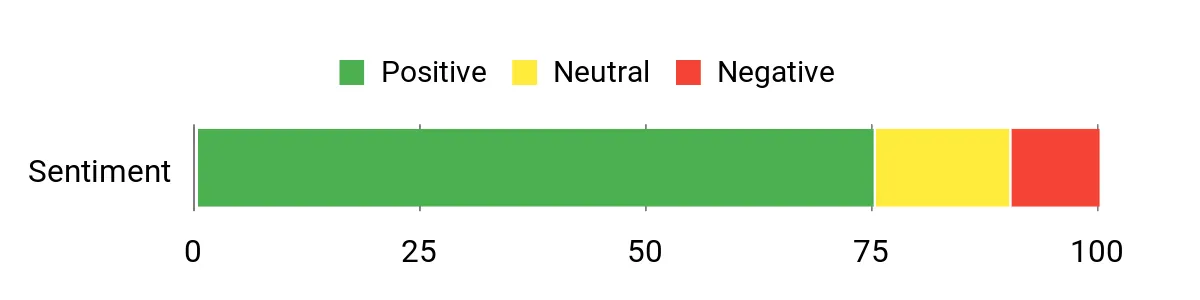
Customers often highlight time savings on importing and praise the responsiveness of AA-Team support. Many note the plugin’s value for quickly populating a WooCommerce store with affiliate products and the practical reporting and sync tools.
Overall Sentiment: Positive
🗣️ Envato reviewer
Great plugin, saves a lot of time on importing products. Superb customer service — they went over and above the scope of item support and fixed an issue unrelated to the plugin, which made setup much smoother.
🗣️ Envato reviewer
Very smooth and slick extension. Easy to set up and the AA-Team support responds quickly. The import modules (Insane Import / Direct Import extension) make mass importing practical for growing stores.
Long-Term Cost Benefits
Using WooZone reduces the manual effort of adding and updating products, which saves developer or admin hours. Over time those saved hours plus improved conversions from the 90-day cookie and on-site cart can offset hosting or subscription costs.
Return on Investment
An upfront $49 purchase is low compared with development time to build similar import/sync workflows. For users who add even a few affiliate sales monthly, the plugin can pay back quickly through saved time and improved conversion mechanics.
Ease Of Use
| Aspect | Ease Level | Notes |
|---|---|---|
| Installation | Moderate | Standard WordPress plugin install; some features (cronjobs, extensions) require extra setup and permissions. |
| Import Workflow | Easy | Advanced Search, Insane Import and Direct Import extensions make selecting and importing large numbers of products straightforward. |
| Settings & Configuration | Moderate | Many options (API keys, affiliate IDs, image settings) give control but require reading docs for best results. |
| Support & Troubleshooting | Easy | Support channels and documentation are available; users report quick replies for common issues. |
Performance
Fast for routine imports; heavy imports or many variations can slow things down — best paired with good hosting and the pagespeed module to keep frontend performance solid.
Integrations
| Software | Integration Quality |
|---|---|
| WooCommerce | Excellent |
| WordPress | Seamless |
| Amazon PA API / Associates | Good (with fallback direct import when PA API not available) |
| eBay (addon) | Good (via provider addon) |
Security
| Feature | Protection Level |
|---|---|
| Affiliate ID Management | Moderate |
| Cronjob Controls | Moderate |
| Remote Images (Amazon CDN) | Low (reduces local storage, improves load but relies on external CDN) |
Reliability
Generally reliable for syncing and scheduled imports; occasional API throttling or hosting resource limits can interrupt large syncs, but multiple API keys and plugin cron features mitigate many issues.
Collaboration
Support via AA-Team and links to Envato Studio for expert help; documentation and community threads help teams troubleshoot.
Benefits
- Bulk import many Amazon products quickly
- Works inside WordPress + WooCommerce with sync cronjobs
- Direct import option without PA API keys
- 90-day cookie and on-site cart to boost affiliate conversions
- Reporting modules and performance optimization tools
Current Price: $49.00
Rating: 4.01
UserPro

UserPro is an all-in-one community and user profile plugin that helps creators build beautiful front-end profiles, custom registration/login flows, and member directories on wordpress sites. It bundles social login, badges, content restriction, front-end publishing and multiple member-list layouts into a single plugin, so daily tasks like onboarding new users, moderating signups, or letting contributors publish from the front end feel straightforward.
For special cases — gated content, verified accounts, or viral social posting — it has ready-made options too. It is a practical choice for anyone who wants a polished community layer without stitching together half a dozen extensions.
What People Say
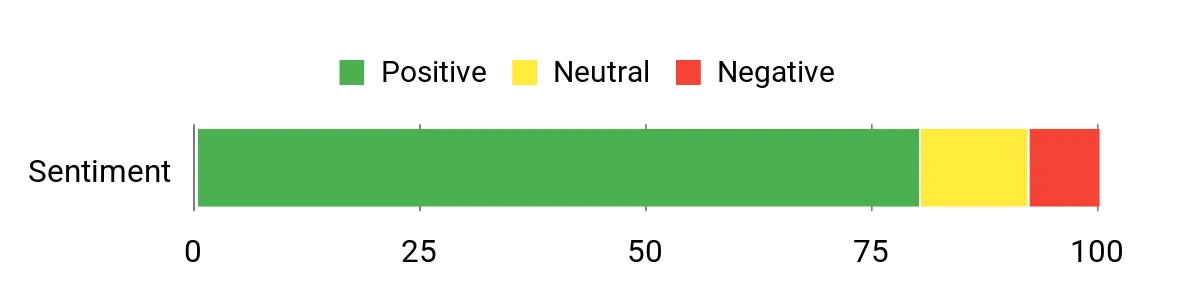
Feedback highlights helpful, hands-on support from the developer and practical flexibility. Users appreciate the shortcode-driven widgets and the ability to customize profiles and registration workflows without deep coding.
Overall Sentiment: Positive
🗣️ ianstudio
Very good support. The developer took time to answer questions by email and helped resolve issues; the reviewer hoped those answers would be added to the manual and forum to save repetition.
🗣️ Unit_001
Useful for building dashboard pages for each user — the reviewer wanted to pull additional content into one page of widgets and noted UserPro shortcodes make widgets and profile elements easy to create.
Long-Term Cost Benefits
Bundling community features in one plugin reduces the need for multiple paid extensions or custom development. Over time that lowers maintenance overhead and integration work, since UserPro uses WordPress user meta and offers hooks to extend functionality.
Return on Investment
At a one-time $39 purchase, the plugin reduces setup time for profiles, registration, and social logins compared with building custom systems. For creators launching membership, communities, or multi-author sites, that can translate to faster monetization and fewer development hours.
Ease Of Use
| Aspect | Ease Level | Notes |
|---|---|---|
| Installation | Easy | Standard WordPress plugin install; activation and initial setup are straightforward for most users. |
| Profile & Form Builder | Moderate | Drag-and-drop admin and many field types make customization approachable, though complex conditional rules benefit from reading docs. |
| Social Login | Moderate | Social connect is convenient but requires API keys from providers and occasional troubleshooting when providers update OAuth rules. |
| Shortcodes & Widgets | Easy | Shortcodes let creators place registration forms, member lists, and profile cards almost anywhere on a site. |
Performance
Generally responsive for typical community sites; very large member directories or heavy front-end widgets can benefit from caching and solid hosting to keep page load snappy.
Integrations
| Software | Integration Quality |
|---|---|
| WordPress | Seamless |
| WooCommerce | Good (auto-sync available) |
| BuddyPress | Solid (optional profile sync) |
| MailChimp / AWeber / Campaign Monitor | Good (built-in integrations) |
| bbPress | Good (profile integration) |
Security
| Feature | Protection Level |
|---|---|
| reCAPTCHA & spam protection | Moderate |
| Email validation and role-based restrictions | High |
| Regular security fixes and updates (changelog shows frequent patches) | High |
| Admin approval and block/unblock controls | High |
Reliability
The plugin has a long changelog with ongoing fixes and security updates, which points to active maintenance. Rare edge-case bugs appear in older entries, but recent releases show continued stability improvements.
Collaboration
Developer support, documentation, shortcodes, hooks and filters make it easy for teams to extend or integrate UserPro; community threads and addons cover common collaboration needs.
Benefits
- Beautiful, fully customizable front-end user profiles and registration forms
- Social connect and instant profile sync with major networks
- Multiple member listing layouts and searchable member directory
- Content restriction and verified accounts for gated communities
- Front-end publishing and WooCommerce auto-sync for user content
Current Price: $39.00
Rating: 4.33
Real 3D FlipBook

It turns ordinary PDFs and image galleries into interactive flipbooks that sit nicely inside a wordpress site. The plugin balances flashy 3D effects with practical fallbacks (CSS mode and single-page view) so it works day to day — think product brochures, portfolios, or embedded magazines — and also shines for special uses like downloadable lookbooks, client presentations, or event programs.
The setup is straightforward: upload a PDF or images, drop a shortcode into a post, and it just works. For creators who want a polished reading experience and lots of visual control, it’s an easy recommendation without sounding overblown.
What People Say
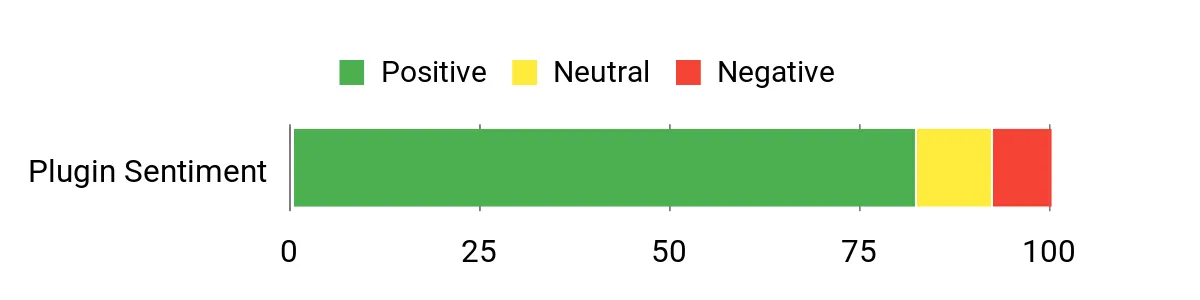
Buyers consistently praise the plugin’s design quality and range of options, and many call out responsive developer support. Users note it works reliably with large PDFs and that the output looks professionally presented on their sites.
Overall Sentiment: Positive
🗣️ atef_wagih
After trying around 5 other plugins, Real 3D Flipbook stands out as the best one for many reasons. Among them: the quality of the plugin design, the variety of options available, and above all, the wonderful technical support from the developer, who helped me a lot to achieve the best results for my website.
🗣️ Jip1980
After purchasing another plugin for flipbooks that was a pain to work with I was already pretty doubting if I should purchase this. However it turns out to be good, easy and fast in use!! It can work with large PDF’s en you not have to buy another seperate plugin for that purpose. Furthermore it has a great overview over the books and last but not least my PDF’s are shown in a great way on the site.
Long-Term Cost Benefits
A one-time purchase covers the core plugin and free updates, and available addons let creators add features without building custom solutions. Converting PDFs to JPG flipbooks (via addon) can reduce runtime load and protect original files, lowering hosting and maintenance needs over time.
Return on Investment
At $69 for the main plugin, creators save development hours compared with building a custom viewer. The addon bundle ($39) covers common extras for a reasonable total, so for anyone embedding catalogs, portfolios or paid content in WordPress the plugin can pay for itself by improving presentation and cutting custom dev work.
Ease Of Use
| Aspect | Ease Level | Notes |
|---|---|---|
| Installation | Easy | Standard WordPress upload and activate; shortcode insertion is straightforward for most users. |
| Creating Flipbooks | Moderate | Drag-and-drop for images and PDF import is quick; very large files may need patience but options exist to optimize. |
| Customization | Moderate | Many UI and flip settings let creators fine-tune look and behavior; the sheer number of options has a learning curve. |
| Addons & Integration | Easy | Dedicated addons for Elementor, WPBakery, WooCommerce and PDF Tools simplify common workflows. |
Performance
Performance is generally good: WebGL 3D gives polished animation on desktop while CSS mode and JPG-converted flipbooks offer faster load times. Large PDFs render page-by-page so readers can start before a full download finishes.
Integrations
| Software | Integration Quality |
|---|---|
| WordPress | Seamless |
| Elementor | Good (addon available) |
| WPBakery | Good (addon available) |
| WooCommerce | Solid (addon supports gated/purchased access) |
| PDF Tools addon | Strong (converts PDF to faster JPG flipbooks with text layer support) |
Security
| Feature | Protection Level |
|---|---|
| Official license checks and recommended download source | High |
| Regular security fixes and frequent changelog updates | High |
| PDF-to-JPG conversion option (removes need to keep source PDF exposed) | Moderate |
| Support for deep linking prefix and license activation management | Moderate |
Reliability
The long, frequent changelog and steady bug fixes suggest active maintenance and improving stability; occasional edge-case issues appear but are usually addressed quickly.
Collaboration
Developer support, detailed changelog and addons make it easy for small teams or agencies to hand off flipbook setup. Shortcodes, export/import and hooks help integrate flipbooks into wider site workflows.
Benefits
- Realistic 3D and lightweight 2D/CSS viewing modes for different performance needs
- Converts PDF links into interactive flipbooks with deep linking and text search
- Mobile-optimized swipe and single-page views for better reading on phones
- Highly customizable UI and page-level interactivity (videos, links, embeds)
- Addon ecosystem (Elementor, WooCommerce, Page Editor, PDF Tools) for extended workflows
Current Price: $69.00
Rating: 4.56
Master Slider
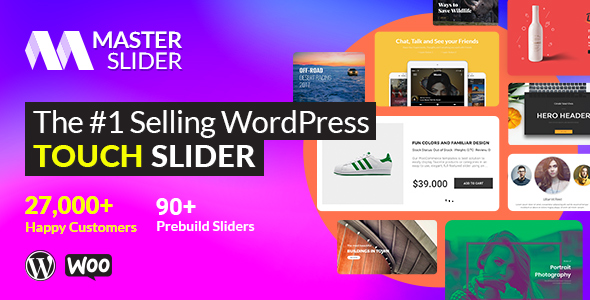
It’s a polished slider plugin built for creators who want smooth, touch-friendly slides without wrestling with code. They get layered slides (text, images, video, hotspots), parallax templates, and 80+ ready samples so basic galleries or complex product carousels come together quickly.
For daily use it works well for hero sections, post sliders and video galleries; for special occasions it handles product showcases and fullscreen parallax layouts. It’s a fair pick for most WordPress users — powerful but worth testing on heavy pages because video-heavy sliders can affect load times.
What People Say
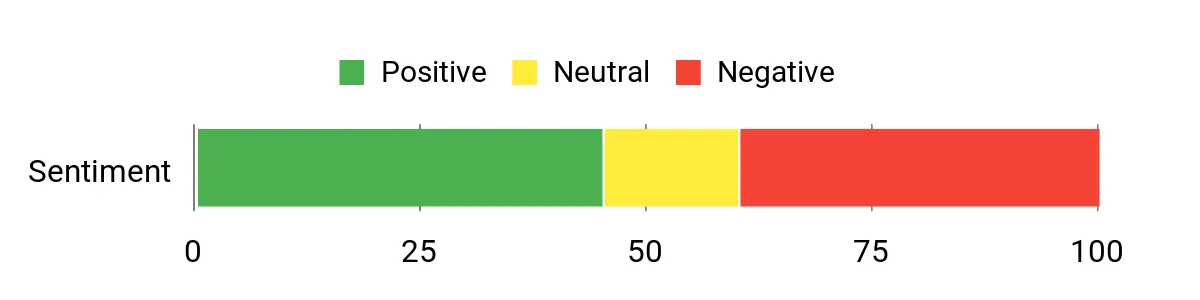
Customers often praise the flexibility and the number of ready-made templates, and many note that developer responses about updates are prompt. At the same time several users have flagged security concerns and asked for timely patches, so feedback mixes appreciation of features with calls for careful maintenance.
Overall Sentiment: Mixed
🗣️ averta
I am sorry you are right, we released the update a few days ago and you could update it from Master Slider auto update section while we did not put it on downloadable package as well. It is there too now
🗣️ averta
the update will be released tomorrow and I am sorry for this
Long-Term Cost Benefits
A single purchase at the marketplace price provides a ready-made slider and reduces the need for custom development. Using templates and built-in media integrations cuts setup time, which lowers ongoing design costs — though budgets should factor occasional security maintenance and updates.
Return on Investment
At $39.00 the plugin is low-cost compared with custom-built sliders. For creators who regularly publish image or video-heavy content, it saves design and development time and can improve conversions on product galleries, making the cost recouped quickly.
Ease Of Use
| Aspect | Ease Level | Notes |
|---|---|---|
| Installation | Easy | Standard WordPress upload and activate; license and auto-update options appear in the plugin settings. |
| Slider Creation | Moderate | Drag-and-drop slide builder and presets speed things up, though layering and timing controls take a bit of learning. |
| Layer Editing | Moderate | Five editable layer types give control, but complex animations require patience to fine-tune. |
| Mobile Touch Controls | Easy | Touch swipe and drag gestures are smooth and feel native on phones and tablets. |
Performance
Transitions are hardware-accelerated and feel fluid on modern devices. Performance is solid for image sliders; include many videos or heavy parallax effects and page load can slow unless media is optimized.
Integrations
| Software | Integration Quality |
|---|---|
| WordPress | Seamless |
| WooCommerce | Good for product galleries |
| YouTube/Vimeo | Solid (embedded video sliders) |
| Flickr | Good (automatic image pulls) |
| Page Builders (Elementor/Classic) | Compatible (shortcodes and widgets) |
Security
| Feature | Protection Level |
|---|---|
| Auto-update support and developer-issued patches | Moderate |
| Changelog and support responses visible on marketplace | Moderate |
| Known vulnerability reports (SQL injection historically reported) | Low |
| Recommend running latest WordPress and security plugins alongside it | Dependent |
Reliability
Maintenance appears active — developers have responded to reports and pushed updates — but recent disclosed vulnerabilities mean reliability depends on keeping the plugin updated and monitoring security feeds.
Collaboration
Support threads, changelog entries and import/export options make it workable for small teams; shortcodes and widget support help hand-offs to editors and designers.
Benefits
- Responsive, touch-first slider with hardware-accelerated transitions for smooth swiping
- Layered content support (text, image, video, buttons, hotspots) for rich slides
- Parallax templates and 80+ samples to speed up design work
- Built-in YouTube/Vimeo and Flickr integrations for easy media sourcing
- WooCommerce-friendly galleries to showcase products attractively
Current Price: $39.00
Rating: 4.50
Mapplic

It’s a flexible WordPress map plugin that turns images or SVGs into interactive, responsive maps and floorplans. They can add unlimited landmarks, multiple floors, deeplinking and touch-friendly controls, which makes it handy for malls, campuses, events, cruise ships or illustrated maps.
For daily use it’s great for localized site pages and directories; for occasional projects it handles temporary event maps or game/fantasy maps. It’s approachable from the admin side, but complex maps can take some setup — worth testing on a staging site before pushing big updates.
What People Say
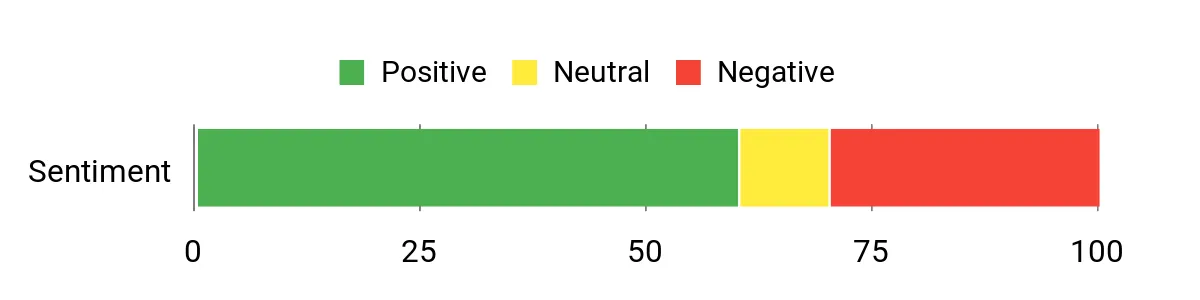
Users appreciate how Mapplic turns static images into usable, searchable maps and often praise the built-in maps and developer responsiveness. Several customers note that support replies can be practical (for example, tips on CSS tweaks) but a number of site owners reported styling or compatibility issues after major updates, so expectations around update testing should be realistic.
Overall Sentiment: Mixed
🗣️ sekler
Hello,
Thank you for using Mapplic.
In the new version, popup images have a fixed size. You can change this size using CSS if necessary.Let me know if there’s anything else.
🗣️ sekler
Sure, there you go:
https://virtualsen.se/f/map/africa.svg
Long-Term Cost Benefits
A one-time marketplace purchase plus free lifetime updates and included support reduces the need for custom map development. For teams that reuse maps across projects or manage multi-floor sites, this cuts design and developer hours over time, though occasional maintenance and compatibility testing add modest ongoing costs.
Return on Investment
At $64.00 the plugin is a lower-cost alternative to building bespoke interactive maps. For creators who frequently publish location-driven content or manage large venues, the time saved on design and interactivity typically offsets the purchase price within a few projects.
Ease Of Use
| Aspect | Ease Level | Notes |
|---|---|---|
| Installation | Easy | Standard WordPress plugin upload and activate; license and updates handled through the marketplace. |
| Map Creation | Moderate | Dropping an SVG or image and adding landmarks is straightforward, but large, multi-floor maps require planning. |
| Mobile/Touchtime | Easy | Touch-optimized controls and responsive behavior work well on phones and tablets. |
| Backend Management | Moderate | CSV import, level switcher and admin UI are helpful, though advanced templates and styling need some learning. |
Performance
Generally optimized for SVGs with features like CSS3 animations and momentum drag; performance is solid for typical maps but very large files or many active markers can slow rendering, so optimize assets and test on target devices.
Integrations
| Software | Integration Quality |
|---|---|
| WordPress | Seamless |
| Custom Post Types / ACF | Good (post support added in recent updates) |
| jQuery sites | Compatible (jQuery version available) |
| Page Builders (shortcodes/widgets) | Compatible |
| CSV / Data imports | Practical (CSV load support) |
Security
| Feature | Protection Level |
|---|---|
| Improved XSS protection (noted in changelog) | Moderate |
| Free lifetime updates and developer patches | Moderate |
| Recommend running latest WordPress and security plugins | Dependent |
Reliability
Development appears active with regular version notes and fixes, but several users reported breaking changes after major updates. Reliability is strong when kept up to date and tested on staging environments.
Collaboration
CSV import/export, post support, and clear admin controls make it workable for small teams; shortcodes and map presets help hand-offs between designers and editors.
Benefits
- Unlimited landmarks and pins with customizable actions and tooltips
- Support for unlimited floors and deeplinking to each location
- Responsive, touch-optimized maps for mobile and kiosk use
- Built-in directory of common country/region maps to speed setup
- Admin-friendly backend with CSV import and detailed documentation
Current Price: $64.00
Rating: 4.52
HBook

It’s a dedicated wordpress booking plugin that adds availability calendars, table rates and booking forms so small hotels, B&Bs, holiday apartments and campsites can take reservations online. It’s approachable from the admin side — a few settings and shortcodes will get calendars and booking forms onto pages — yet flexible enough to handle multiple accommodation types, seasonal rates and payment gateway setups. For everyday use it keeps bookings organized and reduces manual emails; for occasional spikes (holiday seasons, events) it scales with table rates and calendar availability.
They recommend testing on staging before big changes.
What People Say
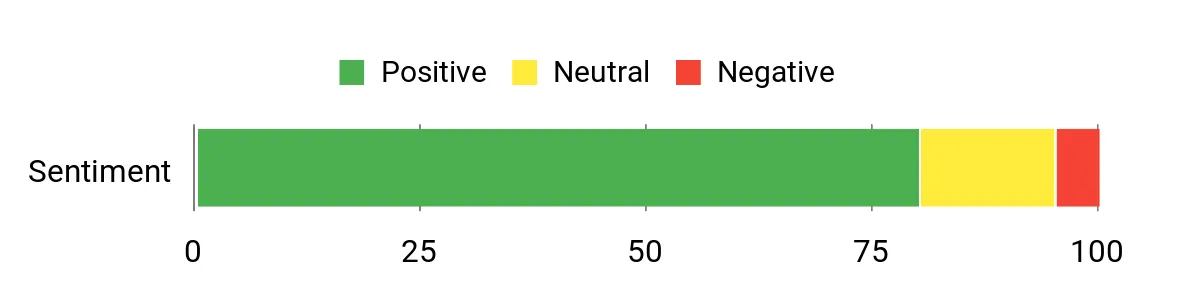
Customers often praise the clear guidance from the developer and practical answers about Elementor shortcodes, license usage and GDPR-friendly details (for example, notes about Google Fonts). Several users mention active development and useful replies from support; a few recommend testing updates on staging sites first.
Overall Sentiment: Positive
🗣️ Maestrel
Hi,
Thank you for your interest in HBook.
Yes, you will use the Elementor “Shortcode” block. Please check this article from our knowledgebase : https://maestrel.com/knowledgebase/?article=115&suggest=1
Kind regards,
Celine, Maestrel
Maestrel WP Plugins and Themes
Visit our website
View HBook payment gateways
🗣️ Maestrel
Hello,
Thank you for your interest in HBook.
You can use one license of HBook plugin for one test/dev site and the matching live site. So, this is all fine!
If you have validated HBook licence for a website but you don’t need it anymore on this website, you can remove the license for a site in HBook > License. This will be what you can do if you need several dev staging sites or if you finally don’t use HBook on this website but wish to use the licence for a different project.
Best regards
Celine, Maestrel
Maestrel WP Plugins and Themes
Visit our website
View HBook payment gateways
Long-Term Cost Benefits
With a one-time marketplace purchase, HBook cuts down the need for custom booking development. For small hospitality businesses this reduces admin hours, lowers manual booking errors and avoids recurring developer fees — though occasional maintenance and compatibility checks are still needed.
Return on Investment
At $70.00 the plugin is far cheaper than a bespoke booking system. For sites that handle steady reservations, the time saved on booking management and fewer manual corrections typically offsets the cost after a few months of live bookings.
Ease Of Use
| Aspect | Ease Level | Notes |
|---|---|---|
| Installation | Easy | Standard wordpress plugin upload and activation; follow the included documentation and demo imports where available. |
| Booking Setup | Moderate | Setting up accommodations, table rates and seasonal rules takes a bit of planning but the UI is straightforward. |
| Elementor Integration | Easy | Use the Elementor Shortcode block to drop calendars and forms onto pages, as confirmed by the developer. |
| Calendar Management | Easy | Availability calendars are clear to read and update; bulk rules help with busy seasons. |
Performance
Generally responsive for small-to-medium sites; calendar rendering and booking flows are snappy on good hosting. Very large inventories or heavy customizations may benefit from caching and optimized hosting.
Integrations
| Software | Integration Quality |
|---|---|
| WordPress | Seamless |
| Elementor / Page Builders | Good (via shortcodes) |
| Payment Gateways | Good (multiple gateways documented) |
| Themes / CSS | Compatible (may need small styling tweaks) |
Security
| Feature | Protection Level |
|---|---|
| Regular updates and developer patches | Moderate |
| License management for dev and live sites | Moderate |
| No Google Fonts loaded by default (privacy-friendly) | Helpful for GDPR |
Reliability
Development is active and the team responds to queries, but major version changes have required careful testing. Reliability is strong when updates are applied after staging tests.
Collaboration
Shortcodes, clear admin screens and license transfer options make it workable for small teams and agencies migrating from dev to live sites.
Benefits
- Quickly add availability calendars and booking forms to any wordpress page
- Support for table rates, seasonal pricing and multiple accommodation types
- Works with page builders via shortcodes (Elementor compatible)
- Payment gateway integrations and clear license management
- Reduces time spent on manual bookings and confirmation emails
Current Price: $70.00
Rating: 4.88
Progress Map

Progress Map is a focused wordpress plugin for showing location-based listings as map markers paired with a synced carousel. It’s practical for hotel, real estate, restaurant or store directories and makes it easy to connect posts (including custom post types) so markers appear automatically. They’ll appreciate the admin panel that centralizes map options, clustering, styling and search tools.
For everyday sites it improves discovery and navigation; for special projects it handles thousands of locations with the newer performance tweaks. The blogger recommends testing specific map configurations on a staging site before large launches, but notes the plugin’s options and recent updates make it a solid, cost-effective way to add interactive maps.
What People Say
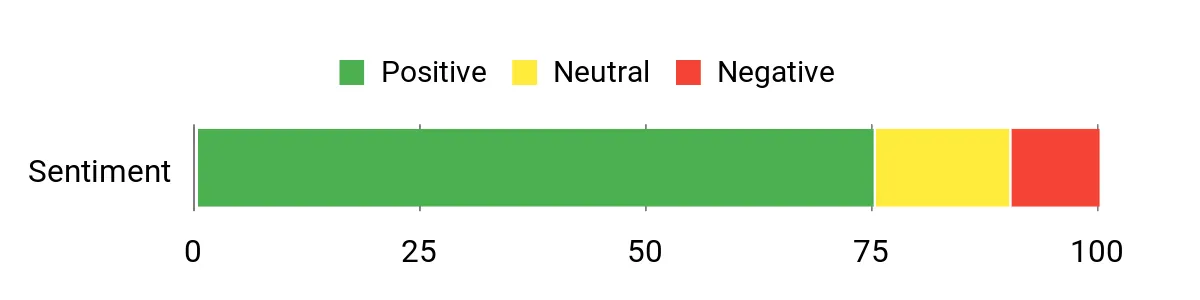
Users commonly mention that the plugin delivers on its core promise: easy marker management and a smooth carousel/map connection. Many highlight the clear step-by-step help from the developer and that it can be wired into custom post types for dynamic marker creation.
Overall Sentiment: Positive
🗣️ Foodin65
Hi,
We bought both the Progress map and Nearby places plugin and it works great!
Now, what we want is to create a map with markers based on the posts from a custom post type.Basically we want something like this.
1. Create a post with their respective addresses
Address 1
Address 2
Address 3
Address 42. Retrieve these address and put a marker on every single address.
[map with marker addresses 1 and so on ]As what you can see here, we have it done already using ACF and custom PAGE template. But in the backend, the client needs to add it manually every time there is a community or location. That would be redundant. We want this to be added dynamically. SO, when the client add a Post (Community Post type), a marker will be placed automatically.
http://resolutionrealtylv.com/communities/ – Communities Page
http://resolutionrealtylv.com/community/anthem/ – Community single page
🗣️ codespacing
Hi,
To do this with this plugin, all you’ll have to do is to connect the plugin with your custom post type “communities” like described here http://codespacing.com/wordpress-plugins/progress-map-wordpress-plugin/progress-map-documentation/tutorials-and-how-to/connect-the-plugin-with-multiple-custom-post-types-then-display-posts-of-each-post-type-in-different-maps/ ,then, add your locations as described in this tutorial http://codespacing.com/wordpress-plugins/progress-map-wordpress-plugin/progress-map-documentation/tutorials-and-how-to/add-new-locations-to-your-map/
Use the shortcode [codespacing_progress_map] to display your map and all locations will be automatically displayed on it. If you add a new one, it’ll be displayed on the map instantly.
Thank you
Long-Term Cost Benefits
A single purchase at marketplace pricing avoids custom development for interactive maps. For sites that rely on location listings, this reduces recurring developer hours and speeds up deployment; occasional updates and compatibility checks remain necessary but overall costs are lower than building bespoke map systems.
Return on Investment
At $59.00, Progress Map is significantly cheaper than a custom map integration. For sites that improve discovery (real estate, directories, travel), saved development time and better user engagement often pay back the cost within a few months of improved conversions or reduced admin work.
Ease Of Use
| Aspect | Ease Level | Notes |
|---|---|---|
| Installation | Easy | Standard wordpress plugin upload and activation; documentation covers initial setup and shortcodes. |
| Adding Locations | Moderate | Enter coordinates or use the address-to-latlng tools; bulk regeneration options help for many posts. |
| Custom Post Types | Moderate | Supports connecting multiple post types; requires following the documented steps to map fields correctly. |
| Carousel & Map Sync | Easy | Carousel is automatically synced to markers; recent switch to swiperjs improved responsiveness on mobile. |
Performance
Optimized for large datasets with recent improvements to marker loading and clustering; very large sites still benefit from good hosting and caching.
Integrations
| Software | Integration Quality |
|---|---|
| WordPress | Seamless |
| Google Maps API | Direct (API key override per map supported) |
| WPML | Supported (some fixes applied for multilingual setups) |
| ACF / Custom Fields | Good (can connect coordinates and post fields with documentation) |
Security
| Feature | Protection Level |
|---|---|
| Regular updates and bug fixes | Moderate |
| Support for Content Security Policy (CSP) by using maps.googleapis.com | High (helps modern security policies) |
| Per-map API key override | Helpful (limits exposure of a single key) |
Reliability
Active development history and incremental fixes make it dependable; users should test major updates on staging before pushing to production.
Collaboration
Shortcodes, clear map settings and the ability to connect multiple post types make it easy for teams or agencies to hand off maps between dev and content editors.
Benefits
- Syncs map markers with an interactive carousel for intuitive browsing
- Supports default and unlimited custom post types so markers can be auto-generated
- Robust admin controls for clustering, styles, geo-targeting and API keys
- Performance improvements and options to handle thousands of locations
- Reasonable one-time marketplace price compared with custom map development
Current Price: $59.00
Rating: 4.43
The Team Pro
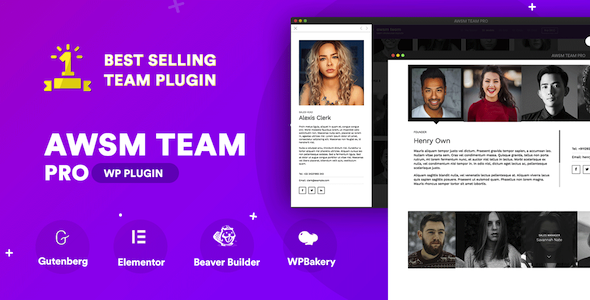
The Team Pro is a wordpress plugin focused on making attractive, functional team pages without fuss. It ships with eight presets (grid, card, modal, drawer, circle and more), page builder blocks and templating options so creators can get a polished team section up quickly.
It’s handy for everyday sites — agencies, startups, clubs — and for special pages like event speaker lists or partner directories. It supports Gutenberg, Elementor, WPBakery and Beaver Builder, and while advanced ordering or template tweaks may need a touch of CSS, most users can assemble a clean team layout in minutes.
They’ll find it a compact, budget-friendly way to add professional team showcases to a wordpress site.
What People Say
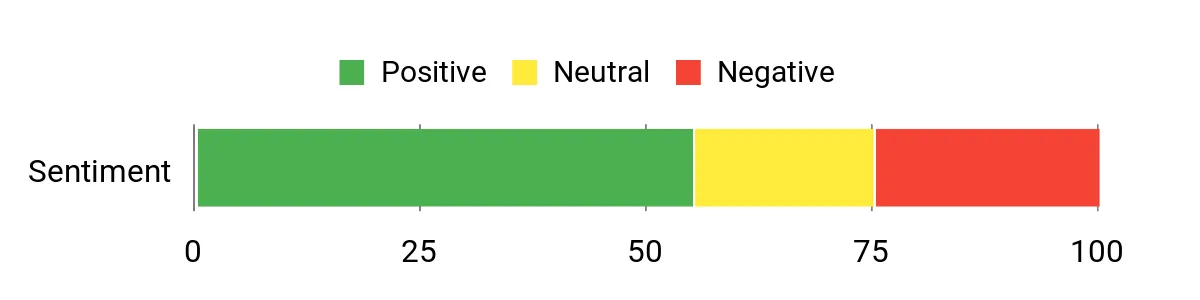
Users often praise the variety of presets and the clean design — many appreciate how quickly a decent team page can be assembled. At the same time, feedback frequently mentions occasional support delays and specific feature requests (like always-visible names or custom ordering), so experiences can vary depending on individual needs.
Overall Sentiment: Mixed
🗣️ NoWadmin2
I absolutely adore your plugin. I would like to inquire about it. Is sorting profiles possible? May I arrange them alphabetically or by first name? Suppose further that I have 10 members in management, but I wish to arrange them in the following order: For instance, I would like Peter to appear first, knowing that Adam is at the top of the list due to his first name beginning with A. Can I arrange the files in the desired order?
🗣️ vidyakv
Hi,
Thanks for reaching out to us.
It is possible to show names and designations without hovering using some custom CSS. Please create a support ticket on our https://support.awsm.in/submit-ticket/ website for the CSS.
Regards,
Vidya K V
Long-Term Cost Benefits
At a single marketplace fee, The Team Pro avoids custom development for most team pages. For creators who maintain multiple sites or update team rosters often, the plugin minimizes recurring dev time. Budget-conscious teams should still factor in occasional compatibility tweaks and the potential need for custom CSS or staging tests over time.
Return on Investment
At $29.00 the plugin is an affordable way to add a polished team section without hiring a developer. For small businesses and creators, saved setup time and ready-made presets typically pay back the cost quickly compared with custom design work.
Ease Of Use
| Aspect | Ease Level | Notes |
|---|---|---|
| Installation | Easy | Standard wordpress plugin upload and activation; documentation covers basic setup and presets. |
| Creating Teams | Easy | Add members via the custom post type and pick a preset; good defaults speed initial setup. |
| Sorting & Ordering | Moderate | Built-in sorting exists, but custom ordering or always-visible names may need CSS or template tweaks. |
| Page Builder Integration | Easy | Blocks and modules available for Gutenberg, Elementor, WPBakery and Beaver Builder simplify placement. |
| Customization | Moderate | Templating options are available for developers; visual tweaks sometimes require CSS knowledge. |
Performance
Lightweight presets keep page weight modest; performance is generally solid but very large member lists or heavy custom HTML in bios can benefit from caching and good hosting.
Integrations
| Software | Integration Quality |
|---|---|
| WordPress | Seamless |
| Elementor | Good (module support) |
| WPBakery | Good (element support) |
| WPML / Polylang | Supported (multilingual friendly) |
Security
| Feature | Protection Level |
|---|---|
| Regular updates and changelog | Moderate |
| Recent vulnerability fixes noted in changelog | High |
| Compatibility patches for newer WordPress and PHP versions | Moderate |
Reliability
A long changelog and steady fixes suggest active maintenance, though some users report episodic support slowdowns; test updates on staging before pushing to live sites.
Collaboration
Shortcodes, page builder modules and templating make it straightforward for teams to hand content between designers and editors.
Benefits
- Eight ready-made presets to match common team layouts
- Responsive, touch-enabled UI that works across devices
- Page builder support (Gutenberg, Elementor, WPBakery, Beaver Builder)
- Built-in sorting, filtering and templating options for customization
- One-time marketplace price keeps costs predictable for small teams
Current Price: $29.00
Rating: 4.64
Pinterest Automatic Pin

Pinterest Automatic Pin is a wordpress plugin that quietly handles Pinterest posting so creators can focus on content. It auto-detects images and boards, queues posts with random intervals, and can link pins back to the original post or a custom field.
They’ll find it useful for everyday content workflows — automated pinning for blog posts, product pages from WooCommerce, and bulk scheduling for seasonal campaigns. For a creator who wants steady Pinterest traffic without babysitting the process, it’s a practical, budget-friendly tool that handles the repetitive work and integrates into a normal WordPress setup.
What People Say
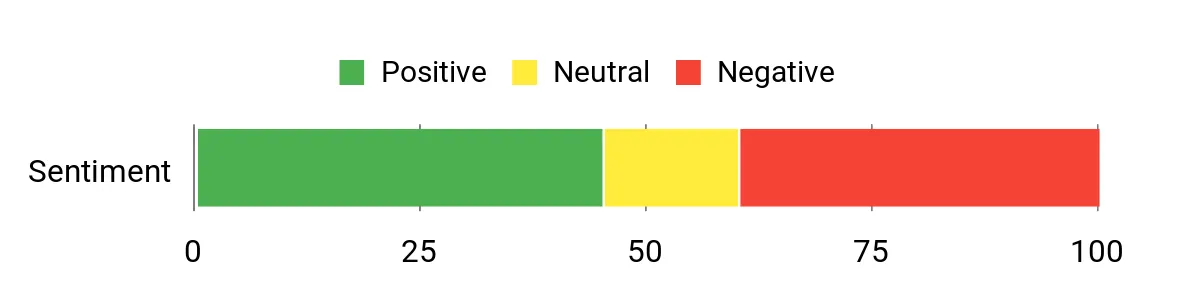
Customers appreciate the automation and flexible queuing — many say it saves hours compared with manual pinning. At the same time, feedback often mentions occasional support delays and the need to watch for Pinterest-side changes that can briefly disrupt fetching or pinning.
Overall Sentiment: Mixed
🗣️ ValvePress
The plugin can pin up to one image per 3 minutes where you are suggested to use a random interval between 3 and up
you are also suggested to set a start time and end time of the day which could simulate a normal person who does not work 24/7
Regards,
Atef
🗣️ ValvePress
Currently one account can be connected at a time
Regards,
Atef
Long-Term Cost Benefits
At a one-time marketplace price, the plugin removes recurring manual work of pinning and scheduling. Over months, creators who regularly share posts or product images will likely recoup the cost through time saved and consistent referral traffic from Pinterest.
Return on Investment
For $27.00 it’s a low-cost automation layer: creators save time on manual pinning and can drive steady referral traffic. For small sites and shops, recovered hours and potential extra traffic typically justify the purchase quickly.
Ease Of Use
| Aspect | Ease Level | Notes |
|---|---|---|
| Installation | Easy | Standard WordPress plugin upload and activation; settings are exposed in a dedicated admin screen. |
| Setting Up Queues | Moderate | Queue and interval options are powerful but require a quick run-through of rules (intervals, start/end times, exclusions). |
| Image Selection | Easy | Auto-detect and manual selection of images work well; front-end detection covers gallery shortcodes. |
| WooCommerce / Custom Types | Moderate | Supports products and custom post types, though mapping rules may take a little testing for complex stores. |
| Support & Troubleshooting | Moderate | Author replies exist but some users report delays; test on staging if pinning is critical. |
Performance
Pins are queued and sent at configured intervals (minimum ~3 minutes). Performance depends on WordPress cron or an external cron job and Pinterest responses — the plugin is designed to throttle to avoid rate limits.
Integrations
| Software | Integration Quality |
|---|---|
| WordPress | Seamless |
| WooCommerce | Good (product price and attributes supported) |
| WPML / Polylang | Supported (multilingual friendly since recent updates) |
| Divi / Page Builders | Good (explicit support for Divi modules and builder shortcodes) |
Security
| Feature | Protection Level |
|---|---|
| Regular changelog updates | Moderate |
| Proxy support and cookie-session login option | Moderate |
| Security fixes and occasional urgent patches | High |
Reliability
A long changelog and steady compatibility fixes indicate active maintenance. However, intermittent Pinterest-side changes and reported support delays mean creators should monitor pin health and test updates on staging.
Collaboration
Queue logs, detailed action history and shortcodes make it straightforward for team members to coordinate pinning and review what has been posted.
Benefits
- Automatic image detection and full-size image pinning from WordPress posts
- Bulk queuing with random intervals and scheduling to mimic natural activity
- Category/tag-to-board mapping and WooCommerce support for product pinning
- Flexible pin text with tags and spintax for varied descriptions
- Proxy and cron options for stability across different hosting environments
Current Price: $27.00
Rating: 4.71
Testimonials Showcase
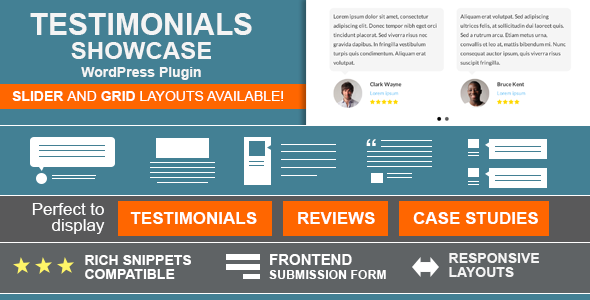
Testimonials Showcase is a wordpress plugin that helps creators put social proof on their site without fuss. It offers grid and slider layouts, a flexible shortcode generator, front-end submission forms and structured data output for richer search snippets. For daily use it’s handy for client galleries, product reviews or quote collections; for special cases it’s useful for case studies with single-entry pages and read-more links. They’ll like that it’s widget-ready, retina-friendly and plays nicely with popular builders like WPBakery — a practical choice for anyone who wants polished testimonials without heavy custom coding.
What People Say
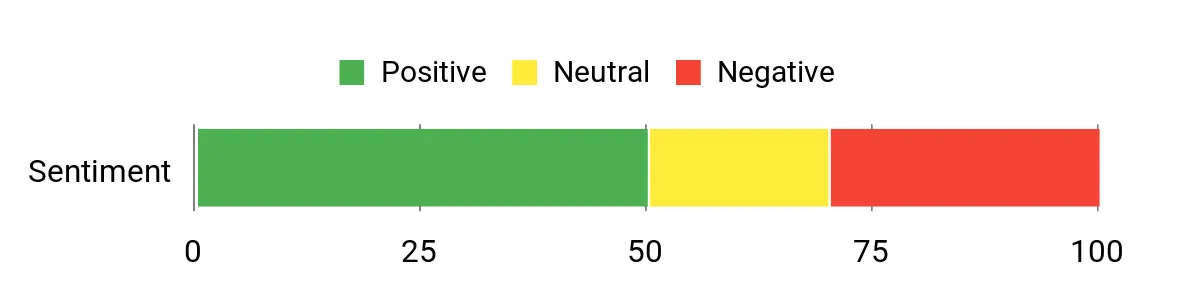
Users often praise the plugin’s flexibility — the shortcode generator and slider/grid options get called out as especially useful. Feedback also highlights helpful author responses and handy workarounds for layout issues, though a few users report occasional compatibility hiccups with themes or homepage sliders.
Overall Sentiment: Mixed
🗣️ cmoreira
Check if adding this fix to the custom js field in the settings helps: https://gist.github.com/carmoreira/99798df91c4de9ff634062c21787e527
🗣️ Jet0o
{“wrap_id”:”#ttshowcase_0″,”counter”:0,”mode”:”horizontal”,”pause”:”4000″,”auto”:true,”controls”:”pager”,”columns”:”1″,”arrow_next”:”“,”arrow_prev”:”“,”adaptive_height”:false,”touchEnabled”:true,”query_count”:6}
Long-Term Cost Benefits
As a one-time purchase, it removes recurring manual work around formatting and presenting testimonials. Over time creators save design and development hours by using the built-in layouts, shortcodes and front-end submission flow instead of building custom solutions.
Return on Investment
At $24.00 the plugin is an affordable way to add polished social proof to a site. For freelancers, agencies and small shops that convert even a few extra visitors, the time saved and improved presentation typically pays back quickly.
Ease Of Use
| Aspect | Ease Level | Notes |
|---|---|---|
| Installation | Easy | Standard WordPress plugin upload and activation; settings live in a clear admin panel. |
| Shortcode Generator | Easy | Visual preview and saved shortcodes make it simple to build layouts without code. |
| Slider Setup | Moderate | Lots of options (autoplay, controls, adaptive height) — useful but can take a minute to tune. |
| Front-End Submission | Moderate | Form customization is straightforward; approval workflow requires attention to settings. |
| Troubleshooting & Support | Moderate | Author is responsive in support threads and provides fixes; some issues need theme-specific tweaks. |
Performance
Layouts are built with lightweight CSS and bxSlider for sliding — typical performance is good, though complex pages with many entries or heavy images may need image optimization or lazy-loading tweaks.
Integrations
| Software | Integration Quality |
|---|---|
| WordPress | Seamless |
| WPBakery (Visual Composer) | Good (module available) |
| WooCommerce | Good (useful for product reviews and links) |
| WPML / Polylang | Supported (translation-ready and compatible) |
Security
| Feature | Protection Level |
|---|---|
| Regular changelog and security updates | Moderate |
| Frontend submission controls (captcha, akismet integration) | High |
| Options to control external asset loading (font-awesome) | Moderate |
Reliability
The long, detailed changelog and steady updates for PHP and security suggest active maintenance. A small number of users report theme-specific display issues, so testing on staging before major updates is sensible.
Collaboration
Saved shortcodes, widget integration and readable settings make it easy for multiple team members to reuse layouts and coordinate testimonial placement across a site.
Benefits
- Multiple display modes (Grid or Slider) for flexible presentation
- Shortcode generator with 10+ visual options makes embedding easy
- Front-end submission form to collect testimonials directly on the site
- Rich snippets (JSON-LD) support to improve search result appearance
- Translation-ready and widget-friendly for broad WordPress compatibility
Current Price: $24.00
Rating: 4.86
ez Form Calculator
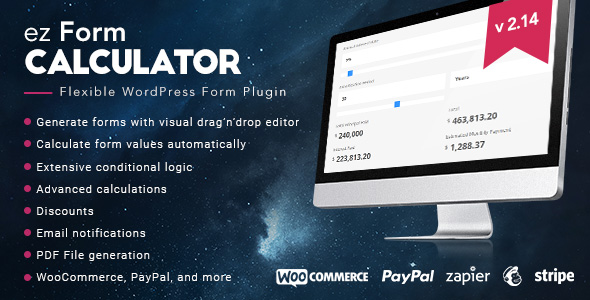
ez Form Calculator is a practical, approachable wordpress plugin that makes building calculators, quotes and payment forms surprisingly quick. They can drag and drop fields, chain calculations with visual formulas and attach PDFs or emails to submissions. For day-to-day use it’s great for quote forms, bookings or simple pricing configurators; for special projects it handles nested calculations, conditional logic and WooCommerce product attachments.
The blogger-style take: it’s not overly flashy but it handles real-world needs without forcing custom code, so creators and small teams save time and reduce friction when adding interactive forms to a site.
What People Say
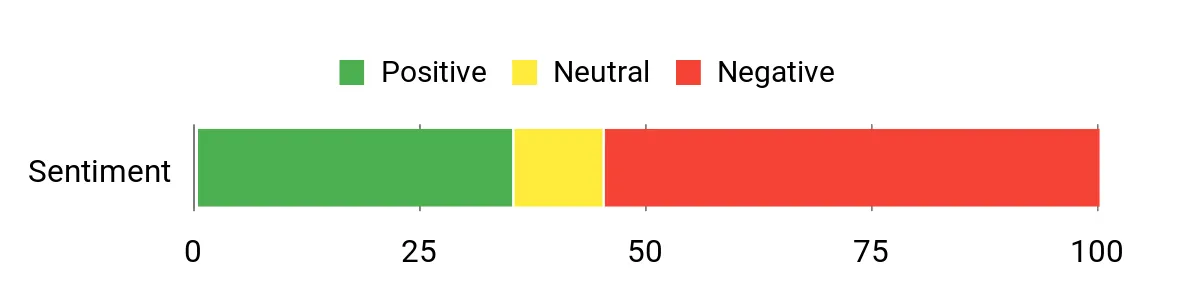
Customers frequently highlight how quickly they can prototype calculators and price estimators with ez Form Calculator. Many praise the formula flexibility and PDF/email features; at the same time several users mention support or compatibility bumps (passing values between forms, specific theme integrations) that can slow a rollout, so testing on a staging site is recommended.
Overall Sentiment: Mixed
🗣️ wpforall.com
With a user friendly interface, exceptional form creation features and an affordable price… ez Form Calculator is a great plugin to add to your development tools. The plugin has all the features found in Gravity Forms (including their premium add-ons).
Long-Term Cost Benefits
Paying once for a multifunctional plugin at $49.00 avoids custom development for many common calculator and quote needs. Over time creators recoup the cost through reduced dev hours, faster launches and fewer maintenance headaches compared with bespoke forms.
Return on Investment
At $49.00 the plugin is accessible for freelancers and small agencies. For teams that convert even a small number of leads via quotes or payment forms, the time saved setting up calculators and automating PDFs/emails typically offsets the price quickly.
Ease Of Use
| Aspect | Ease Level | Notes |
|---|---|---|
| Installation | Easy | Standard wordpress plugin install and activate; settings are straightforward and documented. |
| Form Builder | Easy | Drag-and-drop editor with visual formula fields keeps things approachable for non-developers. |
| Calculations | Moderate | Supports nested formulas and multiple operations — powerful but takes a moment to learn for complex cases. |
| Payment Setup | Moderate | PayPal/Stripe and WooCommerce integrations work well; payment flows may need testing per gateway. |
| Support & Troubleshooting | Moderate | Author provides updates, but several users report slower responses for complex compatibility issues. |
Performance
Calculations and form rendering are generally snappy; extremely large forms with many file uploads or heavy PDF generation can add server load, so use caching and test on the target host.
Integrations
| Software | Integration Quality |
|---|---|
| WordPress | Seamless |
| WooCommerce | Good (attach forms to products and use as checkout upsell) |
| PayPal | Good (standard payment flows supported) |
| Stripe | Good (works for card payments with setup) |
| WPML / Polylang | Supported (translation-ready strings) |
Security
| Feature | Protection Level |
|---|---|
| Backend verification for submissions | High |
| File upload handling with attachment options | Moderate |
| Regular changelog and updates | Moderate |
| Options to keep data after uninstall for safer updates | Moderate |
Reliability
The plugin has a long history of updates and many sales, indicating active maintenance. A subset of users reports unresolved support tickets or feature gaps, so teams should run compatibility checks before major launches.
Collaboration
Form import/export, saved templates and clear field labels make it simple for multiple team members to reuse and edit forms. They can attach forms to WooCommerce products and share settings across environments.
Benefits
- Visual drag-and-drop form builder for fast setup
- Advanced calculation formulas (nested and combined) without code
- Built-in PayPal/Stripe and WooCommerce integration for payments
- Generate and attach PDFs or custom response emails from submissions
- Conditional logic, file uploads and translation-ready (WPML) support
Current Price: $49.00
Rating: 4.4
Team Showcase
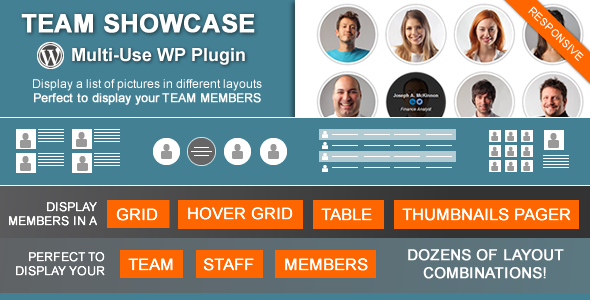
It’s a friendly, no-fuss wordpress plugin for showing people, profiles or any image-plus-text collection in a handful of polished layouts. It offers Grid, Hover Grid, Table and a Thumbnails Pager, plus presets, image shape/effect options, drag & drop ordering and a shortcode/PHP generator so creators can drop a layout into pages, widgets or theme files.
For everyday use it’s perfect to list a team, department or services; for special occasions like portfolio pages or event lineups the thumbnails pager and hover styles give a neat gallery-style interaction. The blogger take: it’s practical, fast to set up and gives non-developers a lot of layout control without custom code, though teams should check the single-page/lightbox behavior if they need fine-grained SEO control.
What People Say
Feedback mixes praise for the flexible layouts and helpful author responses with frustration from users who hit lightbox or update conflicts. Many appreciate the shortcode generator and drag-and-drop ordering, while several threads show the author giving step-by-step workarounds for version or update problems.
Overall Sentiment: Mixed
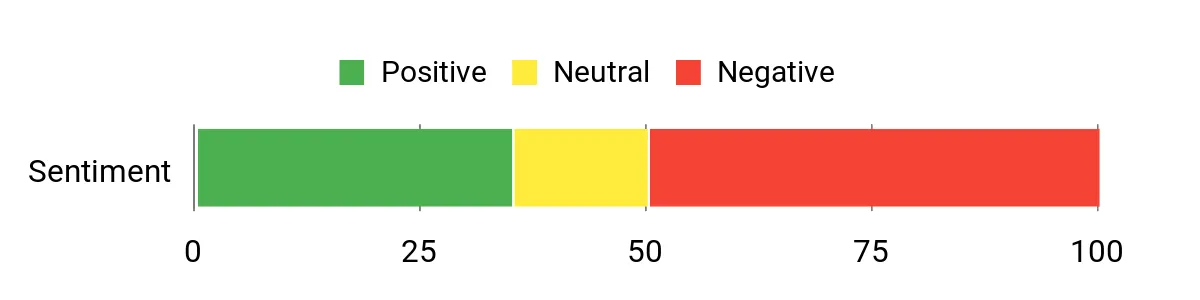
🗣️ cmoreira
They explained the update issue clearly and suggested downloading the latest files manually — a practical workaround for older installs and a useful explanation of why the plugin stopped checking the WP repo.
🗣️ createkb
A user flagged a real conflict with a same-named free plugin that can overwrite files; that report is very useful because it helps others avoid a nasty surprise during automatic updates.
Long-Term Cost Benefits
At a one-time price this plugin avoids custom layout development for team pages, galleries or service lists. For creators who need consistent profile displays across pages, the time saved on layout, shortcode setup and minor styling typically offsets the purchase quickly compared with bespoke theme work.
Return on Investment
For $24.00 the plugin is an economical choice for freelancers and small teams who want repeatable, polished profile or gallery layouts. If those pages are core to a site’s presentation (about pages, team pages, product/service lists), the reduced design and development time gives a fast ROI.
Ease Of Use
| Aspect | Ease Level | Notes |
|---|---|---|
| Installation | Easy | Standard wordpress plugin install; settings are straightforward and the shortcode generator simplifies placement. |
| Layout Setup | Easy | Prebuilt presets and visible options (columns, image shapes, hover styles) make layouts quick to assemble. |
| Shortcode / PHP Generator | Easy | Generates copy-paste code and previews so non-developers can insert layouts into pages, widgets or theme files. |
| Lightbox & Single Pages | Moderate | Lightbox depends on single-page availability; users may need to tweak sitemap or index settings to avoid unwanted single-page indexing. |
| Support & Troubleshooting | Moderate | Author responds with concrete fixes, but several users report waiting or follow-ups for more complex issues. |
Performance
Layouts render quickly in normal use; the grid and hover styles are responsive. Large galleries or many widgets could add front-end weight, so lazy-loading and caching help on busy pages.
Integrations
| Software | Integration Quality |
|---|---|
| WordPress | Seamless |
| WPML / Polylang | Good (translation-ready options) |
| bxSlider / Font Awesome | Good (used for thumbnails and icons) |
| Widgets / Shortcodes | Seamless (shortcode works in text widgets) |
Security
| Feature | Protection Level |
|---|---|
| Regular changelog and updates (recent security improvements) | Moderate |
| PHP 8 compatibility fixes and bug patches | Moderate |
| Option to disable WP repo checks to avoid conflicts | Moderate |
| JSON-LD output controls (privacy/SEO impact) | Low |
Reliability
The plugin has many sales and a long update history, which suggests ongoing maintenance. That said, several user reports about update conflicts and occasional slow support responses mean teams should test compatibility on staging before rolling changes to production.
Collaboration
Drag & drop ordering, clear entry fields and shortcode presets make it easy for multiple contributors to add or reorder entries. The shortcode generator and widget support help non-developers reuse layouts across a site.
Benefits
- Multiple responsive layouts (Grid, Hover Grid, Table, Thumbnails Pager)
- Shortcode and PHP generator for fast, flexible placement
- Drag & drop re-ordering and category filters for easy content management
- Widget-ready and translation compatible (WPML/Polylang integrations)
- JSON-LD support and layout presets to speed styling
Current Price: $24.00
Rating: 4.68
Interactive US Map
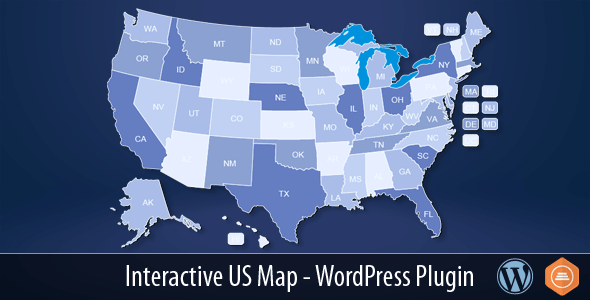
It’s a practical, approachable wordpress plugin for creators who want a clickable US map without custom code. The dashboard makes it straightforward to set colors, hover text, abbreviations and links for each of the 50 states plus DC, then drop the generated shortcode into pages or posts. It supports multiple map instances on the same page, modal integration (works well with Popup Maker), and options to hide lakes, Alaska, Hawaii or DC. For day-to-day use it’s handy for regional menus, store locators or state-based content; for presentations or client sites the modal and bulk-edit tools speed setup.
The blogger take: they’ll appreciate how quickly a professional interactive map can be added to a wordpress site, and that the author provides clear update notes and demo files to test before committing.
What People Say
Feedback tends to praise the mobile behavior and modal support, and many users highlight the demo as a good way to test layout and functionality before purchase. A handful of threads ask about using the map to update off-map page areas and about mobile visibility — those practical questions often get direct replies from the author.
Overall Sentiment: Positive
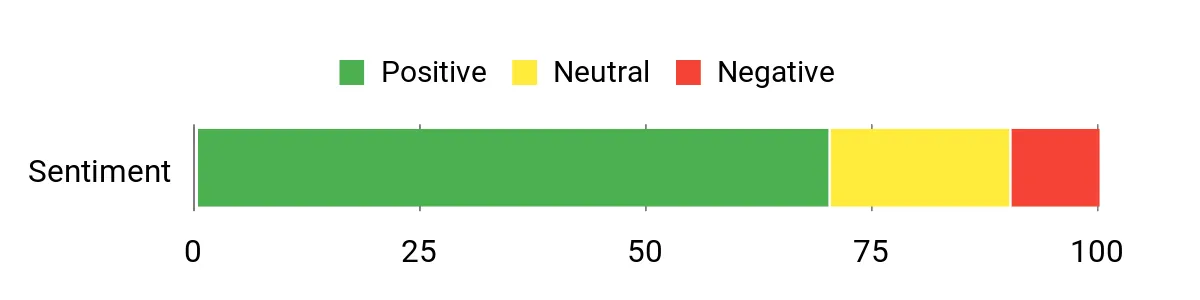
🗣️ Art101
The author confirmed both the preview and premium map plugins work well on mobile and invited users to contact support directly for any issues — useful reassurance for anyone testing on phones.
🗣️ PebblePower
A user testing the demo said the modal integration worked great and asked about updating a separate page column when a state is clicked — a practical use-case that shows the plugin can fit into more complex layouts.
Long-Term Cost Benefits
At a one-time $39.00 price this plugin avoids custom development for interactive maps. For creators who need consistent regional navigation across multiple posts or client sites, the time saved on setup, shortcode placement and modal content typically offsets the cost compared with hiring a developer for a custom map.
Return on Investment
For $39.00 the plugin is economical for freelancers and small agencies who build location-aware pages or client microsites. Reusing the shortcode and multiple map instances across projects yields fast ROI in reduced development time and fewer support hours.
Ease Of Use
| Aspect | Ease Level | Notes |
|---|---|---|
| Installation | Easy | Standard wordpress plugin upload or install; the package includes demo files and clear update instructions. |
| Map Customization | Easy | Per-state colors, hover text and abbreviations are editable in the dashboard; bulk edit speeds repetitive changes. |
| Shortcode Use | Easy | Generates a shortcode (and supports multiple instances) so creators can place maps in posts, pages or widgets without code. |
| Mobile / Touch | Moderate | Recent fixes improved touch scrolling and mobile display; users should test on devices and clear caches after updates. |
| Support & Troubleshooting | Moderate | Author replies are informative and offer direct contact links, though complex custom requests may need extra back-and-forth. |
Performance
Maps load as SVG and recent updates hide the map until fully loaded to avoid layout shifts. Small sites see fast render times; busy pages may benefit from caching but the plugin itself is lightweight.
Integrations
| Software | Integration Quality |
|---|---|
| WordPress | Seamless |
| Popup Maker (modal plugins) | Good (tested integration for per-state modals) |
| sFTP / Manual Updates | Good (authors recommend manual replacement option for some updates) |
| Shortcodes / Widgets | Seamless (shortcode works in posts, pages and widget areas) |
Security
| Feature | Protection Level |
|---|---|
| Regular changelog and versioned updates | Moderate |
| Compatibility fixes (script upgrades and mobile fixes) | Moderate |
| Options to hide elements (privacy control over hover info) | Low |
Reliability
With thousands of sales and a long changelog the plugin appears actively maintained. The author provides update notes and demo files, though users should test updates on staging and clear caches since some reported update or display questions exist.
Collaboration
Multiple map instances, bulk edit and shortcode placement make it simple for several contributors to manage map content and reuse the same map configurations across pages.
Benefits
- 50 clickable states plus DC with individual links and hover content
- Shortcode generator for fast placement anywhere in a wordpress site
- Modal integration (tested with Popup Maker) for rich state popups
- Options to hide lakes, Alaska, Hawaii or DC and multiple map instances
- Bulk edit and editable abbreviations for quick styling changes
Current Price: $39.00
Rating: 4.8
Scroll Magic

Scroll Magic is a wordpress animation builder that helps creators add scroll-driven and autoplay animations without touching code. They can drag scenes together, pick CSS3 or HTML5 effects and preview changes quickly with the new Scene Builder UI. For everyday use it’s handy for product pages, feature callouts and blog headers; for special launches or portfolio pieces it adds motion that guides attention and keeps pages feeling modern. The plugin is pitched at people who want polished animation without hiring a developer — they’ll find templates, responsive controls and structure data tools make it easy to reuse effects across pages.
What People Say
Customer feedback mixes praise for responsive support and concrete troubleshooting tips with questions about licensing and demo connectivity. Users often note the plugin adds compelling motion but recommend testing on staging and checking theme PHP settings if demos or updates act up.
Overall Sentiment: Mixed
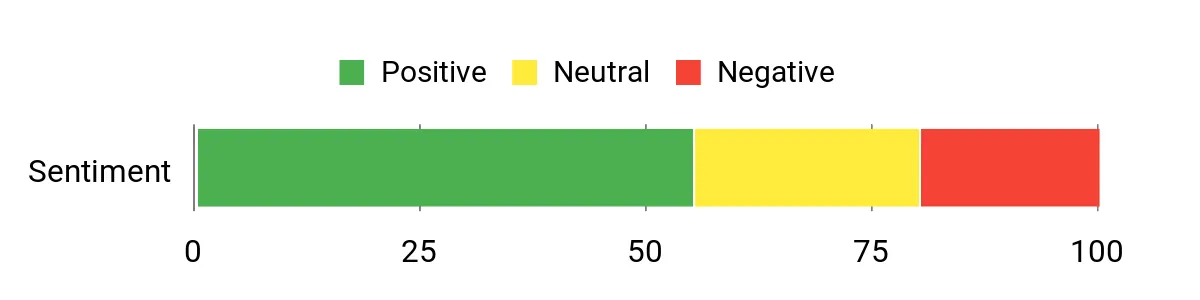
🗣️ DocoDev
The author tested the license and confirmed it was working, offering clear guidance to reconnect demos — a useful sign the team will respond when integration hiccups happen.
🗣️ bestdiscountprice
A user traced a Parse error to short PHP tags in functions.php and fixed it locally, which is practical troubleshooting feedback for others encountering display or parse issues.
Long-Term Cost Benefits
At a one-time $29.00 price tag this plugin avoids hiring a front-end animator for most scroll effects. For creators who reuse scenes across posts or client sites, the time saved on design and implementation typically offsets the modest purchase cost.
Return on Investment
For $29.00 the plugin is economical for freelancers and small studios: quick scene reuse, lifetime updates and faster page-building translate into saved development hours and faster delivery to clients.
Ease Of Use
| Aspect | Ease Level | Notes |
|---|---|---|
| Installation | Easy | Standard wordpress plugin install; package includes demo files but users should test demos on a staging site. |
| Scene Builder | Moderate | Drag-and-drop UI simplifies timeline setup, though complex sequences may require a short learning curve. |
| Responsive Controls | Easy | Breakpoints and responsive previews help adapt animations to different devices. |
| Troubleshooting | Moderate | Support responses are active, but certain issues (license checks, PHP short tags) may need manual fixes or author guidance. |
| Demo Use | Moderate | Demos are valuable for testing, but some users reported demo or license connectivity hiccups—verify on your setup first. |
Performance
The plugin markets itself as lighter and faster (x10) and is built with performance in mind; small to medium pages load quickly, though heavy animation scenes will still benefit from caching and optimization.
Integrations
| Software | Integration Quality |
|---|---|
| WordPress | Seamless |
| Page Builders (Elementor, WPBakery) | Good (works as part of page content; test per builder) |
| Theme PHP / child themes | Moderate (some themes may need PHP settings adjusted, e.g., short_open_tag) |
| Shortcodes / Templates | Seamless (scenes and shortcodes can be reused across pages) |
Security
| Feature | Protection Level |
|---|---|
| Regular changelog and versioned updates | Moderate |
| Compatibility fixes for scripts and mobile behaviors | Moderate |
| License checks for demos and premium features | Low |
Reliability
With several thousand sales and an active changelog, the plugin is reasonably maintained. Users should test updates on staging because a few reports reference demo or license issues that required support interaction or minor PHP adjustments.
Collaboration
Reusable scenes, templates and exported configurations make it easy for teams to share animation setups and keep a consistent motion style across pages.
Benefits
- No-code scene builder for scroll and autoplay animations
- CSS3 and HTML5 animation support with responsive controls
- Lightweight performance claim (advertised x10 faster) to reduce load
- Lifetime updates and changelog with Scene Builder UI improvements
- Reusable scenes and structure data for consistent site-wide effects
Current Price: $29.00
Rating: 3.94
Photo Contest

Photo Contest is a wordpress-ready plugin that helps creators run photo competitions without wrestling with code. They can set up submission forms, control votes, and tweak how images display across devices — handy for a weekly gallery on a blog or a big seasonal contest. It’s built to be responsive, plays nicely with BuddyPress, and gives organisers fine-grained control over uploads, votes and visibility.
For everyday use it keeps community engagement high; for special campaigns it’s a simple way to generate shares, backlinks and fresh traffic. They’ll appreciate the exportable vote data and social features when measuring impact.
What People Say
Users generally praise the level of control over voting and the responsive galleries. Feedback highlights practical settings like IP protection and vote limits, while a few threads ask about sharing quirks (WhatsApp) and feature requests like paid votes — the author has acknowledged and addressed many of these points.
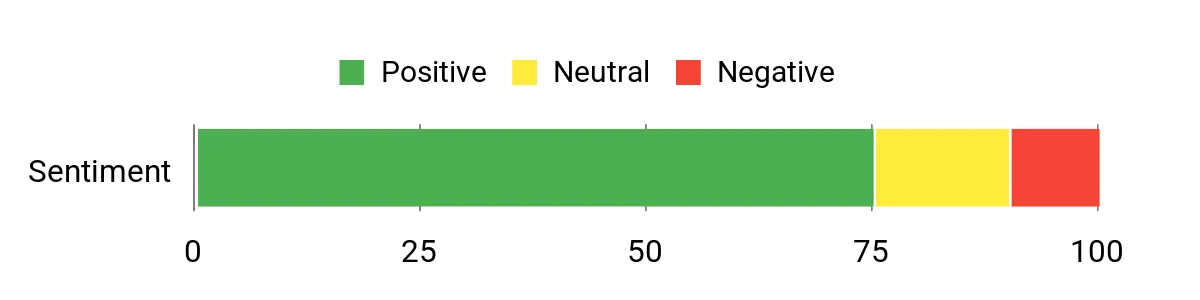
Overall Sentiment: Positive
🗣️ GalleryPlugins
The author confirms you can limit votes (for example one vote a day) and is open about future payment options — useful if someone wants per-user vote rules today and plans to add paid votes later.
🗣️ GalleryPlugins
The plugin explains IP protection is in contest settings and can be disabled for closed networks — practical detail for events with shared connections.
Long-Term Cost Benefits
At a one-time $39.00 price, the plugin avoids ongoing subscription fees and reduces the need to build a custom contest system. For creators who run recurring contests, the time saved on setup, moderation and promotion makes it cost-effective over multiple campaigns.
Return on Investment
The $39.00 purchase pays back through increased traffic, social shares and new email signups. For photographers, bloggers and community managers the boost in engagement and backlinks can justify the plugin within a few well-promoted contests.
Ease Of Use
| Aspect | Ease Level | Notes |
|---|---|---|
| Installation | Easy | Standard wordpress plugin install with demo files; familiar to anyone who has added plugins through the admin panel. |
| Contest Setup | Moderate | Many options for vote rules, submission fields and layouts — flexible but a short walkthrough helps pick the best defaults. |
| Photo Management | Easy | Built-in tools for crop, rotate and category assignment make organizing entries straightforward. |
| Voting Controls | Moderate | Multiple protection layers (IP, unique ID, email confirm) give control; toggling features requires reading the settings to avoid surprises for voters. |
| Support & Troubleshooting | Moderate | Author responds in threads and documents known quirks (e.g., WhatsApp behavior); some situations need support interaction or small adjustments. |
Performance
The plugin is optimized for modern themes and is responsive across devices. Galleries and voting scale well for small-to-medium contests, though very large contests will benefit from caching and image optimization to keep page loads snappy.
Integrations
| Software | Integration Quality |
|---|---|
| WordPress | Seamless |
| BuddyPress | Full (uploads and activity stream integration) |
| Email/newsletter plugins | Good (exportable CSV and hooks make it easy to connect) |
| Page Builders | Good (works within common builders but test layouts) |
Security
| Feature | Protection Level |
|---|---|
| IP protection | High |
| Unique vote ID and email confirmations | High |
| reCaptcha support | Moderate |
| GDPR options and exportable logs | Moderate |
Reliability
With thousands of sales and a detailed changelog, the plugin appears well maintained. Users should test updates on a staging site because a few reports mention sharing or integration quirks that needed author support.
Collaboration
BuddyPress ties, CSV exports and configurable templates let teams manage contests together and reuse settings across campaigns.
Benefits
- Granular voter control (vote limits, IP protection, email confirmations)
- Fully responsive galleries that work across phones, tablets and desktops
- Comprehensive photo management: crop, rotate, categorize and export data
- Built-in social sharing and SEO-friendly features to drive traffic
- BuddyPress integration for community-driven contests
Current Price: $39.00
Rating: 4.53
Ajax Translator Revolution
Ajax Translator Revolution is a practical translation tool for creators who want a quick route to a multilingual wordpress site. It promises a one-minute install and then handles automatic translations across pages, posts, custom post types, widgets and many third-party builders and plugins.
They’ll like that it doesn’t rely on perfect theme codex compliance — it works with sliders, menus, popups and forms that other translators struggle with. It also includes a Cached Translations panel so editors can tweak or import translations page-by-page, a template system for custom output, and options to show flags, names or both.
SurStudio maintains useful docs and active support threads, and there’s a dropdown-styled sibling plugin if someone needs a menu-integrated option. For everyday blogging or a product launch in multiple markets, it saves time and keeps options open; for special campaigns it’s easy to fine-tune which sections get translated.
What People Say
Users frequently praise the responsiveness of the author and the practical Cached Translations workflow for fine-tuning automatic results. Common threads ask about dropdown placement and language naming, but support replies and the FAQ usually point people to the dropdown version or configuration steps.
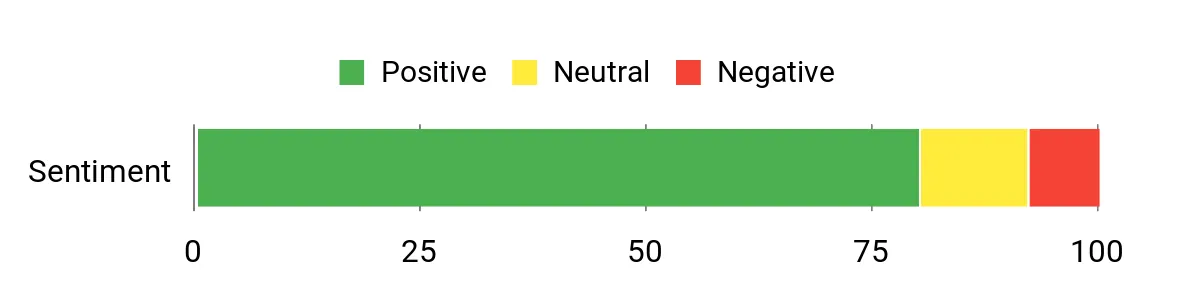
Overall Sentiment: Positive
🗣️ SurStudio
The author explains that the only way to edit translations is via the Cached Translations tab in the plugin admin: select the URL, pick the language and modify entries. For bulk edits there’s an import option too, which is handy when working across many pages.
🗣️ SurStudio
SurStudio confirms it’s fine to use the license on a development environment and then reuse the same Item Purchase Code on the final site, which simplifies staging-to-production workflows.
Long-Term Cost Benefits
At a one-time $25.00 price, the plugin removes recurring translation service subscriptions for many workflows. For creators who frequently publish content in multiple languages, the time saved on manual translation and the ability to edit cached translations makes it cost-effective over a single campaign or ongoing multilingual publishing.
Return on Investment
The $25.00 purchase pays back through faster international reach, reduced translation labor and fewer tooling headaches. For bloggers, agencies and small shops the SEO and audience gains from more accessible pages can justify the plugin after a few posts or a single multilingual promotion.
Ease Of Use
| Aspect | Ease Level | Notes |
|---|---|---|
| Installation | Easy | Standard wordpress plugin install with clear setup steps and demo options; advertised as a one-minute install for basic use. |
| Translation Editing | Easy | Cached Translations tab lets editors pick a URL and language then modify entries; import/export helps with batch changes. |
| Customization | Moderate | Around 87 settings and a template system give control but require spending a few minutes to choose sensible defaults. |
| Positioning & Display | Moderate | Custom positioning or a dropdown-styled companion plugin is available for menu placement; some themes need small tweaks. |
| Support & Troubleshooting | Easy | Author replies directly in comments and provides clear guidance, which speeds up solving placement or translation quirks. |
Performance
The plugin includes controls for concurrent translation calls so creators can balance translation time with browser resource use. It performs well on small-to-medium sites; very large pages benefit from tuning concurrency and using caching to keep front-end loads smooth.
Integrations
| Software | Integration Quality |
|---|---|
| WordPress | Seamless |
| Page Builders (common builders) | Good (works with many builders but test complex layouts) |
| Theme Elements (sliders, menus, popups) | Good (designed to translate non-standard sources) |
| Third-party plugins | Good (handles many plugin outputs though edge cases may need tweaks) |
Security
| Feature | Protection Level |
|---|---|
| Role-based edit permissions | Moderate |
| Cached translations backups | Moderate |
| Choice of translation gateway (SurStudio free gateway or Google Translate API) | Depends |
| Exportable settings and translation backups | Moderate |
Reliability
With thousands of sales, frequent updates and a detailed changelog, the plugin appears actively maintained. Users should still test major updates on a staging site because some placement and integration quirks occasionally require author guidance.
Collaboration
Permission-based editing, import/export of translations and backup panels make it straightforward for teams to share translation tasks and staging-to-production workflows.
Benefits
- Very fast setup — advertised one-minute install
- Automatic translation for 103 supported languages
- Editable cached translations and import/export for batch fixes
- Flexible placement and display: flags, names, widgets or custom positioning
- Works with many non-standard content sources (sliders, popups, builders)
Current Price: $25.00
Rating: 4.79
Image Map HotSpot With Lightbox WordPress Plugin
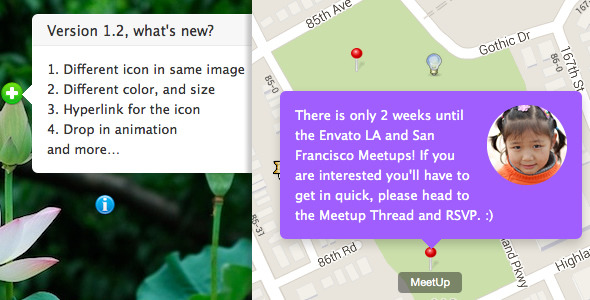
Image Map HotSpot is a straightforward wordpress tool for creators who want interactive, annotated images without wrestling with code. It offers a live backend preview so they can drag pins into place and see changes in real time, choose whether popovers open on hover or click, and add lightbox content (YouTube, Vimeo, images or maps) to hotspots.
For everyday posts it’s great for product shots, travel maps or portfolio images; for special campaigns it handles guided tours, event maps and interactive infographics. The plugin keeps front-end weight down by enqueueing scripts only when needed and includes accessibility tweaks like alt/title attributes added in recent updates.
It’s an easy, practical pick for anyone who wants polished image interactivity inside WordPress with minimal fuss.
What People Say
Buyers commonly praise the intuitive editor and real-time hotspot positioning, noting that the plugin removes the need for custom code or external image hosting. A handful of users report migration or edge-case bugs (especially around data structure changes and some browser quirks), but support replies are active and many long-term users still run it on production sites.
Overall Sentiment: Positive
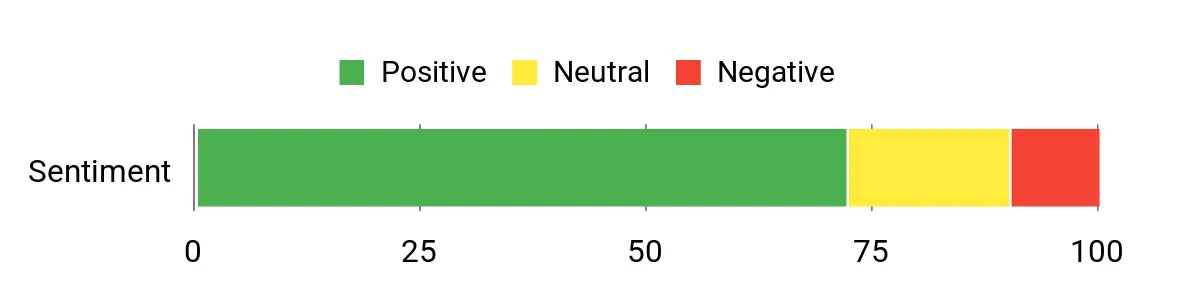
🗣️ z64
This is an awesome plugin. The intuitive GUI allows you to edit the position of the hotspots in real time. HTML can be input directly into each hotspot for professional looking pop-ups with no back-end work. By using shortcodes to place the formatted image there are no conflicts with design elements.
🗣️ anogatzea
I can’t tell you how excited I am about this software. I have struggled for nearly a year to get something that worked. No external hosting of photographs, no complicated code. If I want to add another hotspot later it’s all there. Worth every penny.
Long-Term Cost Benefits
At a one-time $22.00 price, the plugin avoids recurring service fees and reduces developer time for building interactive images. For creators who publish lots of annotated visuals, the faster production workflow and reusable hotspots can pay back the cost after a few projects.
Return on Investment
The $22.00 purchase speeds up interactive content creation and lowers maintenance compared with custom solutions. For small teams or solo creators the SEO and engagement gains from clearer, clickable images typically justify the plugin within a handful of posts or a single major campaign.
Ease Of Use
| Aspect | Ease Level | Notes |
|---|---|---|
| Installation | Easy | Standard WordPress plugin upload and activation; settings are straightforward and a live demo helps verify basic setup. |
| Hotspot Editing | Easy | Drag-and-drop pins in the backend preview make placement quick and visual; supports numbered icons and custom images. |
| Lightbox Setup | Moderate | Adding YouTube/Vimeo or image lightboxes is simple, though editors should test media links and sizes for consistent pop-up display. |
| Migration / Upgrades | Moderate | Some buyers reported data-structure differences between major versions; updates usually preserve data but manual steps or support help may be needed. |
| Troubleshooting | Moderate | Common fixes (shortcode wrapping with raw, checking theme interactions) are documented and author replies are present in comments. |
Performance
Lightweight by design — scripts and styles are only enqueued when a hotspot instance is present, so page weight stays low. Lightbox and responsive sizing perform well on typical pages, though large galleries or many hotspots should be tested for device performance.
Integrations
| Software | Integration Quality |
|---|---|
| WordPress | Seamless |
| Page Builders | Good (works via shortcodes; complex builders may need shortcode wrapper) |
| Lightbox Media (YouTube/Vimeo/Images) | Good (built-in support) |
| Themes (responsive layouts) | Good (responsive handling but test container sizes) |
Security
| Feature | Protection Level |
|---|---|
| Conditional asset loading | Moderate |
| No required external image hosting | Moderate |
| Accessibility additions (alt/title attributes) | Low |
| Active update history | Moderate |
Reliability
With thousands of sales and a long changelog, the plugin has a solid track record and ongoing maintenance. Users should still test updates on staging because a few version changes required manual migration steps for some sites.
Collaboration
The live backend preview and shortcode-based output make it easy for different team members to add or refine hotspots without touching theme code; content can be edited directly in the WordPress editor.
Benefits
- Live WYSIWYG backend preview for precise hotspot placement
- Draggable icons in the editor for quick edits
- Lightbox support for videos, images and Google Maps
- Responsive behavior and optional pulse animation for pins
- Assets enqueued only when needed to keep pages lean
Current Price: $22.00
Rating: 4.42
Super Carousel
Super Carousel is a flexible wordpress carousel plugin that lets creators build responsive image and content sliders without wrestling with code. It supports posts, custom post types, YouTube, RSS feeds, Flickr and direct media uploads, and it includes a visual mode for styling plus an expert mode for custom HTML/CSS. For everyday use it’s handy for showcasing recent posts, client logos or testimonials; for special campaigns it becomes a quick way to build hero carousels, gallery lightboxes or product showcases. The template system and built-in lightbox make repeatable setups simple, and the many navigation options (touch swipe, keyboard, arrows, dots) keep the UX smooth on mobile and desktop.
They’ll appreciate the balance between out-of-the-box templates and developer hooks for deeper customization—so it’s a practical pick for bloggers and small studios who want polished carousels inside WordPress without long dev cycles.
What People Say
Buyers often praise the plugin’s flexibility and the visual editor for quickly assembling carousels from different content sources. Many appreciate the built-in lightbox and template system that speed up repeated tasks. That said, several users reported configuration headaches, documentation gaps or frontend conflicts in some themes—and support replies are visible in the comments, usually with step-by-step troubleshooting.
Overall Sentiment: Mixed
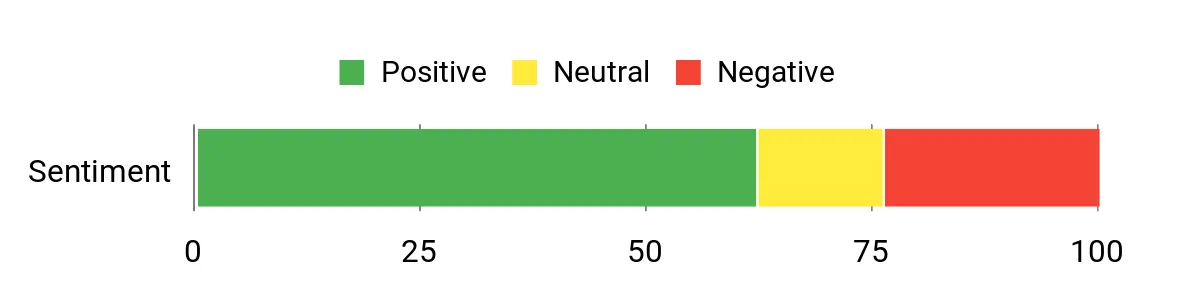
🗣️ originalweb
You can simply put the below HTML to link into the lightbox and control captions and links. To initialise through jQuery they provided a concise snippet which helped get custom lightbox links working quickly.
🗣️ originalweb
Please register the purchase code under settings and update the plugin. If the issue still exists please send wp-admin login with purchase code. The author’s step-by-step support replies helped resolve configuration issues for several buyers.
Long-Term Cost Benefits
At the one-time $21.00 price, Super Carousel avoids subscription fees and reduces developer time for carousel-heavy pages. Its template and visual modes let creators reuse setups across campaigns, which can save hours on recurring content tasks.
Return on Investment
For $21.00 the plugin can pay back quickly by cutting development and design time on recurring sliders or image galleries. Teams that publish frequent galleries or client showcases will likely recoup the cost after a few projects thanks to reusable templates and faster production.
Ease Of Use
| Aspect | Ease Level | Notes |
|---|---|---|
| Installation | Easy | Standard wordpress plugin upload and activation. Basic setup is straightforward for most users. |
| Visual Mode | Easy | Drag-and-drop media and live preview make building carousels intuitive for non-developers. |
| Lightbox & Media | Moderate | Built-in lightbox works well, but some custom behaviors (separating caption links vs image clicks) may require tinkering or support guidance. |
| Developer Customization | Moderate | Expert mode and hooks allow deeper tweaks, though users should be comfortable with HTML/CSS for advanced layouts. |
| Troubleshooting | Moderate | Support replies are present and sometimes include code snippets; users should test changes on staging to avoid frontend conflicts. |
Performance
Generally responsive and optimized in recent updates, but multiple large carousels or conflicting theme scripts can affect page rendering. Test on a staging site to confirm smooth scrolling and load behavior.
Integrations
| Software | Integration Quality |
|---|---|
| WordPress | Seamless |
| Page Builders | Good (works via shortcodes; complex builders may need wrappers) |
| Lightbox Media (YouTube/Vimeo/Images) | Good (built-in Super Gallery lightbox) |
| Themes (responsive layouts) | Good (responsive settings available; test container interactions) |
Security
| Feature | Protection Level |
|---|---|
| Ongoing updates and changelog | Moderate |
| Support for HTTPS and recent PHP versions | Moderate |
| No required external image hosting | Low |
| Developer hooks (actions & filters) | Moderate |
Reliability
With thousands of sales and a detailed changelog stretching over years, the plugin has a long history of fixes and feature updates. Still, a handful of users have reported front-end conflicts after updates, so it’s wise to test new versions on staging before pushing to production.
Collaboration
The visual editor, templates and shortcode-based output make it easy for different team members to create or update carousels without touching theme code. Templates help keep styling consistent across campaigns.
Benefits
- Responsive behavior with separate settings per breakpoint
- Supports multiple sources: WP posts, custom posts, YouTube, RSS, Flickr and media library
- Visual styling mode plus Expert mode for custom HTML/CSS
- Built-in Super Gallery lightbox with touch swipe and media support
- Template system for export/import and reusable carousel setups
- Developer-friendly actions, filters and customization hooks
Current Price: $21.00
Rating: 4.11
Embed Any Document Plus

Embed Any Document Plus is a practical wordpress plugin that makes showing documents on a site feel effortless. It supports PDFs, PowerPoint, Word and Excel files and hooks into cloud storage like Google Drive, Dropbox, Box.com and OneDrive so they can be embedded with a click.
For daily use it’s great for publishing reports, slide decks or client deliverables inside posts; for special projects it works well for gated previews, course materials or press kits where readers should view rather than download. They’ll like the Gutenberg block and shortcode options for placing viewers, and the changelog shows steady fixes and viewer improvements—so it’s an easy pick for creators who want embedded docs without third-party viewers or complex workarounds.
What People Say
Users frequently note that the plugin solves a common pain point: embedding documents without forcing downloads or third-party viewers. Feedback highlights responsive support messages and documentation updates, though several customers mention API setup hiccups for cloud connectors and occasional frustration around refunds or configuration.
Overall Sentiment: Mixed
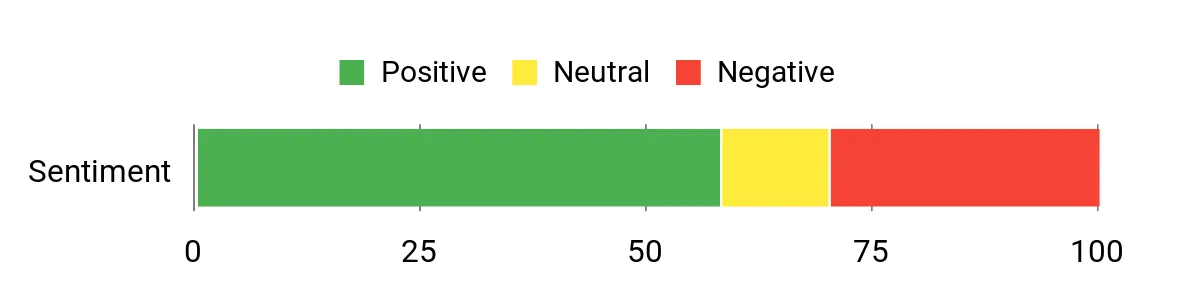
🗣️ awsmin
The documentation has been updated. Please check now – https://docs.embedanydocument.com/configuring-cloud-apis/box.com
🗣️ awsmin
Hi @ifcosmin,
We apologize for the inconvenience caused to you. Kindly note that the issues you are experiencing are not under our control.
1. The Google Drive Connection issue – The plugin does not have any issue connecting with Google Drive. It’s working fine for all other customers who purchased a license from us. Otherwise, our review page would have been flooded with negative reviews.
You have to follow the step-by-step instructions provided to generate the keys from Google. We found that the API was configured incorrectly. We provided you with support to fix the issue. But you have decided not to use Google Drive. We offered you a refund because it was not working out for you.
2. You have opened a refund request during our holidays. Before we can take any action you have raised a dispute against it with Envato. Now it’s marked as a disputed request and it will be only processed by Envato after their enquiry which usually takes 1-3 weeks. We do not have any control over it.
We really do not wish to keep your money. But it’s not under our control now. You will soon get a response from Envato Support Team and we will also push from our side to get your refund as soon as possible.
Please note that – We are not liars or the plugin is not defective. We promised that your money will be refunded and as soon as the Envato Support Team approves it.
Thank you
Aravind Ajith
CEO, Awsm Innovations
Long-Term Cost Benefits
At a one-time $39.00 price, the plugin removes the need for costly document-hosting subscriptions and reduces developer time spent building custom viewers. For sites that publish documents regularly, that saves recurring costs and streamlines content workflows.
Return on Investment
The plugin can pay for itself quickly by cutting time spent creating workarounds or manual embeds. Anyone who shares slide decks, reports or course materials inside wordpress will likely recoup the cost after a few projects thanks to cloud connectors and reusable blocks.
Ease Of Use
| Aspect | Ease Level | Notes |
|---|---|---|
| Installation | Easy | Standard WordPress plugin upload and activation. Basic setup is straightforward for most sites. |
| Embedding Files | Easy | Drag-insert via Gutenberg block or shortcode works well for PDFs and Office files. |
| Cloud Connectors | Moderate | Google Drive and Box connections require API key configuration; documentation and support are available but some users report initial setup friction. |
| Viewer Customization | Easy | Responsive height and theme options make basic adjustments simple without code. |
| Troubleshooting & Support | Moderate | Support replies and changelog entries are visible; users should test integrations on staging to avoid live-site issues. |
Performance
Viewers are generally lightweight but embedding many large documents or relying on external cloud viewers can affect page load. Caching and selective lazy loading help; test on a staging environment for page speed impact.
Integrations
| Software | Integration Quality |
|---|---|
| WordPress | Seamless |
| Google Drive | Good (requires API setup) |
| Dropbox | Good (native viewer supported) |
| Box.com | Good (works, but API workflows have changed in the past) |
| OneDrive | Good (personal viewer available) |
Security
| Feature | Protection Level |
|---|---|
| Regular security updates and changelog | Moderate |
| Enhanced sanitization of embed attributes (2025 patch) | High |
| Support for HTTPS and recent WP versions | Moderate |
| Cloud API key configuration | Moderate |
Reliability
With nearly 2,800 sales and a detailed changelog spanning years, the plugin shows ongoing maintenance and bug fixes. A small number of users report configuration issues or disputes, so it’s sensible to test integrations and keep backups before major updates.
Collaboration
Gutenberg block, shortcodes and cloud access let team members add or update documents without touching theme files. Sharing cloud folders and using consistent embed templates helps teams keep content in sync.
Benefits
- Embed PDFs, PowerPoint, Word and Excel directly in posts
- Native cloud integrations: Google Drive, Dropbox, Box.com, OneDrive
- Gutenberg block and shortcode support for flexible placement
- No extra browser plugins required for viewers
- Responsive viewers and viewer fallback options
- Regular updates and visible changelog with security fixes
Current Price: $39.00
Rating: 4.48
Car Rental System

Car Rental System is a native wordpress plugin built to run a rental business from inside WordPress. It focuses on performance, scalability and real-world booking needs — unlimited cars, partners, seasonal pricing, multiple locations, coupons, deposits and PayPal/Stripe support.
They designed it mobile-first with Bootstrap and responsive image sizes, and the code follows OOP MVC and PSR standards so developers can extend it. For everyday use it handles availability checks, booking steps, emails and invoices; for special occasions it supports multi-location fleets, partner accounts and complex taxes or distance fees.
They also include import demo data, documentation and video tutorials, so site owners can get a rental site running without building everything from scratch. It’s a practical pick for creators who want a self-hosted, feature-rich booking system inside WordPress.
What People Say
Customers often praise the partner accounts and detailed feature set — many note the plugin handles real-world booking needs like multi-location fleets and seasonal pricing. A number of users also point to helpful documentation and an active beta program, though some report setup or theme integration quirks.
Overall Sentiment: Mixed
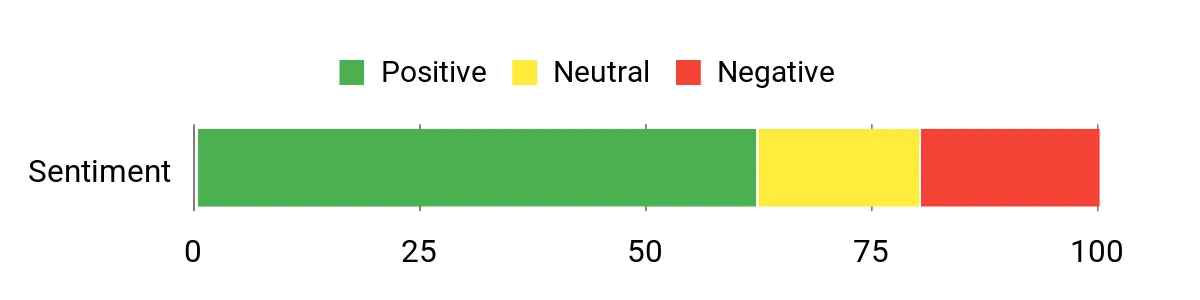
🗣️ KK_Matt
Hi, if you rated plugin 5 stars you can apply to CRS 503 beta. But anyway, this feature is not there yet, as we focus first to do other things. Anyway, if you have a budget you can contact EWP.com -> contact for premium custom works (or you can do ask on Fiverr this custom feature). With CRS 5.3 to come this fall, this feature should ship. But not with CRS 5.0.3, 5.1
🗣️ KK_Matt
There is partners feature. Meaning you either allow them to register on your WP site or you create WP user yourself and assign him ‘car rental partner’ role, and then they can add their, cars, fleet, manage their locations, reservations.
Long-Term Cost Benefits
At a one-time $85.00 purchase with lifetime updates, the plugin can cut the cost of custom booking builds and recurring SaaS fees. It’s designed to scale with big databases and supports server-side caching, so it reduces future hosting and development overhead compared with building a custom system.
Return On Investment
The plugin can pay for itself quickly for anyone renting multiple vehicles or managing partner fleets: faster setup, fewer custom dev hours, and built-in payment & tax handling mean revenue-generating bookings are active sooner.
Ease Of Use
| Aspect | Ease Level | Notes |
|---|---|---|
| Installation | Easy | Standard WordPress plugin upload and activation; import demo option helps reproduce demo quickly. |
| Initial Setup | Moderate | Plenty of options (locations, taxes, price plans) so setup takes time but is well-documented. |
| Partner / Multisite Setup | Moderate | Built-in partner role and multisite/WPML compatibility make multi-company setups possible, though some configuration is required. |
| Booking Workflow | Moderate | Search, availability calendar and multi-step reservation are intuitive, but theme integrations can cause display quirks for some users. |
| Support & Updates | Moderate | Active changelog and beta program; support may direct to tests or paid custom work for theme-specific issues. |
Performance
Designed for high-traffic sites and tested on large databases; works with caching and reverse proxies, though complex listings and many images can still affect page speed.
Integrations
| Software | Integration Quality |
|---|---|
| WordPress | Seamless |
| WPML / Polylang | Good (multilanguage supported) |
| PayPal | Good (sandbox & callbacks supported) |
| Stripe | Good (payment methods easily added) |
| Google Analytics / Enhanced Ecommerce | Good (reservation-step tracking supported) |
Security
| Feature | Protection Level |
|---|---|
| Input validation, output escaping and ReCaptcha | High |
| API scanner to allow only legal requests and detailed logs | High |
| Native WordPress nonce checks and XSS protections | High |
| Regular updates and PSR-compliant codebase | Moderate |
Reliability
With 2,884 sales and a long changelog, the plugin demonstrates continuous maintenance and improvement. It’s been tested on very large sites, though a handful of users report configuration or theme-related issues — testing on staging is recommended.
Collaboration
The partner role, BuddyPress support and multisite compatibility let teams or third-party companies manage their own fleets and reservations without full admin access.
Benefits
- Native WordPress code for performance and compatibility
- Unlimited cars, partners and multisite/WPML support
- Flexible pricing: hourly, daily, seasonal and mixed plans
- Multiple pick-up/return locations, distance and after-hours fees
- Partner role for multi-company or franchise setups
- Supports PayPal, Stripe and manual payments with callback logs
Current Price: $85.00
Rating: 4.04
Elite Video Player

Elite Video Player is a polished WordPress media plugin that makes embedding and monetizing video straightforward. They built it to handle everything from single MP4 files to YouTube playlists, Vimeo embeds and HLS livestreams, and it includes ad systems (VAST/VMAP/IMA), Chromecast and Google Analytics hooks. For everyday use a creator can drop a shortcode into a post, enable sticky or lightbox modes and let it play across devices; for special projects it handles mixed playlists, deeplinking, live thumbnails and custom ad flows.
It’s friendly for non-technical users yet flexible enough that a power user can fine-tune appearance and behavior, so they often recommend it when a creator wants a professional video experience inside WordPress.
What People Say
Buyers repeatedly praise the plugin’s balance of features and support: users highlight easy setup, deep customization and responsive, helpful author replies. A few people mention theme or CSS quirks after updates, so many suggest testing on a staging site first.
Overall Sentiment: Positive
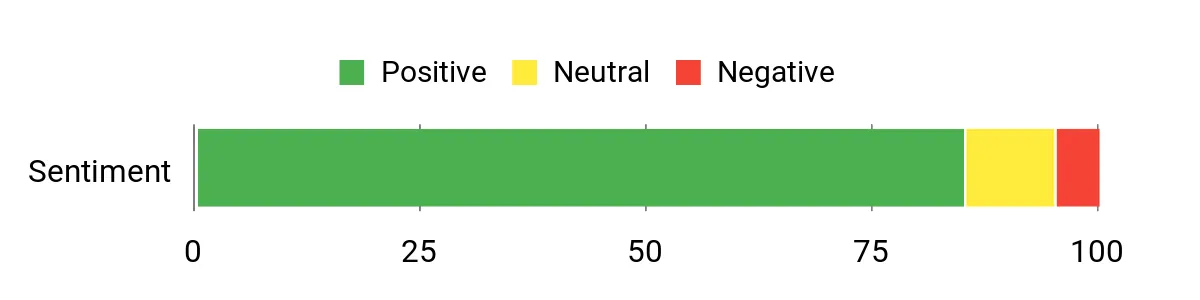
🗣️ davidmfraser
Quite simply the best video player I have used in conjection with WordPress and I have tried several. Straight out of the box, easy to set up and customise the player. Very simple/intuitive even for those with not much of a techy background. Aesthetically, fantastic to look at/extremely slick. The support is very good quick as well. Very happy – 5 stars!
🗣️ xjb123
A very good product that was easy to use to present my collection of videos the specific way I wanted them to appear (not so easy with other players). I had a minor issue with security settings of my site causing videos hosted on Vimeo from playing back properly – the author provided EXCELLENT support and resolved my problem in a day! I’m very pleased with the product and support provided.
Long-Term Cost Benefits
With a one-time purchase, creators avoid recurring SaaS fees for hosted players. Built-in ad monetization, analytics and wide source support (YouTube, S3, Dropbox, Google Drive, HLS) reduce the need for extra services and custom development over time.
Return On Investment
Creators who monetize via pre/mid/post-roll ads or who replace paid hosted players can recoup the $69.00 quickly. Faster setup, fewer development hours and included lifetime updates improve time-to-revenue for video-heavy sites.
Ease Of Use
| Aspect | Ease Level | Notes |
|---|---|---|
| Installation | Easy | Standard WordPress plugin upload and shortcode usage; demo and docs speed initial setup. |
| Initial Configuration | Moderate | Many options (ads, sources, thumbnails) take a bit of time to configure well, but settings are documented. |
| Day-to-Day Editing | Easy | Shortcodes, Gutenberg block and builder compatibility make embedding quick for content creators. |
| Advanced Customization | Moderate | Deep controls for playlist behavior, ad timing and UI colors are powerful but may need testing for complex themes. |
| Support | Easy | Authors respond often and have helped with theme-specific fixes according to multiple buyers. |
Performance
The player is optimized for HTML5 and delivers fast playback across devices; features like lazy loading, viewport autoplay and HLS improvements in recent updates help keep load times down.
Integrations
| Software | Integration Quality |
|---|---|
| WordPress (Gutenberg, Classic Editor) | Seamless |
| Page Builders (Elementor, Divi, Beaver Builder) | Good |
| Google Analytics | Good (video and ad event tracking) |
| Amazon S3 / Cloud Drives | Good (direct playback supported) |
| YouTube / Vimeo APIs | Good (playlist/channel support, custom controls) |
Security
| Feature | Protection Level |
|---|---|
| HLS (m3u8) support for tougher download protection | High |
| Option to hide self-hosted video sources and disable right-click | Moderate |
| Regular updates and changelog with security fixes | Moderate |
| Automatic detection of unplayable files to avoid exposing bad URLs | Low |
Reliability
With nearly 2,900 sales and a long, active changelog, the plugin shows steady maintenance and feature updates. A few users report occasional visual bugs after updates, so testing on staging is recommended before rolling out major upgrades.
Collaboration
Auto-generated embed codes, deeplinking and multiple player instances make it easy for teams to share and reuse players across sites and authors without extra setup.
Benefits
- Plays YouTube, Vimeo, self-hosted mp4, HLS m3u8 and cloud-hosted videos
- Built-in ad support: VAST, VMAP, VPAID and Google IMA plus self-hosted ads
- Google Analytics tracking and deeplinking to monitor engagement
- Live and vtt thumbnails for a better scrub/preview experience
- Sticky, lightbox and responsive modes for consistent cross-device playback
- Customizable UI and color accents to match any WordPress theme
Current Price: $69.00
Rating: 4.68
FAQ
How Should A Digital Creator Choose Plugins And Budget For Them?
They should treat plugin selection like a small investment in infrastructure: validate recent updates, active sales or installs, and clear support channels before purchase, and prefer plugins that declare compatibility with current WordPress and PHP versions. They will prioritize compatibility, security and support over feature overload; a $49.00 premium plugin that is actively maintained and has an established support system is often a better value than multiple free plugins with no updates.
They should also check changelogs and reviews for real-world issues, confirm any marketplace license terms (for example Envato items) and test installations on a staging site before rolling out to production.
Will These Plugins Slow Down Their WordPress Site And How Can They Mitigate Performance Issues?
They should assume every plugin has a cost in resources and evaluate perceived impact with tools such as Query Monitor and real user monitoring; if a plugin performs imports, synchronization or heavy queries (for example large product imports or cron-driven syncs) it can push server usage up quickly. They can mitigate risk by using quality hosting, server-level caching, object cache (Redis/Memcached), selective activation or modular plugins, offloading assets to CDNs, enabling lazy loading, and configuring plugin sync intervals and batch sizes; for example a commerce-affiliate plugin that limits bulk sync to a specific number of products per cron is safer to run on a dedicated plan than on cheap shared hosting. They should also maintain backups and perform load tests on staging so they know the safe limits for their setup.
What Practical Steps Ensure Smooth Setup, Updates And Support For Commercial WordPress Plugins?
They should follow a practical workflow: buy from the official marketplace, register the purchase and read the author documentation, install and test on a staging environment, and create a rollback backup before production updates. They must confirm licensing rules and domain limits, subscribe to updates or enable the plugin auto-updater where safe, and open vendor support tickets for issues rather than relying on public comments; when a plugin offers alternatives to hard API requirements (for example direct import extensions that remove the need for certain API keys) they should evaluate trade-offs such as synchronization limitations and fallbacks.
For ecommerce integrations in particular, they should check platform restrictions (for instance some plugins will not run on WordPress.com hosted sites), follow vendor guides for cronjobs and API keys, and use features like 90 days cookie or on‑site cart options only after confirming affiliate policy compliance and server capability; this combination reduces surprises and keeps their WordPress site reliable.
Preferred Plugins Ranked
They prioritize seamless integration, reliability, and conversion-focused features when choosing between WooZone, UserPro, and Real 3D FlipBook. They favor WooZone for its deep WooCommerce–Amazon affiliate integration and sales optimization tools, UserPro for robust profile, membership and community capabilities, and Real 3D FlipBook for high-performance, visually engaging content presentation, while also weighing ease of use, compatibility, customization, and support.
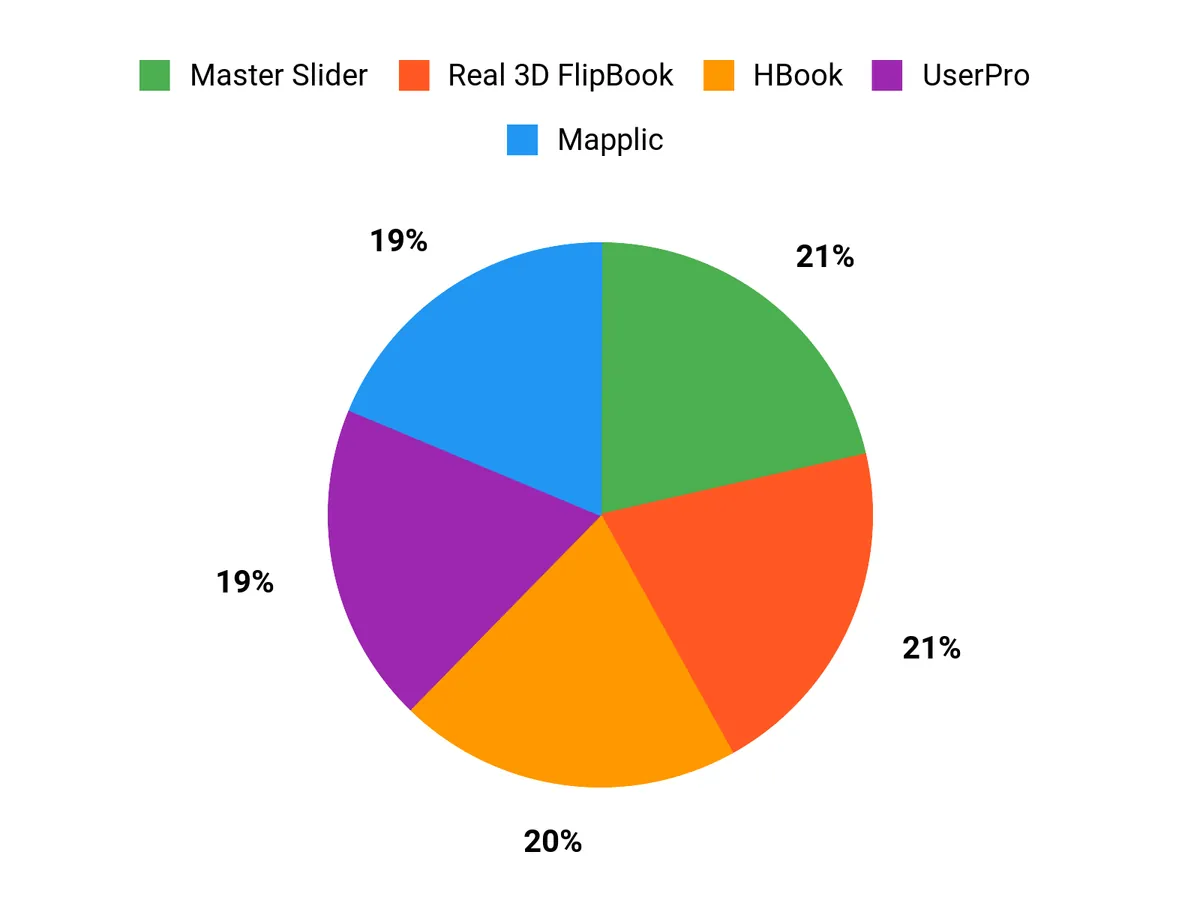
Wrapping Up
WordPress plugin choice matters because it affects performance, monetization and the creator’s ability to iterate. They will gain clarity from this guide: plugins that automate affiliate imports (WooZone), manage users and social login (UserPro), present rich media (Real3D Flipbook, Elite Video), or add business-critical systems (HBook, Mapplic, Progress Map) reduce development time and risk. For creators focused on conversions and growth, prioritizing plugins that offer regular updates, clear changelogs and integrations with core WordPress tools will deliver the greatest benefit.
| Product | Image | Rating | Key Highlights | Compatibility | Price |
|---|---|---|---|---|---|
| WooCommerce Amazon Affiliates – WordPress Plugin | | 4.01/5 (N/A reviews) |
| Compatible with any WordPress/WooCommerce setup. | $49.00 |
| UserPro – Community and User Profile WordPress Plugin | | 4.33/5 (N/A reviews) |
| Fully compatible with any well-coded WordPress theme including multisite installations. | $39.00 |
| Real 3D FlipBook PDF Viewer WordPress Plugin | | 4.56/5 (N/A reviews) |
| Compatible with all major browsers and devices. | $69.00 |
| Master Slider – Touch Layer Slider WordPress Plugin | | 4.5/5 (N/A reviews) |
| Works with all WordPress themes and page builders. | $39.00 |
| Mapplic – Custom Interactive Map WordPress Plugin | | 4.52/5 (N/A reviews) |
| Works with any theme using WordPress. | $64.00 |
| HBook – Hotel Booking System – WordPress Plugin | | 4.88/5 (N/A reviews) |
| Works seamlessly with any WordPress site and WooCommerce. | $70.00 |
| Progress Map WordPress Plugin | | 4.43/5 (N/A reviews) |
| Compatible with most WordPress themes and standards. | $59.00 |
This Roundup is reader-supported. When you click through links we may earn a referral commission on qualifying purchases.