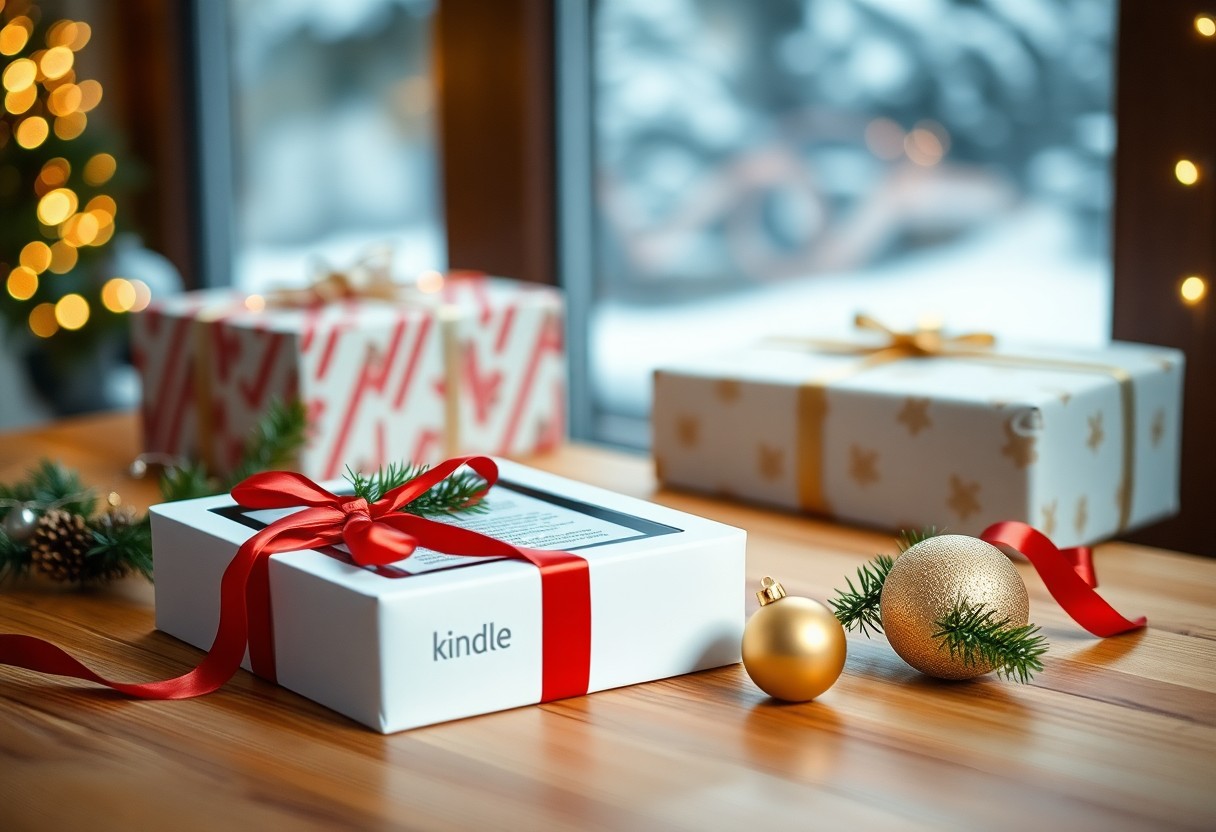

Many of your friends and family value convenience and a vast library, so you should weigh whether the latest Kindle’s battery life, display improvements, and ecosystem access match your giftee’s reading habits; this concise evaluation helps you assess features, price, and user experience so you can decide confidently if it belongs on your holiday gift list.
Why the Latest Kindle Stands Out
You get a 6.8‑inch, 300‑ppi E Ink display, up to 10 weeks of battery life in typical use, IPX8 waterproofing and USB‑C charging, all wrapped in a slimmer, lighter chassis – those concrete upgrades make it feel less like a gadget and more like a polished reading companion you’ll actually use every day.
Design, build quality and ergonomics
The matte flush‑front screen and subtly textured rear give you a secure grip for long sessions, while narrow bezels and balanced weight make one‑handed reading and bedtime holding comfortable; small design choices like rounded edges and tactile power button add to the overall usability you’ll notice on commutes and flights.
Display, battery life and performance
With a 6.8‑inch, 300‑ppi E Ink panel and adjustable warm light, text renders sharply and night reading is easier on your eyes; the front light (17 LEDs on recent models) combined with power‑sipping hardware provides the multi‑week battery life and snappy page turns you need for uninterrupted reading.
In real use, turning off Wi‑Fi and keeping brightness moderate helps you approach the advertised 10‑week runtime, whereas heavy downloading or max brightness can reduce that to days; base storage starts at 8GB-enough for thousands of titles-and the Signature Edition offers 32GB plus wireless charging if you want extra capacity and convenience.
The Reading Experience
With a 6.8‑inch, 300‑ppi e‑ink display on recent Paperwhite models, your reading feels close to paper while adjustable warm light and weeks-long battery let you finish long books without charging nightly; the glare‑free screen and IPX8 water resistance mean you can read poolside or in bed, and Bluetooth support for Audible lets you switch seamlessly between pages and narration without losing your place.
Software features, content ecosystem and annotations
Amazon’s ecosystem gives you access to millions of eBooks, audiobooks and Kindle Unlimited catalogs, plus Goodreads integration for recommendations; Whispersync keeps your last page, bookmarks and annotations synced across devices, X-Ray surfaces character and theme notes, and highlights/notes export through the “Your Highlights” page or Send-to-Kindle make research and sharing straightforward.
Accessibility, customization and reading modes
Adjustable fonts (Bookerly, Ember, Caecilia), multiple font sizes, line spacing and margin controls let you tailor text density, while invert‑color/negative mode, boldness toggles and VoiceView screen reader support assist low‑vision or dyslexic readers; dark mode and warm‑light scheduling reduce eye strain during long sessions.
For example, you can switch font family and increase line spacing in seconds to fit more or less text per page, enable VoiceView to have passages read aloud via Bluetooth headphones, and schedule warm light to shift color temperature at sunset-students often pair these settings with Whispersync for Voice so they can study on the Kindle and pick up the audiobook exactly where they left off.
Gift Appeal and Personalization
You get a gift that scales from casual readers to devoted bibliophiles: choices range from the entry-level Kindle to Paperwhite and the larger Kindle Scribe, with options like 8 GB or 32 GB storage, waterproofing (IPX8), and battery life measured in weeks – features that make the device feel thoughtful and useful long after the holidays.
Editions, price points and perceived value
You can pick a model for almost any budget-roughly $90 for the basic Kindle, $140 for Paperwhite, up to about $350 for Scribe-so your perceived value is high compared with a stack of paperbacks; promotional bundles (case + cover) and trade-in offers further boost ROI, while options like ad-free versus sponsored screens alter both price and gifting appeal.
Personalization, packaging and unboxing experience
You’ll find personalization through gift messages at checkout, third-party engraved or monogrammed cases ($20-$60), and premium bundles that elevate unboxing; Amazon and many retailers provide gift-wrap or gift options and use compact, recyclable boxes that keep the reveal clean and presentable.
You can enhance the surprise by leaving the Kindle unregistered so the recipient signs in with their own account, preload a curated selection of titles within the device’s storage (8 GB can hold thousands of eBooks), enable Amazon Kids or set parental controls beforehand, and include a tailored case or charger-small touches that turn a functional gadget into a memorable, personalized present.
Practical Ownership Considerations
Compatibility with accounts, services and formats
You rely on a single Amazon account to sync purchases, Whispersync bookmarks and Audible progress across devices; Household sharing lets two adults and up to four children share purchases. The Kindle reads native Kindle formats (AZW, AZW3, KF8), handles PDFs, and accepts EPUB via Send-to-Kindle conversion or third‑party tools. Bluetooth audio works with Audible and most headphones, public library loans come through OverDrive/Libby for Kindle-compatible titles, and sideloading via USB remains an option for DRM‑free files you convert yourself.
Durability, support and warranty
Your Kindle’s durability depends on model: Paperwhite and Signature carry an IPX8 waterproof rating (immersion up to 2 meters for 60 minutes), while the entry model lacks that protection. Amazon includes a one‑year limited warranty in many regions, with optional Amazon Protect or third‑party plans to extend accidental-damage coverage. Battery and screen aren’t user-serviceable, and official repairs or replacements are typically handled through Amazon support rather than independent shops.
If something goes wrong you usually have 30 days to return a new device for a refund and one year for manufacturing defects; paid protection plans often add accidental coverage and faster replacements. In practice Amazon support frequently issues replacement units within 2-5 business days for validated warranty claims, and many users report swapouts instead of lengthy repairs. Using a protective case and a screen protector reduces risk and simplifies any support claims you might need to file.
Alternatives and Comparative Options
Quick comparison
| Category | |
|---|---|
| E-readers | You get 6-8″ e‑ink displays, weeks of battery life, and native EPUB support on Kobo models; consider Kobo Clara 2E (budget), Kobo Libra 2 (larger screen), or Onyx Boox for handwriting and PDFs. |
| Tablets | You get 8-13″ color LCD/OLED, apps for comics, magazines and note apps, and 8-12 hour battery-examples include Apple iPad (multimedia) and Samsung Galaxy Tab (Android flexibility). |
| You can subscribe to Audible (~$14.95/mo) or Libro.fm to add spoken titles; great if the recipient commutes or prefers hands‑free listening. | |
| You can pair a Kindle with signed hardcovers, bookstore gift cards, book subscription boxes ($15-60/mo), reading lights, or a cozy throw for a tactile, curated present. |
Other e-readers and tablets to weigh
If you want specialized reading features, you’ll look at Kobo for native EPUB and waterproof models, Onyx Boox for large 10-13″ note-taking screens and PDF handling, or standard tablets like the iPad for color magazines and comics; e‑readers give weeks of battery and lighter weight, while tablets offer full apps, color and multitasking-choose based on whether your recipient prioritizes reading comfort or multimedia versatility.
Non-electronic gifts and hybrid ideas
You can boost a Kindle gift by adding non‑electronic items: a signed first edition or indie bookstore gift card, a quality booklight, a leather bookmark, or a curated subscription box-those boxes typically run $15-60/month and feel personal when paired with a device.
Digging deeper, you might pair a device with a 6-12 month audiobook or book‑club subscription (Audible ~$14.95/mo, many book boxes $20-40), select a limited‑edition hardcover ($25-60), and include a protective sleeve and reading lamp; that combo transforms a standalone gadget into a layered, lasting experience for the reader you’re gifting.
Buying and Gifting Tips
You can score an entry-level Kindle from about $99.99 or a Paperwhite around $139.99 during seasonal sales; certified refurbished units on Amazon Warehouse often shave 20-40% off new prices. Check Amazon, Best Buy, Target and manufacturer refurbished listings, and use gift-wrap and scheduled delivery so your present arrives on time. Perceiving the recipient’s reading habits and pairing the device with a curated e-book or short subscription often makes the gift feel personalized.
- Use Prime Day and Black Friday for biggest discounts.
- Buy refurbished to save without voiding warranty.
- Include a gift receipt and pre-load a favorite book.
Timing, promotions and where to buy
You should target Prime Day (July) or Black Friday/Cyber Monday (late November) for up to 30-40% off models, while early-December flash sales help last-minute shoppers. Amazon, Best Buy and Target routinely match promotions; certified refurbished sections typically list devices 20-40% cheaper with limited warranties. If you prefer in-store pickup, Best Buy and Target let you verify stock the same day, reducing shipping risk during peak holiday demand.
Accessories and thoughtful add-ons
You can boost perceived value with a case ($15-$50), an AMFilm or tempered-glass screen protector ($8-$15), and a quality USB-C cable or compact wall adapter (~$10-$20). Consider gifting a 1-3 month Kindle Unlimited subscription (~$9.99/month) or a curated e-book to get them reading immediately.
For more durability, pick an auto-sleep cover from Amazon’s official lineup ($29.99-$59.99) or third-party makers like MoKo and Speck; waterproof Paperwhite models (IPX8) pair well with a snug, grippy case. Add a compact power bank if the recipient commutes, and include simple how-to notes on borrowing library e-books via OverDrive/Libby-practical details that make the device easier to use from day one.
Summing up
To wrap up, the latest Kindle offers a compelling blend of portability, screen quality, battery life and ecosystem that makes it an excellent holiday gift: you get a device that suits casual readers and avid book lovers alike, your recipient benefits from easy access to thousands of titles and features like adjustable lighting and waterproofing, and the value-to-price balance means you can give a thoughtful, enduring present without overspending.